





About SpeedMatch Competition
Most tile-matching games are patient. They lay out a board, let you stare at it, and only end when you run out of moves. SpeedMatch Competition takes the patience away. The tiles never stop moving unless you stop them, and while you hesitate a rival is pulling ahead on a race bar at the top of the screen.
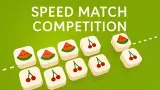
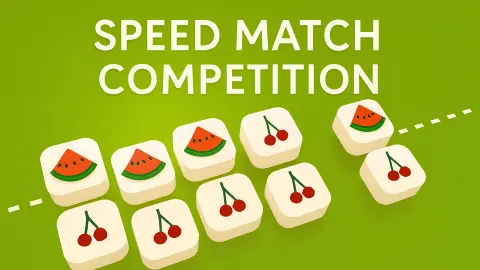
The tiles are white squares with four fruits on them: red cherries, yellow lemons, purple grapes and green grapes. They slide across an olive-green field in a block, and a white dotted line cuts the field on a diagonal. One click or tap anywhere stops the tile that is moving. The rules fit on one card, shown at the start of every race: stop the tiles, and match them by stopping them on the dotted line.
The game is by mutgames, the developer listed for it, the same studio behind the one-button flyer Mom I Can Fly. It was published on 19 October 2025, was last updated in August 2026, and by late October 2026.
Four races lost: the honest report
In a ten-minute session at a desktop we got into the race straight away and clicked to stop tiles many times, but we never cleared a set we could see vanish, and our green marker never left the start of the bar. Meanwhile the orange marker crept forward on its own, reached the flag, and we lost. That happened four times.
Losing follows the same steps every time. First a Revive? screen offers to carry on if you watch an advert, with a red X to close it. Then a red screen with faint skulls shows three buttons: Retry, Quit and a tall Skip Level with a video icon. Retry sends you back to Finding Opponents for a fresh race.
So there is a lot we cannot tell you. We never won, so we do not know what a victory looks like or whether levels get harder. We saw no level number and no score. We also cannot say whether the rivals are real people: the search screen lists three Guest players, but the race bar only ever showed two markers. If SpeedMatch Competition clicks for you, you will see more of it than we did.
Why the fruit: cherries and lemons came from chewing gum
The four fruits on these tiles have a longer history than the game. In 1910 the Mills Novelty Company added a gum dispenser to its slot machines and swapped the old playing-card symbols for fruit. The idea was to make the machine look like it sold gum, not like it took bets. Cherry, orange, plum and lemon matched the gum flavours. The gum was poor and most people left it, but the fruit stayed, and cherries and lemons are still on slot reels today.
SpeedMatch Competition borrows more than the pictures. Like a row of reels, it shows you symbols that keep moving until something stops them, and it pays only when matching symbols come to rest on a line. The difference is who decides. In this game nothing stops by chance: you choose the moment, and every miss on the dotted line is a click that came too early or too late. That makes it a test of timing and nerve, the opposite of a game of luck.
Who it is for
SpeedMatch Competition suits players who like a quick reaction test more than a long think. The rule takes one sentence and the controls take one finger, so it is easy to start at any age. It is not a calm puzzle: a miss cannot be taken back, and the race bar keeps reminding you that someone else is ahead.
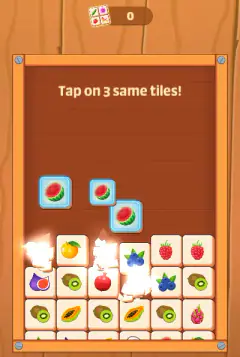
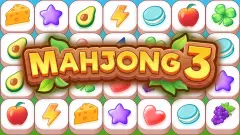
If you would rather match tiles at your own pace, Mahjong 3 and Monster Tile Party both use a tray you fill three of a kind at a time, with the board sitting still while you think. For another game where one button and good timing are everything, mutgames also made Mom I Can Fly. There are more matching games in puzzle games.
Screenshots
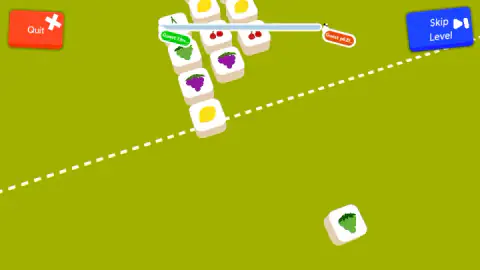
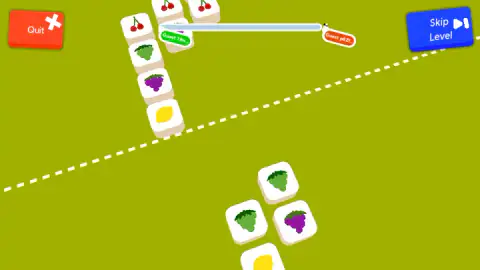
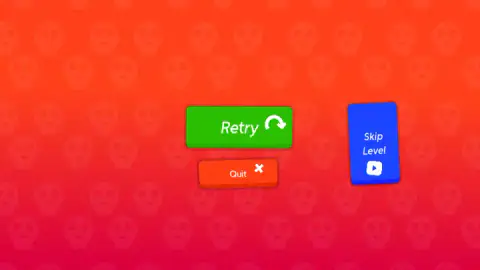
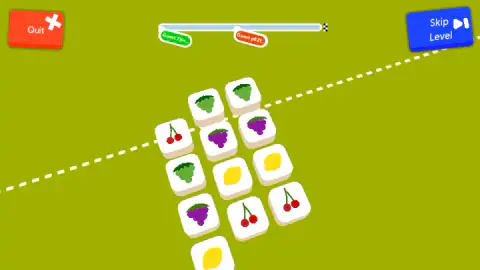
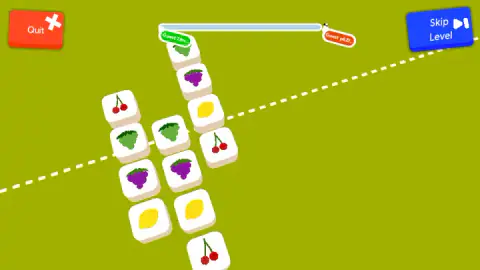
Taken by opening the game ourselves and letting it run — not supplied by the publisher, and not the same picture every other site shows.
How to play SpeedMatch Competition
- Wait for the Finding Opponents screen. It lists three Guest names and a loading wheel, then drops you on the field.
- Read the blue and green card and press OK. It says the fastest player wins and repeats the one rule.
- Watch the block of fruit tiles slide toward the white dotted line.
- Click or tap anywhere on the field to stop the moving tile. The aim is to stop it right on the line, next to tiles with the same fruit.
- Keep an eye on the bar at the top. Your marker is green, the rival's is orange, and the first to reach the checkered flag wins.
Tips from our session
- Do not aim at the tiles. We tried clicking on them and on the empty field; the card says click or tap the screen, and a click on the empty field does the job. Where you press does not matter; when you press does.
- Keep your eyes on the line, not the bar. The race bar is the most stressful thing on screen and the least useful. Every glance at it is a moment the tile is not where you are looking.
- Mind the corners. Quit sits in the top left and Skip Level in the top right, both in play the whole time. Skip Level plays an advert. A wild click in either corner ends your race.
- A tutorial hand appears after a retry. It points at the dotted line, which is the clearest hint the game gives about where the tiles need to stop.
Controls
| Click or tap anywhere on the field | Stops the tile that is moving; the aim is to stop it on the white dotted line |
|---|---|
| OK | Closes the rules card at the start of each race |
| Retry | Starts a new race after a loss, beginning with a new search for opponents |
| Quit (top left) | Leaves the race |
Features
- Four fruit tiles to match: red cherries, yellow lemons, purple grapes and green grapes
- One input for the whole game: a click or a tap anywhere stops the moving tile
- A white dotted line across the field, the only place a stopped tile counts
- A race bar at the top with your marker, a rival's marker and a checkered flag at the finish
- Each race opens with a Finding Opponents screen that lists three Guest names
- Losing brings a Revive offer for an advert, then a Retry screen
- A Skip Level button with a video icon, on screen the whole time
Game details
- Developer
- mutgames
- Release date
- October 2025
- Last updated
- August 10, 2026
- Added here
- August 2025
- Technology
- HTML5 (3D)
- Platforms
- Browser (desktop, mouse), Browser (mobile & tablet, touch)
- Saved progress
- Saving, when available, is managed by this game. Mava cannot confirm your level.
FAQ
How do you play SpeedMatch Competition?
Fruit tiles slide across a green field, and a click or tap anywhere stops the one that is moving. The rules card says to match tiles by stopping them on the white dotted line that crosses the field. You do not click the tiles themselves, only the field, so the whole game is about timing.
Do you have to click on the tiles in SpeedMatch Competition?
No. The game's own card says click or tap the screen to stop a tile, so a press anywhere on the field works. What matters is when you press, not where: the tile has to be on the dotted line at that moment.
What is the bar at the top of SpeedMatch Competition?
It is the race. Your marker is the green one and the rival's is the orange one, and there is a checkered flag at the right end. Whoever reaches the flag first wins, as the opening card says: may the fastest opponent win.
What happens when you lose in SpeedMatch Competition?
A Revive screen appears first, offering to continue if you watch an advert, with a red X to close it. After that comes a red screen with skulls and three buttons: Retry, Quit and Skip Level. Retry starts a new search for opponents and a fresh race.
Should you press Skip Level in SpeedMatch Competition?
Only if you want to watch an advert and skip the race. The button carries a video icon, which means it plays an ad, and it sits in the top right corner during play, close enough to press by accident. We left it alone.
Is SpeedMatch Competition really online multiplayer?
Each race starts with a Finding Opponents screen listing three Guest players, and the race bar shows a rival marker moving on its own. We could not tell whether those rivals are real people or players run by the game, and the bar only ever showed two markers.
Who made SpeedMatch Competition?
SpeedMatch Competition is by mutgames, the developer listed for it. It was published on 19 October 2025 and was last updated in August 2026.