



About Pixel Art - Color by Numbers
Search for this name and most of what comes back is a phone app from Easybrain, which has almost the same title. This is not that app. It is a browser game by Moana Games. It was published on 5 February 2021. You don't need to install anything, make an account or allow a single notification.
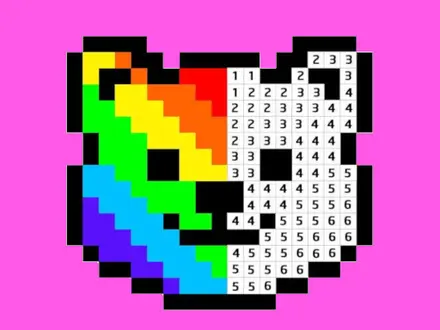
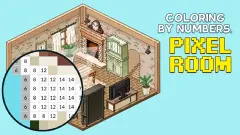
The idea is older than any of that. A picture is broken into squares, each square carries a number, and each number stands for one colour in a strip along the bottom of the screen. The Library opens in grey: 104 pictures waiting for colour, from a lighthouse and a slice of pizza to a flamingo, a castle and two of Van Gogh's self-portraits. Pick one, and the whole picture sits there in shades of grey until you give it back its colours.
What makes it more than filling boxes is how the game helps you look. Choose a colour and every square that takes it turns a darker grey, all at once, across the whole picture. You stop reading tiny digits and start scanning for shapes. On a big portrait that turns a slow search into a quick one.
Where the numbers come from
Every number in the strip is simply one colour in the original drawing. The circus tent uses 13 distinct colours and shows exactly 13 numbers. Across the library the spread is wide. The simplest picture needs four colours. Half of them need 19 or fewer. The heaviest needs 220. That last kind comes from photos and paintings shrunk into squares without trimming their colours, and that is why a Van Gogh here takes far longer than a cartoon owl twice its size.
Trimming colours is a real problem in computer graphics. A classic solution is median cut, the method Paul Heckbert presented at SIGGRAPH in 1982 to squeeze a full-colour photo into the few hundred colours early screens could display. It sorts all of a picture's colours, splits them at the middle, and keeps splitting the biggest group until only as many colours are left as you asked for. It is the kind of technique that turns any photo into a paintable palette, which is exactly what the heaviest pictures in this Library look like they have been through.
In this game it belongs to the Create tab, which in the phone versions turns a photo from your gallery into a new picture to colour. In the browser that tab is a dead end: press its button and a message says the function only works on Android and iOS. What you get on the web is the 104 built-in pictures.
Paint by number was a 1951 craft kit before it was an app
The squares are new; the numbering is not. Paint-by-number kits were developed in Detroit at the end of the 1940s by Dan Robbins, an artist at the Palmer Paint Company, and Max Klein, its president, who wanted people to buy more paint. Palmer sold them under the Craft Master name from 1951: a board printed with outlined areas, a number in each, and small pots of paint numbered to match.
It became a craze. Craft Master went on to sell more than 12 million kits, and in 1955 alone Americans spent over $20 million on paint-by-number sets. The company's archive is now held by the Smithsonian's National Museum of American History. Serious painters mocked the kits as art by instruction. Millions of people framed the results anyway.
The digital version keeps the same promise: nobody has to decide what goes where, so the calm comes from doing rather than choosing. What the screen adds is what the kit could never offer. The paint never smudges into the next area, and a darkened square shows you where the next colour goes before you have even looked for it.
The browser version: saves, limits and what we could not check
Saving is automatic and local. Paint a single row, go back, and the Library thumbnail already shows your colour, while My Works lists the picture as started. That also means your pictures stay in the browser you painted them in. A different browser, or cleared site data, and they are gone.
Controls are made for a mouse with a wheel. The publisher lists the game as not supporting mobile, and we did not test it on a touchscreen, so we describe it as a desktop game. On a laptop, a two-finger scroll on the trackpad normally acts as the wheel for zooming, though we did not try it.
Honest gaps. The game loads its distributor's advertising script, which we blocked while testing, so we cannot tell you how often adverts appear. We did not see any locked picture in the Library screens we checked, but we did not look at all 104. We did not finish a picture either, so the completion screen is not described here.
Because nothing installs and nothing asks for permissions, the game is a plain web page. On a school or office computer it works wherever the site itself is allowed.
More games by Moana Games
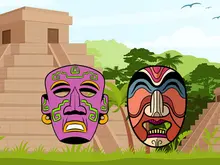
The game's listing gives plenty of other unhurried games worth a look. Ancient Aztec Coloring is the closest in spirit, eight line drawings and 23 crayons with no timer. Draw Couple finishes a scene with one pen stroke instead of a colour, and Mahjong Alchemy swaps numbers for alchemical cards across seventeen hand-drawn boards. If you want something that still clears a board, Vegetables Match 3 and Wood Block Journey both do it differently, one against a five-minute clock and the other on a 9x9 sudoku grid. More unhurried games are in our casual category.
Screenshots
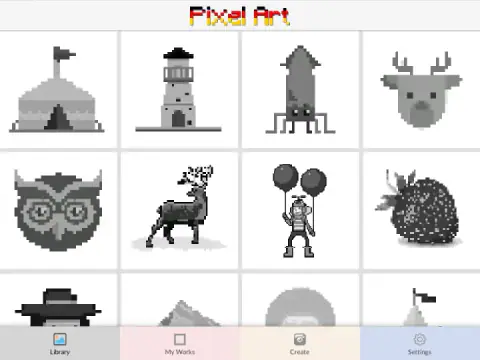
Taken by opening the game ourselves and letting it run — not supplied by the publisher, and not the same picture every other site shows.
How to play Pixel Art - Color by Numbers
- Open a picture. Click any tile in the Library. It opens zoomed out, grey, with a strip of numbered colours along the bottom.
- Zoom in. Scroll the mouse wheel forward over the picture. The numbers only show up once the squares are large enough. Click and drag to move around.
- Pick a number. Click a colour in the strip. Every square with that number darkens.
- Paint. Hold the mouse button down for about two seconds, then drag across the darkened squares to fill them in one stroke.
- Leave whenever you like. The arrow in the top-left corner takes you back to the Library. Your colours stay, and the picture now lives under My Works.
Tips from our session:
- Drag, don't click. The publisher says a single click paints one square. In our session single clicks did not register, and the two-second hold followed by a drag worked every time. If a click seems to do nothing, that is why.
- Paint along rows. The drag paints whatever it passes over, so long straight rows of the same number are the quickest wins. Leave the small scattered squares for last.
- Check the size of the strip before you start. The number of colours, not the size of the grid, is what makes a picture long. The circus tent that opens the Library has 13; some portraits have more than two hundred.
- Turn the music off if it gets old. Settings has three switches: vibration, sounds and music.
Controls
| Mouse wheel | Zoom in and out. The numbers only appear inside the squares once you are zoomed in |
|---|---|
| Click and drag | Move around the picture while zoomed |
| Click a colour | Pick a number from the strip at the bottom. Every square with that number turns a darker grey so you can find them |
| Hold two seconds, then drag | Paint a whole run of squares in the chosen colour without clicking each one |
| Click a square | Paints one square according to the publisher; in our session single clicks did not register, while hold-and-drag did |
| Arrow, top left | Back to the Library. Your progress is kept |
Features
- 104 pictures, from a 33-square-wide circus tent to portraits 111 squares across
- Colour counts run from 4 to 220 per picture; half of them need 19 or fewer, which is what really decides how long one takes
- Choosing a colour darkens every square that takes it, so the search is visual rather than a hunt through tiny digits
- Hold-and-drag painting fills long rows in one stroke instead of one click per square
- Progress saves automatically in the browser and started pictures appear under My Works
- No timer, no score and no way to lose; the only goal is a finished picture
- Built by Moana Games on the Unity template it has sold since 2018; the photo-to-pixel Create tab only works in the phone versions
Game details
- Developer
- Moana Games
- Release date
- February 2021
- Added here
- February 2023
- Technology
- HTML5 (Unity 2019.3 WebGL, 800×600)
- Platforms
- Browser (desktop)
- Download size
- 12.4 MB
- Ad requests
- 5 (some)
- Has a save
- Yes
- Saved progress
- Saving, when available, is managed by this game. Mava cannot confirm your level.
Measured by opening the game ourselves on 2026-09-10, not taken from the feed. Twelve seconds on a phone-sized screen, with ad requests counted and blocked rather than loaded.
FAQ
Is this the Pixel Art Color by Number app by Easybrain?
No. It shares a very common name, but this is a separate browser game made by Moana Games and published in February 2021. It has its own set of 104 pictures and runs in the page with nothing to download and no account.
How do you play Pixel Art - Color by Numbers?
Open a picture from the Library, zoom in with the mouse wheel until numbers appear in the squares, pick a number from the colour strip at the bottom and paint the matching squares. Holding the mouse button for about two seconds and then dragging paints a whole run of squares at once.
Why can't I see the numbers?
The picture opens zoomed out and the digits are too small to draw at that size, so the game hides them. Scroll the mouse wheel forward over the picture and they appear once the squares are big enough to read.
Does the game save my progress?
Yes, automatically, in your browser. Leave a picture half done, go back to the Library and it shows the colours you already added, and the picture also appears under My Works. Clearing your browser data or switching browsers starts you from scratch.
Can I turn my own photo into pixel art in this game?
Not in the browser. The Create tab exists, but pressing its button shows a message that the function only works on Android and iOS. In the web version you colour the built-in pictures only.
How many pictures are there?
104. The Library numbers them 1 to 105 with number 43 missing. They range from simple icons with four colours to painting-style portraits that use more than 200.
Who invented paint by numbers?
Commercial paint-by-number kits came from Dan Robbins, an artist at the Palmer Paint Company in Detroit, and the company's president Max Klein. Palmer launched them under the Craft Master brand in 1951 and went on to sell more than 12 million kits.
Is there a timer or a way to lose?
No. There is no clock, no score and no lives on the painting screen. You can stop at any square and come back later.