


About Block Combo Blast
Plenty of block puzzles deal out three pieces and make you use all three before you see the next set. Block Combo Blast does not wait. Put one piece down and its slot refills on the spot, while the other two sit exactly where they were.
We watched it happen. The middle slot was holding a pink square block; we dropped that block on the board, and the middle slot came back with an orange T while the green piece on its left and the orange one on its right never moved. That is the rule the whole game turns on, and it means you are never forced to spend an awkward shape just to unlock the next trio.
The tray will also hand you a single square, on its own, as one of your three choices. It is the smallest thing in the game and often the most useful, because it is the only piece that can repair a hole one cell wide. It is also worth exactly one point, which is the other rule worth knowing.
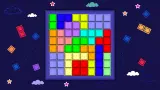
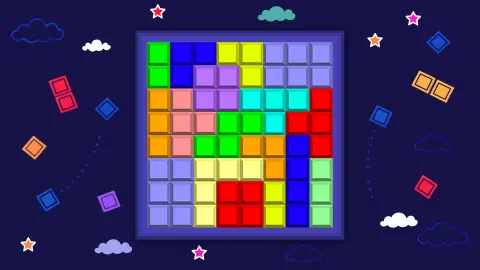
The rest is familiar ground, done plainly. An 8x8 board, three shapes underneath, rows and columns to fill. There is no story, no character and no timer that we saw, just a navy sky with small stars behind the board. No studio name appears anywhere in the game; it has been available since January 2025.
We have now played it twice, about a quarter of an hour in all, and we have not cleared a single line. Most of our drags simply did not take. So this page is about the opening, the tray and the counter, and where we could not get far enough to see something, we say so.
The counter is a square count, and nothing else
The number above the board is the clearest thing on screen, and once you see the pattern you can predict it. In our first sitting, four pieces covering eighteen squares left the counter on eighteen, exactly.
The second sitting said the same on two different boards. An orange T of four squares and a row of three gave seven. Later, on a fresh board, a green T and a lone green square gave five, and a pink block of four on top of that took it to nine.
So the counter measures how much of the board you have covered, not how well you have played. Clearing a row or column ought to add a bonus on top of that, and the word "combo" in the name points the same way, but we never completed a line to see the figure.
One slot at a time, and shapes from one square to six
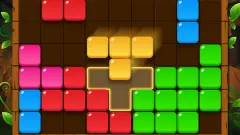
Across both sittings the tray gave us pieces in four colours: orange, green, pink and a pale cyan. The shapes ranged from that lone square up to a solid block three wide and two tall, by way of a line of three, a T of four and a plain two-by-two.
None of them can be turned. Every piece we placed landed in the orientation it had in the tray, there is no rotate button on screen, and no key we tried changed anything. A long piece that points the wrong way is simply the wrong piece for that gap.
The per-slot refill is what makes this kinder than the strict three-at-a-time version of the same genre. It is also what makes it easy to drift. Because nothing forces your hand, you can keep placing the comfortable shapes and let the board fill around them without noticing.
The 500 bar and the multiplier
Above the board runs a thin bar with 500 at its right end. It fills from the left as the score climbs, and it is the only sign of a longer goal anywhere on screen.
It barely moved for us. At one point it was a green sliver a few pixels wide, and at nine points it looked the same. Reaching that target is clearly the work of many cleared lines rather than many placed pieces.
Under the score sits a small line of text: target reached multiplier X 1. It stayed at X 1 the whole time, on every board we played. Our reading is that hitting the 500 raises the multiplier for what follows, which fits both labels, though it is a reading and not something we played.
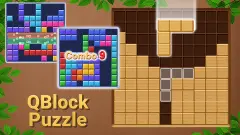
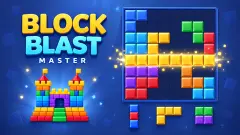
The listing promises a great deal more, including jewels and well over a thousand levels. We saw none of it: no jewel on any piece, no level number, no map, and no screen between boards. The picture on the cover shows a grid packed with eight colours, and the game in front of us never looked like that.
Every piece has a name, and the board has a history
The shapes in the tray have proper names, and they are older than video games. In 1953 the mathematician Solomon Golomb gave a talk to the Harvard Mathematics Club about shapes made of equal squares joined edge to edge. He called them polyominoes, and his paper the following year was titled "Checker Boards and Polyominoes".
The 8x8 board is that checkerboard. The family names follow the number of squares: a monomino is one, a tromino three, a tetromino four and a hexomino six.
All four turned up in our sittings. The lone square is the monomino, the row of three a tromino, the T a tetromino and the fat block a hexomino.
Here the names do real work, because the score is the square count. Each piece pays out its own family number, which makes the hexomino the best single move available in the tray, if you can find room for it.
Who it is for
Anyone who wants a quiet puzzle with no clock. Nothing counts down, nothing chases you, and there is nothing to read beyond the score.
Players who already know the genre will notice the refill rule first, and may find the game gentler than they expect because of it. What they should also expect is a drag that wants to be precise. If a piece will not stay on the board, move your release point a little and try again rather than assuming the move is illegal.
Similar block puzzles
Block Crush uses the same 8x8 board but hands out its pieces three at a time, with a streak that multiplies points. Block Puzzle: Jewel Block is the endless version of the idea, with jewel pieces and no level to finish. Wood Block Journey moves to a larger, sudoku-style grid where small boxes clear as well as lines. Hexa Block Puzzle swaps the squares for hexagons and, like this one, never lets you turn a piece. More are in our puzzle games.
Screenshots
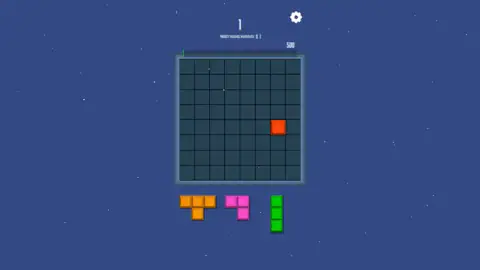
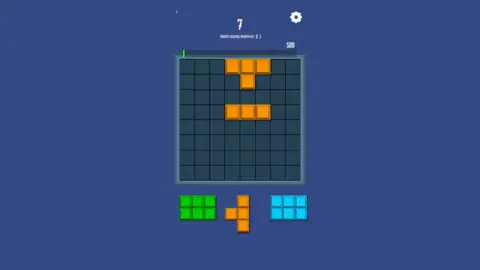
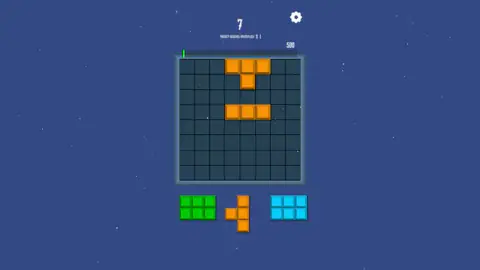
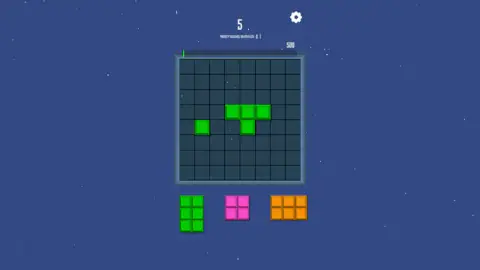
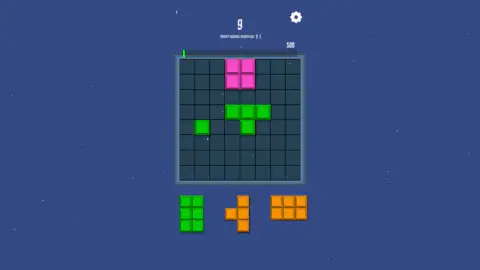
Taken by opening the game ourselves and letting it run — not supplied by the publisher, and not the same picture every other site shows.
How to play Block Combo Blast
- Press the purple Let's Play button on the cover screen. The board appears with three pieces waiting below it.
- Drag a piece onto the board and let go. It stays only if every one of its squares lands on an empty cell.
- Watch the counter above the board: it adds one point for each square you just put down.
- Fill a complete row or column to clear it and make space.
- Keep going until none of the three pieces fits anywhere. The listing calls that game over.
What a quarter of an hour taught us:
- Aim with the piece, not with the pointer. This is where most of our attempts died. A shape only sticks when you release it with all of its squares sitting over free cells inside the frame, and a near miss leaves the piece back in the tray with nothing to show for it.
- An unwanted piece can wait. The slot you use is the only one that changes, so a shape you dislike costs you nothing while it sits there. Place the other two and come back to it.
- The single square is your repair kit. When a one-cell hole opens in a row you are trying to finish, nothing else will go in it.
- Big pieces pay more. A six-square block is worth six times that single square, before any line is cleared.
- A refresh wipes everything. Twice a board stopped responding to us, and reloading sent us back to the cover screen and then to an empty board with the counter at zero.
Controls
| Let's Play button (purple, on the cover screen) | Starts the board; the game does not begin on its own |
|---|---|
| Drag a piece from the tray | Drops it on the board where you let go, if every square of it fits there |
| Gear button (top right) | On screen all game; we did not need to open it |
| Arrow keys, Space and Escape | Tried across two sittings, with no response we could see or hear |
Features
- An 8x8 board with three pieces waiting in a tray underneath
- The slot you empty refills straight away and the other two pieces stay put
- One point for every square you put down, so big pieces score more
- Pieces from a single square up to a six-square block, in four colours
- A bar above the board that fills towards 500 points
- A line under the score that reads "target reached multiplier X 1"
- A cover screen with a Let's Play button; a reload sends you back to it and empties the board
Game details
- Developer
- Partner studio
- Release date
- January 2025
- Added here
- April 2025
- Technology
- HTML5 (2D)
- Platforms
- Browser (desktop)
- Classification
- Puzzle
- Saved progress
- Saving, when available, is managed by this game. Mava cannot confirm your level.
FAQ
How do you play Block Combo Blast?
Press the purple Let's Play button, then drag one of the three pieces under the board and let go over the squares you want it to cover. If it fits, it stays and the empty slot in the tray gets a new piece. Filling a whole row or column is how you clear room, which is the whole game on a board this small.
How is the score counted in Block Combo Blast?
Every square you place is a point, and we have now checked it in two separate sittings. A four-square T followed by a row of three put the counter on seven; adding a two-by-two block later took another board from five to nine. Clearing rows and columns should add more, but we never completed one.
What is the smallest piece in Block Combo Blast?
A single square. It turns up in the tray like any other piece, it is worth one point, and it is the only shape that can fill a gap one cell wide. The largest we saw was a six-square block, flat or upright.
What does the 500 above the board mean in Block Combo Blast?
It is a target. A bar runs above the board and grows with your score. At nine points it was still a sliver a few pixels wide, so 500 is a long way off. The line under the score, which reads "target reached multiplier X 1", suggests that reaching it raises the multiplier, but we never got there.
Does the tray refill one piece at a time in Block Combo Blast?
Yes. Each time we placed a piece, its slot filled again before the next move while the other two stayed exactly as they were. We watched a pink block leave the middle slot and an orange one arrive in its place, with the pieces on either side unchanged. Many block puzzles instead make you use all three before giving you a new set.
Can you rotate the pieces in Block Combo Blast?
We found no way to. Every piece we placed landed in the same orientation it had in the tray, and there is no rotate button on screen. Arrow keys, Space and Escape did nothing in either of our sittings, so plan around the shape you are given.
Does Block Combo Blast save your progress?
Not in what we played. Twice a board stopped taking our pieces, and refreshing the page brought back the cover screen and then an empty board with the counter at zero. Whatever was on the board before was gone.
Who made Block Combo Blast, and is it on mobile?
No studio name appears in the game. It has been available since January 2025 for PC, Android and iOS, in portrait. We only played it on a desktop with a mouse.