


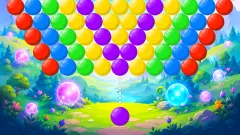


About Tower Colour Crash
Tower Colour Crash gives you two things to do with the mouse, and only one of them costs anything. Dragging turns the tower. Clicking throws a ball. The drag is free and you can repeat it all day. The click comes out of a count that starts at 30 and never goes back up.
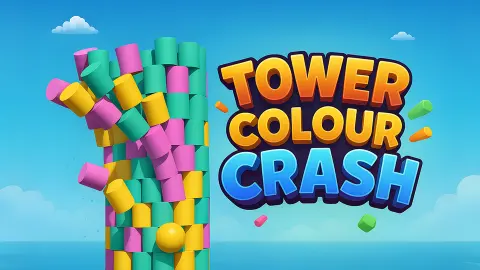
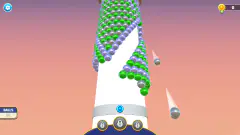
That count is the whole game. A tower of coloured drums stands on a grey stone pillar, and at the foot of it sits a ball with a number on it. The colour of the ball is the colour you are allowed to break. The number is how many balls you have left to bring the tower down.
The game is credited to Drivix Games and was published on 7 September 2025.
You should know how far this page goes. We played for about four minutes with a mouse and never left level 1. We threw six balls, scored 120 points and stopped with 24 balls still in hand. We did not see the tower fall, and we did not see what happens when the count reaches zero.
Turning the tower is free, and it took us a while to notice
This is the part that is not obvious at the start, and we got it wrong on our first try.
The tower is round. From the front you see only the blocks that face you. The rest are round the back. So when the ball comes up cyan and the cyan blocks in front of you are single ones scattered near the top, the natural move is to shrug and click one.
Do not. Drag first. In our first sitting we threw a single ball and then spent the rest of the time dragging and pressing arrow keys, trying to work out how to shoot. Nothing was shot, and nothing was lost either: the count sat at 29 the whole time. Annoying then, useful to know now. Every drag is a free look.
The second time we clicked, and the difference between a lazy click and a chosen one showed up in the score at once.
What six balls bought us
Here is every throw of our second sitting, in order.
| Ball | Colour | Balls left after | Score after |
|---|---|---|---|
| 1 | Not seen | 29 | 25 |
| 2 | Green | 28 | 25 |
| 3 | Yellow | 27 | 35 |
| 4 and 5 | Magenta, both | 25 | 95 |
| 6 | Cyan | 24 | 120 |
Two things stand out.
The first is ball 2. The count went down and the score stayed at 25. A ball can buy you nothing at all. The game's own instructions say to throw at blocks that match the ball, and a miss of that kind is the likeliest reason.
The second is the pair of magenta balls. Between them they added 60 points, half of everything we scored. We cannot split that figure between the two, because the second was in the air before the score had moved. Ball 6 hit a clump of cyan blocks sitting on the very top of the tower and added 25. So the score counts what breaks, and one throw can break a lot or a little depending on where you put it.
Every figure we saw was a multiple of five. We would not swear to a price per block from six throws, but the direction is clear: a ball aimed at a group of same-coloured blocks pays several times what a ball aimed at a loner does.
After six balls the coloured part of the tower was still standing about as tall as before, with a ragged top where columns had dropped to different heights. At that pace, 24 balls looked like a tight budget for the rest. That is the puzzle: not hitting the tower, which is easy, but making each ball take as much with it as it can.
The rest of the screen
A LEVEL 1 label sits at the top with the score under it. A gear button is in the top left corner and a green button with a circular arrow in the top right. We opened neither.
On each side of the screen, low down, is a button marked AD with a small picture above the letters. These are helps you get in exchange for watching a video. We did not press them, so we cannot say what each one does. The game's own description names an earthquake and a shotgun as power-ups; we did not see either in action.
What we cannot tell you yet
We did not finish level 1, so we do not know what the game counts as a cleared tower: every coloured block gone, or enough of them fallen off the pillar.
We do not know what happens at zero balls, how many levels there are, or how the towers change later on.
We heard no sound in our session, and we did not open the settings to check why.
Who it suits
It suits someone who likes a small, clear problem: one colour, one tower, one best place to click. We saw no timer on screen, so you can take as long as you like over each ball.
It suits less anyone who wants to aim and shoot. There is no arc to judge and no power to set. The skill is in choosing, and in turning the tower before you choose.
More games about breaking things carefully
Smash Master gives you a cannon and stacks of crates and jars to knock over. Block Bloom also matches shooters to block colours, but the blocks come past on a conveyor belt. Sponge Strike: Clean & Smash has you pull back and launch a sponge across a board. Marble Color Sort keeps the colours and drops the destruction. The rest are under puzzle games.
Screenshots
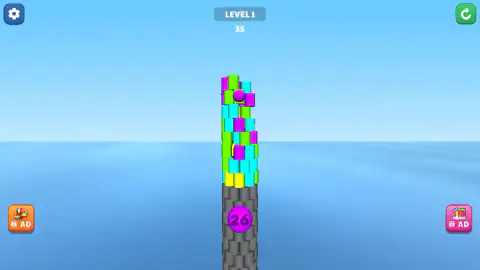
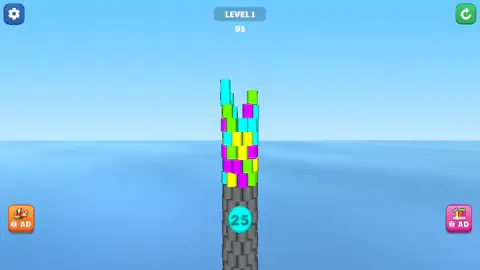
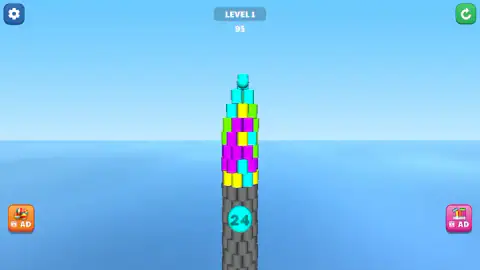
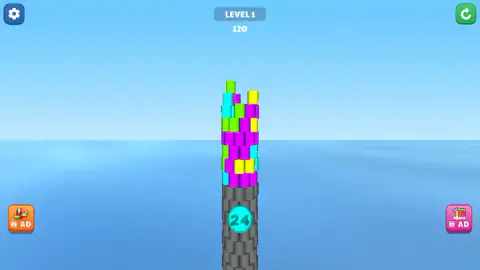
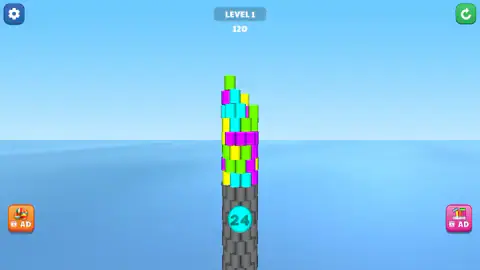
Taken by opening the game ourselves and letting it run — not supplied by the publisher, and not the same picture every other site shows.
How to play Tower Colour Crash
- Read the ball. It sits at the foot of the tower. Its colour is your colour for this throw.
- Find a block of that colour. In level 1 the blocks are green, cyan, magenta and yellow.
- Drag sideways if you cannot see a good one. The tower turns and shows its other side.
- Click the block. The ball flies at the spot you clicked and the count drops by one.
- Read the ball again. The colour changes from throw to throw.
What we picked up while playing:
- A click is a throw, wherever it lands. There is no aiming step and no confirm button. One click on the tower and the ball is gone.
- The colour does not always change. We were handed magenta twice running, then cyan twice running. Do not assume a new colour; look.
- The score is slow to catch up. After one throw the count had already dropped while the score still showed the old figure. The points arrived a moment later, once the ball had landed.
- The keyboard is no shortcut. We pressed the arrow keys and no ball was thrown.
Controls
| Click a block on the tower | Throws the current ball at that spot and takes one off the ball count |
|---|---|
| Click and drag sideways | Turns the tower to show another face; no ball is spent |
| Arrow keys | Did not throw a ball when we pressed them |
| Gear button (top left) | Settings; we did not open it |
| Green arrow button (top right) | Looks like a restart; we did not press it |
Features
- A round tower of coloured drums standing on a grey stone pillar, seen in 3D
- Four block colours in level 1: green, cyan, magenta and yellow
- A ball at the foot of the tower that shows its colour and how many balls are left
- A ball count that stood at 30 at the start of level 1
- A score under the level label that rose in steps of five and ten
- Free rotation: dragging turns the tower without using a ball
- Two side buttons marked AD that offer a help in exchange for a video
Game details
- Developer
- Drivix Games
- Release date
- September 2025
- Last updated
- August 10, 2026
- Added here
- July 2025
- Technology
- HTML5 (3D)
- Platforms
- Browser (desktop, mouse), Browser (mobile & tablet, touch)
- Classification
- Arcade
- Saved progress
- Saving, when available, is managed by this game. Mava cannot confirm your level.
FAQ
How do you play Tower Colour Crash?
A ball of one colour waits at the foot of a tower made of coloured blocks. Click a block of that same colour and the ball flies at it. Drag sideways to turn the tower and look for a better target. The aim is to bring the coloured part of the tower down before the balls run out.
What does the number on the ball mean in Tower Colour Crash?
It is the number of balls you have left for the level, and the colour around it is the colour of the next ball. In level 1 it stood at 30 at the start and dropped by one with every throw. After six throws ours read 24.
How do you turn the tower in Tower Colour Crash?
Hold the mouse button and drag sideways. The tower spins on its pillar and shows the blocks that were round the back. Turning costs nothing: we dragged many times in a row and both the ball count and the score stayed where they were.
Can you waste a ball in Tower Colour Crash?
Yes. Twice we threw a ball, the count went down by one and the score did not move at all. The game tells you to hit blocks that match the colour of the ball, so check the colour at the foot of the tower before every click, because it changes.
How does the score work in Tower Colour Crash?
The score sits under the level label and counts what a throw breaks, not the throw itself. Our six balls in level 1 were worth 25, nothing, 10, 60 between the next two, and 25, for a total of 120. Every figure we saw was a multiple of five.
What do the AD buttons do in Tower Colour Crash?
There is one on each side of the screen, each with a small picture above the letters AD. They offer a help in exchange for watching a video. We did not press either of them, so we cannot tell you what each one gives.
Who made Tower Colour Crash?
The game is credited to Drivix Games and was published on 7 September 2025, with an update dated 10 August 2026. It is offered there for PC, Android and iOS, in landscape and portrait. We played it on a desktop with a mouse.