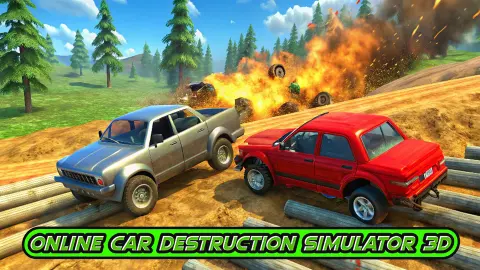
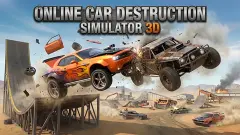
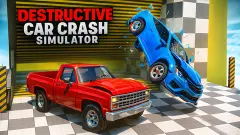
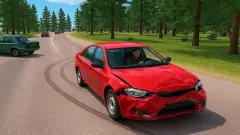
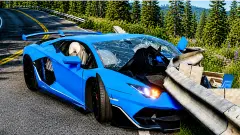




About Online Car Destruction Simulator 3D
Most driving games treat a crash as a mistake and charge you for it: a time penalty, a restart, a lost race. Online Car Destruction Simulator 3D has nothing to take away. There is no lap, no opponent to beat and no finish line. The crash is the thing you came for.
What makes it a game and not a screensaver is that the damage stays. Hit something and the car keeps the dent. Hit something again and a panel lets go. We ended our session in a white coupe with its boot lid standing up, its rear bumper hanging by one end and dark smoke coming from underneath. Nobody told us to stop driving it.
The game is by KreizLand. It was published in September 2024.
We should say how much of it we saw. Our session lasted about four minutes, on one map, and roughly two of those were spent at the wheel. Everything below comes from that.
One mountain bend, four other cars and a slope
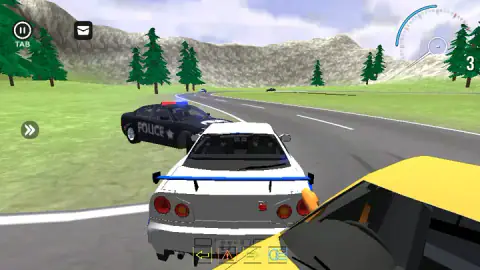
We chose NATURE, the middle card. It opens on a grey road curling through grass, with fir trees and bare rock behind. Our car was a white coupe with blue stripes and a blue rear wing, seen from behind.
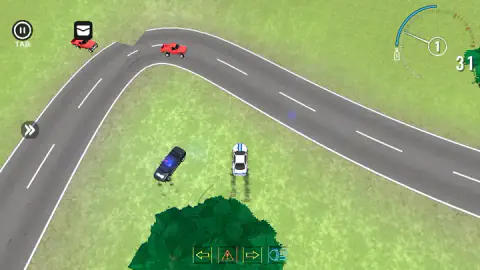
We were not alone. A red pickup stood beside us at the start, and a dark car was coming round the bend ahead. A moment later a black car lettered POLICE, with red and blue lights on the roof, was level with our left door and a yellow car filled the bottom corner of the screen. From overhead we counted two red pickups and the yellow car on the tarmac.
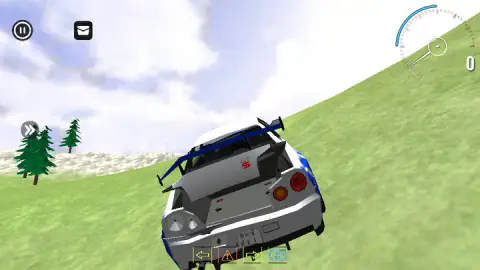
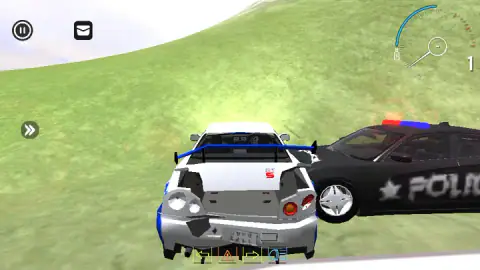
Then we left the road, which was not the plan. The car ran onto the grass and up a long green slope, and the police car came too. One of our pictures shows it pressed against our right side, halfway up the hill, with two of our rear lamps already gone.
That is the honest shape of the session: a short run on the road, contact with at least one other car, and a slow climb in a car that was coming apart. We cannot tell you whether the other cars are driven by the game or by people. They moved, and one of them stayed with us.
How the damage shows
The rear of our car told the story best, because that is the end the camera looks at. Early on it was whole: two pairs of round lamps, a number plate, a wing. Later the boot lid had sprung open and stayed open. The bumper had dropped at one corner. The lamps on the left were empty holes.
So damage here is not a health bar. Nothing on screen counts it. You read it off the car, piece by piece, the way you would in a car park. The car also kept moving in that state, slowly, with puffs of dark smoke under the floor.
The key list offers two ways back: K repairs the car and another key flips it onto its wheels. We did not see either one work, so we only pass on what the list says.
The gravity slider, and what 9.7 means
The pause menu has a setting we have not met often in a driving game: a slider labelled GRAVITY, with a reset arrow next to it. When we opened it, it read 9.7.
That number is not decoration. Gravity pulls a falling object faster by about 9.8 metres per second, every second. Scientists fixed a standard value for it in 1901, at 9.80665.
Real gravity is not the same everywhere, though. At sea level it runs from about 9.78 at the Equator to about 9.83 at the poles. One of the lowest figures measured on the ground, 9.7639, is on a mountain in Peru, Nevado Huascarán.
If the slider's 9.7 is exact, the game starts you a touch lighter than anywhere on Earth. In play that is the difference between a car that lands hard off a slope and one that hangs in the air a little longer. We left the slider alone, so we cannot tell you how a car behaves with it pulled to either end. The reset arrow is there for when you find out.
What stayed unopened
A good deal. We did not open WINTER or FOREST, and we did not scroll the map menu to see whether anything sits below them. We did not press ONLINE. Nitro, the handbrake, slow motion, the free camera and car selection are all on the key list, and we saw none of them in action.
Two things on the driving screen also stayed a mystery. A bar of four small icons runs along the bottom: two arrows, a warning triangle and a headlamp. A round button with a double arrow sits on the left edge. We cannot say what any of them does.
No key made a sound we could pin to it, so we say nothing about the audio.
A game for people who want no instructions
It suits someone who wants to pick a place, drive at things and look at the result. It has no tutorial and asked nothing of us. If you need a goal, a timer or a rival, you will run out of reasons to stay sooner than we ran out of bumper.
More from KreizLand and other crash sandboxes
KreizLand has two more games here: Car Crash Sandbox, which hands you a task with a counter, and Drive & Crash Sandbox, set in a yard. From other studios, Car Smash Simulator: Crash & Tune adds stars to collect, and Car Crash Test: Abandoned City moves the wrecking to empty streets. The rest are under driving games.
Screenshots
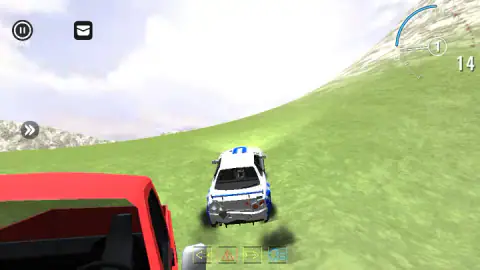
Taken by opening the game ourselves and letting it run — not supplied by the publisher, and not the same picture every other site shows.
How to play Online Car Destruction Simulator 3D
- Open the map menu and pick a card. We saw WINTER, NATURE and FOREST, each with a picture of the place.
- Hold W to accelerate. A and D steer and S reverses, according to the key list in the pause menu.
- Aim at something. On NATURE the nearest targets are the other cars on the road.
- Press C if you lose sight of your car. It changes the camera.
- Press Tab or Esc for the pause menu, where the settings and the full key list live.
What four minutes taught us:
- Read the key list before you drive. It sits in the top right corner of the pause menu and names ten controls, including a repair key (K) and a car selection key (N). Nothing in the driving view repeats it.
- The first ad break is announced. Seconds after we reached the map, a box at the top read AD IN with a countdown. Wait for it to pass before you line anything up.
- Leaving the road costs speed. The number beside the dial read 31 at our best, on the flat. On the grass slope behind the road it fell to 14 and then to almost nothing.
- The overhead camera is the one for finding targets. From above you see the whole bend and every car on it. From behind you see your own boot.
- The small number in the circle is the gear. It showed 1 whenever we were moving and a dash when we were barely moving.
Controls
| W | Accelerates; the number beside the dial climbed while we held it |
|---|---|
| A / S / D | Steer left, reverse and steer right, according to the key list in the pause menu |
| C | Changes the camera; we saw a view from behind the car and one from straight overhead |
| Tab or Esc | Opens the pause menu with the settings, the key list and the ONLINE button |
| Space / Shift | Handbrake and nitro, according to the key list; we did not see either at work |
| N / K / B / U | Car selection, repair, slow motion and free camera, according to the key list |
Features
- A map menu with cards for WINTER, NATURE and FOREST, each with a picture of the ground you will drive on
- Damage you can see; our car finished with the boot lid up, the rear bumper hanging and smoke under it
- Other cars on the map, among them two red pickups, a yellow car and a black one lettered POLICE
- A camera key that switches between a view from behind and one from directly above
- A pause menu with a gravity slider, a graphics setting and a sensitivity setting
- An ONLINE button for playing with other people, which we did not press
- Made by KreizLand
Game details
- Developer
- KreizLand
- Release date
- September 2024
- Last updated
- August 10, 2026
- Added here
- March 2025
- Technology
- HTML5
- Platforms
- Browser (desktop, keyboard), Browser (mobile & tablet)
- Classification
- 3D , Driving , Multiplayer , Simulation
- Saved progress
- Saving, when available, is managed by this game. Mava cannot confirm your level.
FAQ
How do you play Online Car Destruction Simulator 3D?
Choose a map, then drive with W, A, S and D and hit whatever you like. There is no finish line and no score to beat in the mode we played; the point is to see what a crash does to the car. Tab or Esc opens the pause menu, which lists every key.
What are the controls in Online Car Destruction Simulator 3D?
The pause menu lists them: W, A, S and D to drive, Space for the handbrake, Shift for nitro and C to change the camera. N opens car selection, K repairs the car, B slows time and U frees the camera. In our session we used W and C; the others we report from the list.
What maps are there in Online Car Destruction Simulator 3D?
The map menu showed us three cards: WINTER, a snowfield with a frozen pond; NATURE, a mountain road with fir trees; and FOREST, a muddy clearing with logs laid across it. We played NATURE only, and we did not scroll the menu, so we cannot say whether more maps sit below those three.
Can you change the gravity in Online Car Destruction Simulator 3D?
The pause menu has a slider labelled GRAVITY with a reset arrow beside it. It read 9.7 when we opened it, close to the real figure for Earth, which is about 9.8 metres per second squared. We left it where it was, so we cannot describe how the cars behave at other settings.
Is Online Car Destruction Simulator 3D multiplayer?
The pause menu has an ONLINE button with a small picture of several cars, and the game is listed as multiplayer. We did not press it. Our session was on the NATURE map, where other cars were already driving the road; we could not tell whether the game or other people were steering them.
Who made Online Car Destruction Simulator 3D?
It is by KreizLand. The game was published in September 2024 and last updated in August 2026.
Does Online Car Destruction Simulator 3D have ads?
Yes, and it tells you they are coming. A box at the top of the screen read AD IN and counted down a few seconds before an ad break, just after we arrived on the map. The game is free and we saw nothing for sale.
Can you play Online Car Destruction Simulator 3D on a phone?
It is listed for PC, Android and iOS, and the game's instructions say that mobile devices use the buttons on screen. We played on a computer with the keyboard and did not test a phone, so we cannot say how well it steers by touch.