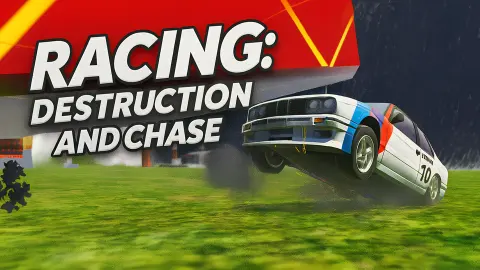




About Racing: Destruction and Chase
Most police chase games start with the sirens already behind you. Racing: Destruction and Chase starts with you parked in a quiet yard, and one line of text floating in the sky: "Touch the police car to start the chase".
So the chase is something you go and ask for. Nobody is after you. Somewhere in the town there is a patrol car, and the trouble only begins when you drive over and touch it. Until then you are a pale blue hatchback beside a bus shelter, with a row of garages ahead and a petrol station in the distance.
An honest note before the rules. We played for about four minutes and we never started the chase. We spent the first half clicking things that turned out not to be buttons, and the second half driving slowly across the town in what we hoped was the right direction. We saw no crash, no race and none of the wrecking tools the game's description promises. What follows is what those four minutes did show.
The game is credited to Ufa102. It was published in October 2025.
The chase waits for you, and so does a clock
In the top right of the screen there is a small box with a question mark and a number. The game never says what it counts.
We read it as a clock. It showed 237 the first time we noted it and 122 just under two minutes later, which works out at one off per second. It did not care whether we were moving or standing still.
That changes how the opening feels. The town looks like a place to explore at leisure, but something is being timed while you look for the police car. We left before the number reached zero, so we cannot tell you what it ends: the offer of a chase, the session, or nothing at all. If you want to find out, do not spend your first two minutes the way we did.
The ring is the other half of the puzzle. It is a thick orange hoop that stays in the upper right of the view as you drive, with the instruction written beside it in white. We treated it as a marker for the police car and drove towards it. We did not arrive, so that is our reading and not a result.
Nine commands on the menu, one of them slow motion
The control list is longer than the game needs for plain driving, and it says a lot about what the game expects you to do.
Three of the nine commands are for getting out of a mess. R rolls the car over, K restores it and Tab pauses. A game gives you two separate recovery keys when it expects you to be upside down often.
One is for watching. B is labelled "time slowdown". In a game with "destruction" in the title, that is a key for looking at a crash as it happens. The game's description talks about doors, hoods and wheels flying off. We did not hit anything, so we cannot confirm how much comes apart.
One is for variety. N is "car selection", which tells you the blue hatchback is not the only car. We never pressed it.
The rest are what you would expect: WASD to move, Space for the handbrake, Shift for nitro and C for the camera. The menu also hints at the wrecking side. Behind the map card stands a press with yellow and black warning stripes, and a red car parked right beside it.
The signs are in Russian: a car wash and a service station
The town is not a generic game city. The dark garage block you start near carries a sign that reads АВТОМОЙКА, which is Russian for car wash. At the other end of the same sign are the letters СТО, the usual Russian abbreviation for a vehicle service station. The orange building next door has more Cyrillic lettering over its shopfront.
Your car fits the setting. It is a boxy three-door hatchback of a kind long familiar on Russian roads, in faded blue, with a Russian-style number plate. The blue-framed bus shelter and the tower block on the map card belong to the same picture.
This matters for more than atmosphere. Most browser car games hand you a low sports car on a neon street. Here you get an ordinary old car in an ordinary provincial town, and the game then invites you to pick a fight with the local police. The slow pull-away we noticed makes sense in that light: this is not a car built to outrun anything on a straight road.
Who it is for
It suits players who like a driving game with no fixed route: a town, a car and an instruction you can follow or ignore. The long control list suggests there is a good deal to try once you know your way around.
It is not for anyone who wants action in the first ten seconds. Nothing chased us and nothing explained the counter, and the game gave us no arrow on the road, only the ring in the sky. Expect to spend your first visit learning where things are.
More driving games with something to wreck
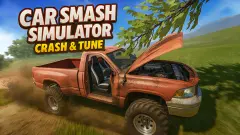
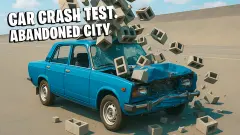
Car Smash Simulator: Crash & Tune is by the same developer and trades the town for dirt tracks, loops and stars to collect. Mr. Drifter: Car Chase Simulator is the opposite of the slow start here: the police are on you from the first second and the run ends when the car is wrecked. Drive & Crash Sandbox gives you a task straight away, ramming a green shipping container. Car Crash Test: Abandoned City has no goal at all beyond the crash you choose. The rest are in the driving games category.
Screenshots
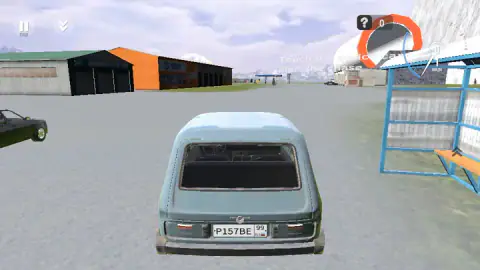
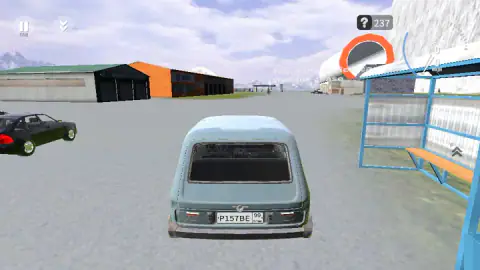
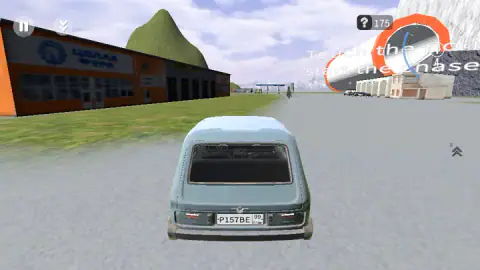
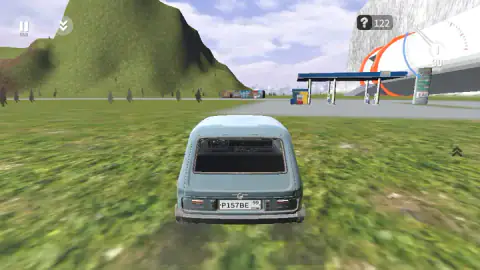
Taken by opening the game ourselves and letting it run — not supplied by the publisher, and not the same picture every other site shows.
How to play Racing: Destruction and Chase
- The menu shows a card with an aerial picture of the map, titled TOWN. Click it to go in.
- You start parked, looking at the back of your car. Hold W to pull away and steer with A and D.
- Look for the orange ring in the upper right of the view, with the instruction beside it. We took it as the direction to head in.
- Find the police car and touch it with your own. The game says that is what starts the chase.
- If the car ends up on its roof or stuck, the menu lists R to roll it over and K to restore it.
Tips from our session:
- The instruction is not a button. We clicked the text, the ring and a dark saloon parked next to us. Nothing happened. This is a job for the car, not the mouse.
- Read the control list before you click the map. It sits in the top right corner of the menu and it is the only place we saw it. Once you are in the town, the screen shows a pause button marked TAB and little else.
- Hold the key down. Short taps of W barely moved us. The car is slow to get going, and the dial read 30 km/h at the end of a long press.
- Watch the number by the question mark. It was falling the whole time we wandered. More on that below.
Controls
| W A S D | Drive and steer; W is the only one we leaned on |
|---|---|
| Space | Handbrake, according to the list on the menu |
| Shift | Nitro, according to the list on the menu |
| C | Change camera |
| N | Car selection |
| R | Roll the car over |
| K | Restore the car |
| B | Time slowdown |
| Tab | Pause |
Features
- An open town called TOWN, with garages, a bus shelter, a petrol station, a tower block and a green hill
- A police chase that waits for you, started by touching the police car and not by a menu button
- A counter beside a question mark that dropped by one every second while we looked for that car
- Nine keyboard commands listed on the menu, including slow motion, a car picker and an instant restore
- A pale blue hatchback as the starting car, seen from behind with a speed dial in km/h
- Shop signs written in Russian, among them a car wash and a service station
Game details
- Developer
- Ufa102
- Release date
- October 2025
- Last updated
- August 10, 2026
- Added here
- August 2025
- Technology
- HTML5 (3D)
- Platforms
- Browser (desktop, keyboard), Browser (mobile & tablet)
- Saved progress
- Saving, when available, is managed by this game. Mava cannot confirm your level.
FAQ
How do you play Racing: Destruction and Chase?
You drive a car around an open town with W, A, S and D. In the session we played, the game's only instruction was to touch the police car to start the chase, so the first job is to find that car and drive into it. The listing's page for the game also describes races and free roaming, which we did not reach.
How do you start the chase in Racing: Destruction and Chase?
The screen says "Touch the police car to start the chase", and nothing begins until you do. Clicking the message, the orange ring beside it or a parked car did nothing for us. We take it to mean reaching the police car with your own car, but our session ended before we got there.
What are the controls of Racing: Destruction and Chase?
The menu lists them. W, A, S and D move the car, Space is the handbrake and Shift is nitro. C changes the camera, N opens car selection, R rolls the car over, K restores it, B slows time and Tab pauses. We only used W and S ourselves.
What is the number next to the question mark in Racing: Destruction and Chase?
The game does not label it. In our session it read 237 and then fell by one each second, reaching 122 just under two minutes later, so we read it as a clock. We stopped before it hit zero and cannot say what happens then.
Can you play Racing: Destruction and Chase on a phone?
It is listed for Android and iOS as well as PC, and the game's instructions say that on a phone you use buttons on the screen. It is laid out for a wide screen. We only played on a computer with a keyboard, so we cannot describe the touch layout.
Can you tune or change cars in Racing: Destruction and Chase?
The control list gives N for car selection, and the game's description speaks of paint, wheel size and suspension height. We did not press N or open any tuning screen, so we cannot say how many cars there are or what a change costs.
Is Racing: Destruction and Chase free, and who made it?
It is free and runs in the browser with nothing to install. The game is credited to Ufa102. It was published in October 2025.