







About Wonder Vending Machine
Most shop games for small children work the same way. You tap the thing, the thing is yours, a chime plays. Wonder Vending Machine puts a keypad, a price and a coin slot between you and the teddy bear, and then does the one thing a toy shop never does: it refuses to give change.
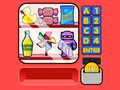
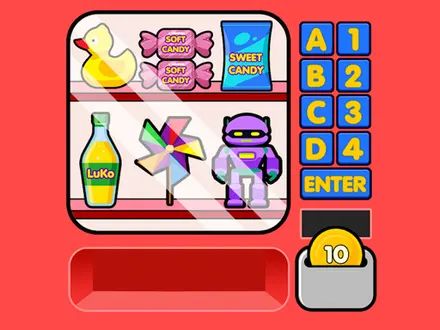
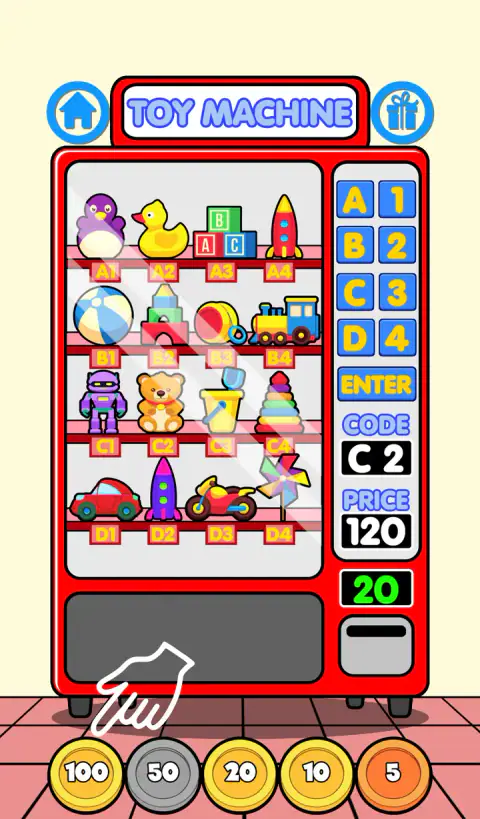
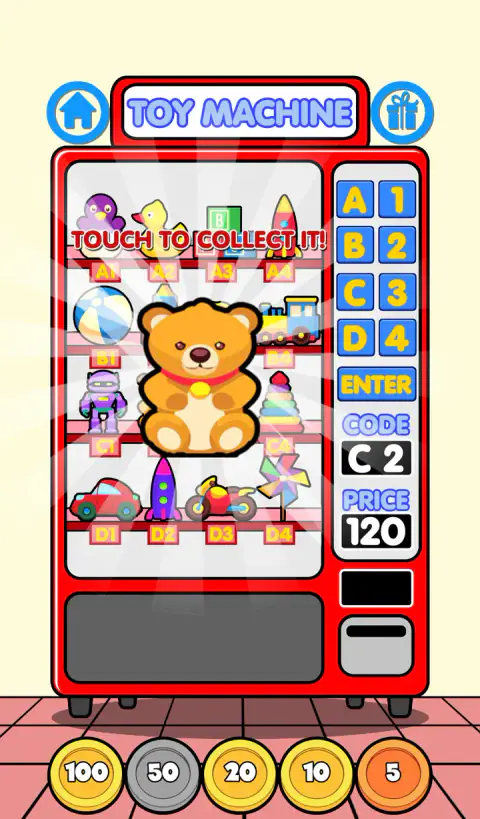
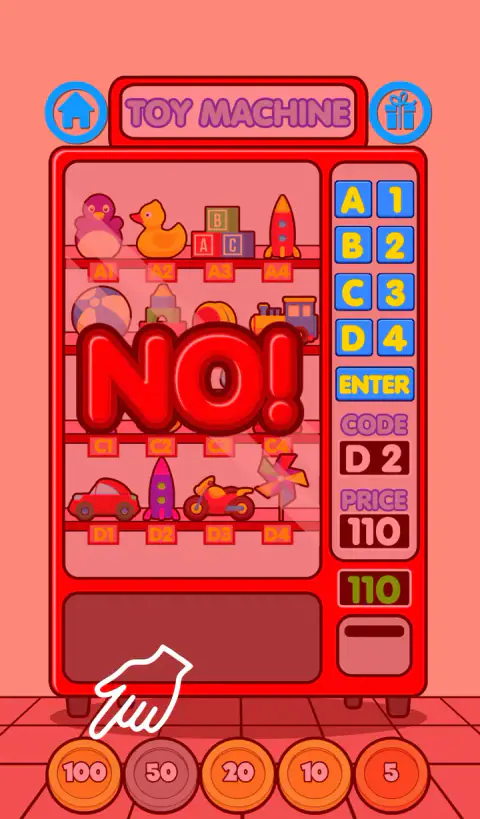
Pick C2 on the toy machine and the panel lights up 120. Drop in the big gold 100 and the meter above the coin slot counts down to 20, which is the game quietly telling you what arithmetic it wants. Drop the 20 and the bear falls into the drawer. Drop a 50 instead and a red NO fills the whole machine, the picture shakes, a voice says oops, and the meter goes back to 120 as if you had never paid at all. Nothing is taken from you, because there is no wallet. What you lose is the sum you had half-finished.
It was made by Giuseppe Calcagno, an Italian developer who signs his work Mapi Games, and his logo is the first thing on screen, a half-second fade with a jingle over it. The phone version came out in October 2020; the browser version was published at the end of 2021. He also wrote the Scary Vending Machine and the Surprise Eggs Vending Machine you will find elsewhere on this site, and this is the edition that contains both of them.
The forty-eight prices, and why none of them needs more than five coins
The three classic machines hold sixteen items each, and every one of those 48 slots has a price written into the game. They run from 105 on the cheapest sweet to 265 on the dearest piece of food, and buying out all three machines would come to 8,595.
The interesting part is what they all have in common. Every single price is a multiple of five, which matters because the smallest coin is a five. There is no price you cannot pay to the penny, which is the only reason the machine can be as strict as it is. Work through all 48 and the arithmetic stays kind: the cheapest to pay is the 110 toy, which is a 100 and a 10, and even the awkward 265 comes out in five coins.
So the difficulty is never in the size of the number. It is in the habit of breaking one number into others, over and over, with a slightly different remainder each time.
What the machine does when you pay too much
This is the part no other page about this game mentions, and it is the part children actually run into.
The meter can only go down. When a coin brings it to exactly zero the machine dispenses; when a coin takes it past zero, the game spawns a sign that swells from nothing to fill the glass, buzzes the phone, rattles the camera and fades out half a second later under a recorded "oops, try again". Then the rule that set the price in the first place fires again, and the meter goes back up to the full amount.
That is a harsher design than it first looks, and a fairer one than a refund would be. There is no money to waste, so overpaying costs nothing but the attempt. What it does is make the exact sum the only thing that counts, which is the whole point of the exercise.
Three games behind one title screen
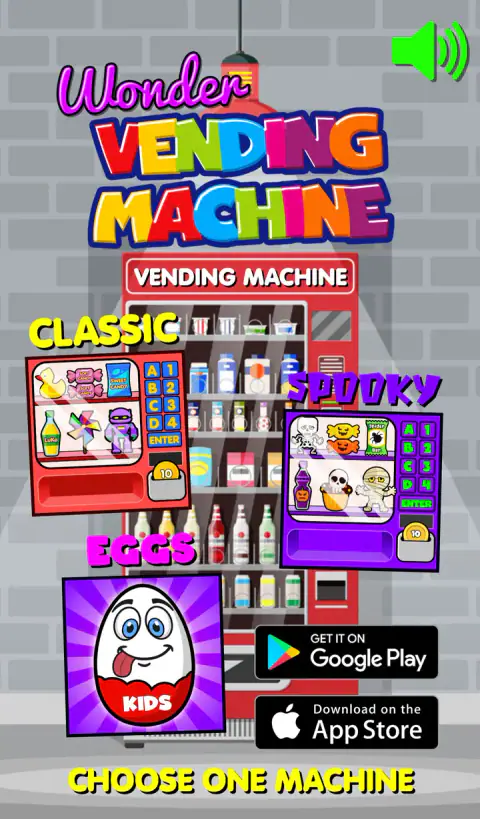
This is three complete games sharing a front door: a classic set, a Halloween set and an egg set, all clearly cut from the same pattern despite their different clothes.
Classic is the plain version: red machine, cream tiles, a toy, sweet and food shelf.
Spooky is the one worth a look even if you have finished the others. Wind blows under the whole thing. The sky behind the machine picks one of five colours when the screen opens, so it is never quite the same twice. A lamp and a sheet of cobwebs swing overhead on a real pendulum and shake sparks loose as they pass. There is a decoration beside the machine that decides, on the spot, whether it is a cat, a pumpkin or a muffin - and if it came up a cat, you can prod it and it will pull a face and meow at you. And roughly one purchase in six brings a thunderclap and a downpour that keeps falling for the rest of your visit.
Eggs swaps the three machines for Boys, Girls and Dino, and changes what happens after you pay. The prize is a wrapped chocolate egg, and the screen slides across to it. Seven taps get you to the toy: one to tear the wrapper off, four to bite the chocolate down in stages while the game shouts GNAM GNAM at you, and the last two to crack the shell apart. Then a sunburst spins, an audience applauds, and you are asked whether you want another egg or the collection shelf.
The coins are Italian, and that explains the prices
Look at the row along the bottom: 5, 10, 20, 50 and 100. No 1, no 2. That is not a rounding-off for children; it is the set of coins an Italian child actually handles.
Since the first of January 2018, Italy has stopped minting the one and two cent pieces. They remain legal tender, but no new ones are made, and cash prices are rounded to the nearest five cents at the till. The practical result is a country where small change comes in fives and everything you pay in cash lands on a 0 or a 5.
Which is exactly the money in this game, made by a developer in that country - right down to the giveaway that all 48 prices are multiples of five. Whether it was designed that way or simply came out that way, the effect is the same, and it is the reason the game can demand the exact amount without ever setting an impossible sum. A child in Milan is practising the till they will meet at the corner shop.
More from Mapi Games
The two halves of this game also live here on their own. Scary Vending Machine is the Halloween set by itself, and Surprise Eggs Vending Machine is the chocolate-egg set by itself - both are the same author's single-mode games, which is why Wonder feels like a collection rather than a sequel. Plush Eggs Vending Machine is his later take on the egg machine, with soft toys inside. More in our kids category.
Screenshots
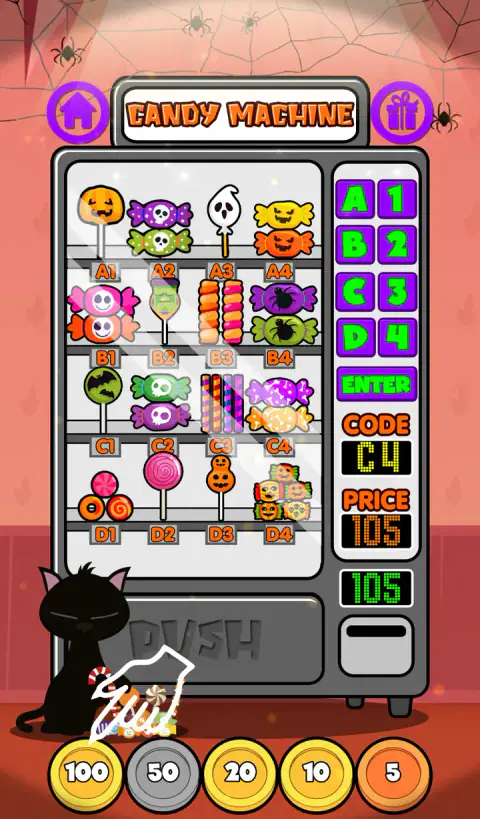
How to play Wonder Vending Machine
- Choose a machine. The title screen offers Classic, Spooky and Eggs, and each one then offers three machines: toys, sweets and food. Every machine has its own music.
- Type the code. A letter for the shelf, a number for the position. The label under each item on the glass tells you which is which, and both appear under CODE as you press them.
- Press ENTER. The price lights up and the green meter underneath is set to it. Until you have pressed both a letter and a number, ENTER does nothing at all.
- Pay it exactly. Tap coins at the bottom. The meter counts down, not up, so it is always showing you what you still owe.
- Take your prize. The item drops into the drawer. Tap it once to lift it out and once more to add it to your collection.
Things worth knowing before you start
- The white hand is a hint, not decoration. It points at ENTER when the code is in, and moves down to point at the coins once the price is on the meter.
- Work from the big coin down. Every price is between 105 and 265, so the first move is nearly always the 100, and the meter then leaves you a small number that is easy to finish.
- Keep an eye on the little copper 5. Thirty-five of the 48 prices end in a five, so most purchases cannot be finished without it.
- The shelves never empty. Buying C2 does not remove the bear from the glass, so you can buy the same thing again while you are learning; what it changes is the silhouette on the collection shelf.
- Nothing is timed. There is no clock, no score and no way to lose.
Controls
| Mouse click, or a finger | Everything. The game reads no keyboard at all |
|---|---|
| A, B, C or D | Pick the shelf row, shown under CODE |
| 1, 2, 3 or 4 | Pick the column. The price appears under PRICE |
| ENTER | Confirm the code and put the price on the green meter. It does nothing until both a letter and a number are chosen |
| The five coins along the bottom | Drop 100, 50, 20, 10 or 5 into the slot. Each one comes off the meter |
| The item in the drawer | Tap it once to lift it out, then once more to keep it |
Features
- Three machines - toys, sweets and food - of sixteen slots each, with 48 prices running from 105 to 265
- Every price is a multiple of five, so the exact amount always exists, and none of them needs more than five coins
- Overpay by a single coin and the machine says NO, shakes the screen and puts the whole price back on the meter
- A collection shelf for each mode: 48 grey silhouettes that fill in as you buy, saved in your own browser
- Three complete games behind one title screen - Classic, a Halloween Spooky set and a Surprise Eggs set
- In Eggs mode the prize arrives wrapped, and it takes seven taps to unwrap, eat and crack open the chocolate
- Tested with a finger: portrait fits the phone exactly, landscape squeezes it into a narrow column
Game details
- Developer
- Mapi Games
- Release date
- October 2020
- Added here
- February 2023
- Technology
- HTML5 (GameSalad, 600×1024 portrait)
- Platforms
- Browser (desktop, mouse), Browser (mobile & tablet, touch, portrait)
- Classification
- Fashion & Beauty , Kids
- Download size
- 2.6 MB
- Ad requests
- 6 (some)
- Has a save
- Yes
- Saved progress
- Saving, when available, is managed by this game. Mava cannot confirm your level.
Measured by opening the game ourselves on 2026-09-10, not taken from the feed. Twelve seconds on a phone-sized screen, with ad requests counted and blocked rather than loaded.
FAQ
What is Wonder Vending Machine?
It is a free browser game about paying for things out of a vending machine. You pick a shelf by its letter and number, the price lights up on the panel, and you feed coins in until you have paid it exactly. It was made by the Italian developer Giuseppe Calcagno, who publishes as Mapi Games, and it came out in October 2020.
How do you use the vending machine?
Four steps, and the game's own help screen lists them in this order. Press a letter A to D, then a number 1 to 4, and the code and its price appear on the panel. Press ENTER. Tap coins until the green meter reaches zero. Then tap the item in the drawer twice, once to pick it up and once to keep it.
What happens if you put in too much money in Wonder Vending Machine?
A red NO fills the screen, the machine buzzes and shakes, and a voice says "oops, try again". There is no change and no refund. The meter goes straight back to the full price and you have to pay the whole thing again from zero.
How many items are there to collect?
Forty-eight in each mode, sixteen in each of the three machines, which is 144 across the whole game. They show as grey silhouettes on a shelf that you page through with arrows, eight at a time, and each one turns into a picture once you have bought it. Your progress is stored in the browser you played in.
What are the Spooky and Eggs modes?
They are the same game dressed twice over. Spooky is a Halloween set with cobwebs, a swinging lamp, a cat you can tap and a thunderstorm that turns up roughly once in every six purchases. Eggs replaces the prizes with chocolate surprise eggs from three machines called Boys, Girls and Dino, and you have to unwrap and eat each one to find out what is inside.
Who made Wonder Vending Machine?
Giuseppe Calcagno, an Italian developer who signs his games Mapi Games. The App Store lists him as the seller of the phone version, the game is credited to Mapi Games for the browser version, and the game's own splash screen is his studio logo. His site is pinkio.altervista.org.
Does Wonder Vending Machine work on a phone?
Yes, held upright. We played it on a phone-sized touch screen and bought an item by finger alone: the game is built tall, so in portrait it fills the screen with nothing cut off. Turn the phone sideways and it still works but shrinks to a narrow strip, which makes the little keypad letters hard to hit.
Is Wonder Vending Machine free, and can you play it unblocked?
It is free and runs in a browser tab with nothing to download or install. Whether a school or office network lets the site through is up to that network, and we do not offer ways around filters.
How do you reset the collection?
Open the collection with the gift button, then press the R button in the top right. It asks "RESET ALL COLLECTIBLES? YES? NO?" and answering yes empties that mode's shelf back to silhouettes. Each of the three modes keeps its own list, so resetting one leaves the other two alone.