



About Sky Balls 3D
A game about rolling a ball along a track in the sky sounds like a game about not falling off. In Sky Balls 3D the opening stretch has a rail on each side, so falling is not the first problem. Finding out which way you are facing is.
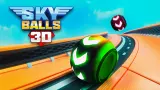
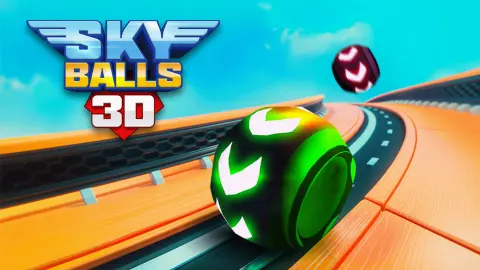
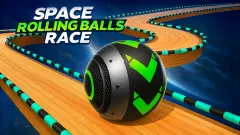
The ball is green, with a dark band of white arrows painted round its middle. It sits on a track of wooden planks, far above green hills and water. A bar at the top of the screen counts four numbered stops, with a small flag after the last one.
The game's listing names gameVgames as the developer. The game has been available since April 2026.
Our time with it was about four minutes on a desktop keyboard, in the one-player mode. It was not a successful four minutes. The ball never left the first section of the first level, the coin counter stayed at zero, and we did not see a fall, a finish or the two-player mode. What follows is a report on the start of the game and on the mistake we made there, so that you do not repeat it.
The first stretch has rails, and the view is what you lose
The level opens with the ball on a plank track that runs straight ahead. Under the ball is a darker patch of checkered floor. On each side there is a rail, a thick tube striped in purple and white. Beyond the rails stand tall walls of checkered panels, leaning outwards like the sides of a funnel.
So the start is forgiving in one way. There is something solid on both sides, and we never came close to going over the edge.
It is less forgiving in another. The view sits low and close behind the ball, and it swings when you press a side key. We kept pressing right, expecting the ball to drift across the planks. What moved was the picture.
A few presses later we were looking through the left wall, with only a green sliver of the ball visible past the edge of a panel. After that came a view of nothing but red and cream squares. We were still on the same checkered patch where we had started.
That is the non-obvious thing about this game, at least as it played for us. The side keys behave like turning, and on a narrow track a quarter turn is already too much.
Four stops and a flag: what the top bar tells you
The bar at the top of the screen is the only map you get. A pink dot marks the start. Then come four round stops numbered 1 to 4, and after the fourth a small green flag.
During our run the first stop was lit green and the other three stayed dark. It never changed, which matches what the pictures showed: we had not gone anywhere.
We read the bar as the road from start to finish, cut into four parts. Whether each stop is a checkpoint you return to after a fall is something we cannot tell you. We did not fall, and we did not reach the second one.
In the top right corner there is a counter with a gold coin on it. Ours read 0 from beginning to end. We did not get far enough to see what the coins are spent on.
One keyboard, two players, according to the listing
Sky Balls 3D is filed under the two-player games, and its instructions split the keyboard in the usual way: W A S D for one player, arrow keys for the other.
We did not play that mode, so this section is short. We cannot say whether the two balls share a track or how a winner is decided.
One thing does follow from our own run. Each player has to learn the same lesson about turning. A first race between two newcomers may be decided by who stops over-steering first.
The pause menu, and when an ad break comes
The pause button is a blue square in the top left corner. A small green tag with the letter P sits on it, which we take to be the key for it. We used the mouse.
Pausing brings up a sign that says "PAUSED!" with three buttons under it: Resume, Restart and Main Menu. Below them are two small orange buttons, one for sound and one for music.
Restart looks like the useful one while you are learning. We went back in with Resume and stayed lost, with the view still inside a wall.
As for adverts, the game asked for an ad break once in our session, right as it opened and before the level began. Nothing in the part we played offered a reward for watching one.
Who it is for
Two people at one keyboard who want a short race and do not mind a clumsy first try. The listing is built around that, and it is for PC only, in landscape.
It also suits anyone who likes ball games where the steering is the skill. If you want a ball that simply slides left and right under your finger, this is not that game, and our session is the proof.
More balls to roll
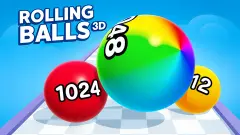
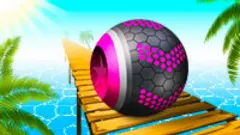
Rolling Balls Sea Race is credited to the same studio and is laid out much the same way, with a numbered bar at the top and a coin counter, on wooden piers over open water. Roll Sky Ball 3D is the one-finger version of the idea: you drag, and the ball follows. Rolling Balls 3D swaps the track for a lane of gates that add to or take from your count. Marble Maze is a duel with a marble that only stops at walls. Other games for two at one keyboard are under multiplayer games.
Screenshots
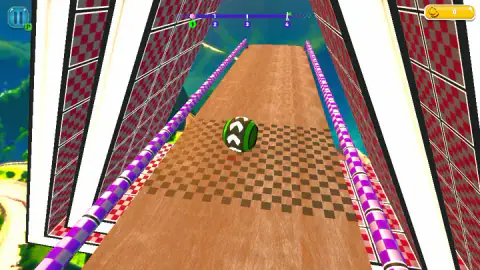
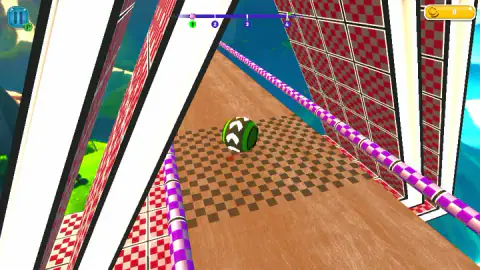
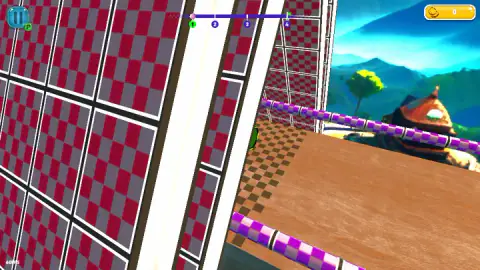
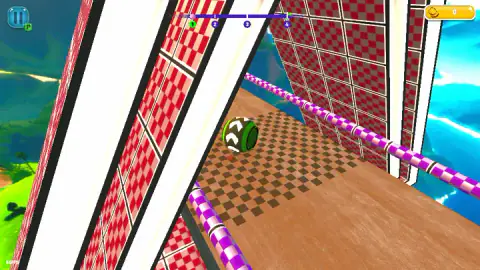
Taken by opening the game ourselves and letting it run — not supplied by the publisher, and not the same picture every other site shows.
How to play Sky Balls 3D
- Choose a mode. The game's listing describes two, one player or two players on the same keyboard.
- Alone, you control the ball with W A S D or the arrow keys, according to that listing. With two players, the first has W A S D and the second has the arrows.
- Look at the arrows on the ball before you press anything. They show which way it is facing.
- Watch the bar at the top. The marker starts at the left, and the flag is at the right.
- If you lose your bearings, press the pause button in the top left corner and choose Restart.
What our four minutes taught us:
- Holding a side key turns the view a long way. We held D for about a second and a half at a time. After two of those, the track that had run straight up the screen ran off towards a corner, and the ball was still on the same patch of floor.
- A screen full of squares means you are facing a wall. The walls are made of red and grey checkered panels. Keep turning and they are all you see.
- Tap, do not hold. This is our conclusion and not something the game says. Every long press took the view further round than we wanted.
- The rails are your compass. Two purple-and-white rails run along the track. If you can see both, one on each side of the ball, you are looking down the track.
Controls
| W A S D or arrow keys (1 player) | Control the ball, according to the game's listing; in our session holding D turned the view to the right |
|---|---|
| W A S D (2 players) | Player one's ball, according to the game's listing; we did not play this mode |
| Arrow keys (2 players) | Player two's ball, according to the game's listing |
| Pause button (top left) | Opens a menu with Resume, Restart and Main Menu, plus two buttons for sound and music |
Features
- A green ball with white arrows painted round it, so you can see which way it is facing
- Plank tracks high above hills and water, with a purple-and-white rail on each side of the opening stretch
- A bar across the top of the screen with four numbered stops and a flag at the far end
- A coin counter in the top right corner, which starts every run at zero
- A pause menu with Resume, Restart, Main Menu and separate switches for sound and music
- One-player and two-player modes on a single keyboard, according to the game's listing
Game details
- Developer
- gameVgames
- Release date
- April 2026
- Last updated
- August 10, 2026
- Added here
- February 2026
- Technology
- HTML5 (WebGL, 3D)
- Platforms
- Browser (desktop, keyboard)
- Classification
- 3D , Arcade , Multiplayer , Sports , 2 Player
- Saved progress
- Saving, when available, is managed by this game. Mava cannot confirm your level.
FAQ
What is Sky Balls 3D?
Sky Balls 3D is a free 3D browser game by gameVgames. You roll a green ball along plank tracks built high above the sea, and a bar at the top of the screen shows four numbered stops and a flag at the end. The game's listing describes a one-player mode and a two-player mode on one keyboard.
What are the controls in Sky Balls 3D?
According to the game's listing, one player uses W A S D or the arrow keys. In two-player mode the first player has W A S D and the second has the arrow keys. In our session, holding D turned the view to the right while the ball stayed where it was, so it is worth tapping the side keys and not holding them.
Why does my screen fill with red squares in Sky Balls 3D?
It happened to us. The track runs between tall walls of red and grey checkered panels, and if you keep turning, the view ends up pointing into one of them. Turn back the other way until you see the plank floor and the purple rails again.
How do you finish a level in Sky Balls 3D?
The bar at the top of the screen has a marker that starts on the left, four numbered stops and a small flag after the fourth. We read that as the route from start to finish. Our own run never got past the first stop, so we cannot describe what the later stops look like or what happens at the flag.
Can two people play Sky Balls 3D on one computer?
The game's listing says so. It files the game under two-player games and gives W A S D to the first player and the arrow keys to the second. We played the one-player mode only and cannot say how a two-player race is laid out or scored.
Can you play Sky Balls 3D on a phone?
The game's listing gives PC as its only platform, in landscape, and every control it describes is a key on a keyboard. We played it on a desktop computer. Nothing we saw suggests it was built for a touch screen.
Who made Sky Balls 3D?
The game's listing names gameVgames as the developer, the same studio it credits for Rolling Balls Sea Race. The game was published in April 2026 and its last update there is dated August 2026.