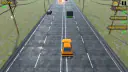












About Highway Traffic
In Highway Traffic, you drive down a long road full of cars and trucks. How far can you go before you hit one? Start with One Way. The cars go the same way you do, so you can get used to the road.
Try a speed test
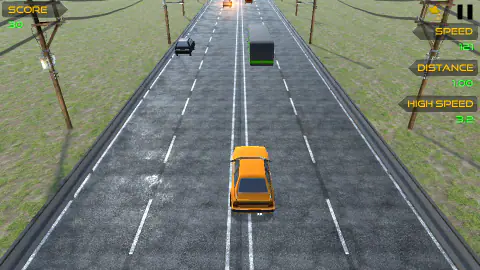
On your first run, look at DISTANCE when the road is clear. See how far you can go. On your next run, wait for a long, clear stretch. Hold Up until HIGH SPEED shows up. It came on as we went past 100 km/h.
Keep an eye on the road. We saw a green truck ahead on our fast run. The gap got small fast. If that happens, slow down while you still have space.
Read the end screen
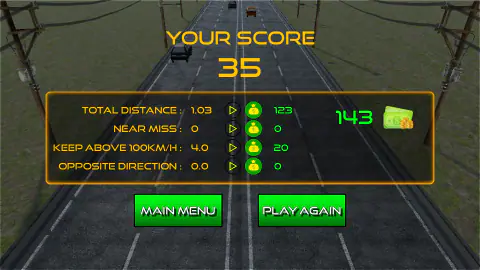
In our test, YOUR SCORE said 35. Look for TOTAL DISTANCE to see how far you drove. KEEP ABOVE 100KM/H shows how long you stayed above that speed. Check those lines after each run. Did you get farther this time? Try to beat one thing at a time.
Want more games with cars and trucks? Try our driving games.
Screenshots
How to play Highway Traffic
- Keep the yellow car. Click NEXT at the bottom right.
- Pick ONE WAY, then SUNNY. Wait for GO!.
- Hold Up to pick up speed. Tap Left or Right to move to the side.
- When you catch up to a truck, hold Down to slow down. Check the next lane before you move.
- When the run ends, look at YOUR SCORE. Click PLAY AGAIN to try the same road.
Controls
| Up arrow | Hold it to speed up. |
|---|---|
| Left and right arrows | Tap to move to the left or right. |
| Down arrow | Hold it to slow down. |
Features
- Four ways to play, each with its own best score.
- Day, night, and rain stages.
- A score screen that splits up the parts of your run.
Game details
- Developer
- FreezeNova
- Release date
- October 2018
- Added here
- May 2022
- Technology
- HTML5 (WebGL)
- Platforms
- Browser (desktop)
- Download size
- 30.5 MB
- Ad requests
- 2 (few)
- Has a save
- Yes
- Saved progress
- Saving, when available, is managed by this game. Mava cannot confirm your level.
Measured by opening the game ourselves on 2026-09-10, not taken from the feed. Twelve seconds on a phone-sized screen, with ad requests counted and blocked rather than loaded.
FAQ
Can I play Highway Traffic online for free?
Yes. Open the game on this page. You can start with the yellow car.
Does each mode have its own best score?
Yes. Look for BEST SCORE under the mode you want to play. Use the same mode when you try to beat your last run.