


About Car Parking 3D
Most parking games fail you for a bad finish: crooked in the space, a wheel over the line. Car Parking 3D fails you for any touch at all. A cone, a parked car, a low wall. Brush one and the level ends with a card that says Failed.
We learned that the slow way. In our first session we failed level 1 about twenty-five times. Almost every time we steered right as we set off, and the car went into the cones. In our second session we stopped guessing and followed the arrows painted on the ground. That time the level ended with a card that said Successful.
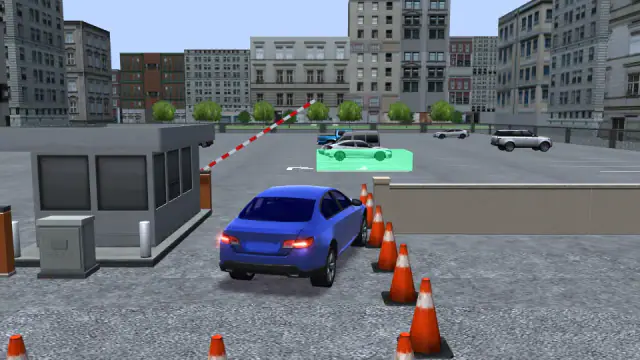
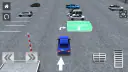
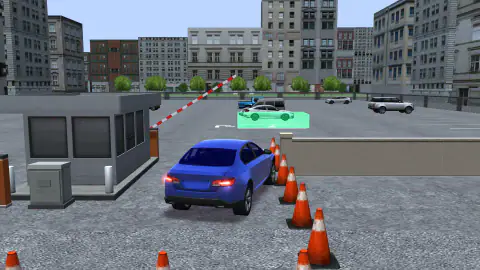
Car Parking 3D is by John Hany and was published in April 2026. You drive a blue car from behind a gate into a green box. The box is your parking space.
Use the eye button to see the box from above
The view behind the car hides a lot. You cannot see how far the box is, or how close the parked cars are.
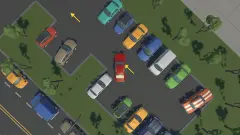
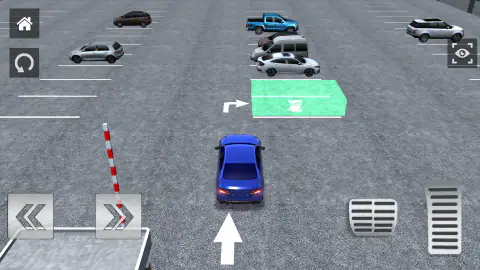
Press the eye button in the top right corner. The camera jumps high above the car park. Now you can see the gate, the arrows, the box and the white car beside it, all at once. Press the eye again to go back behind the car.
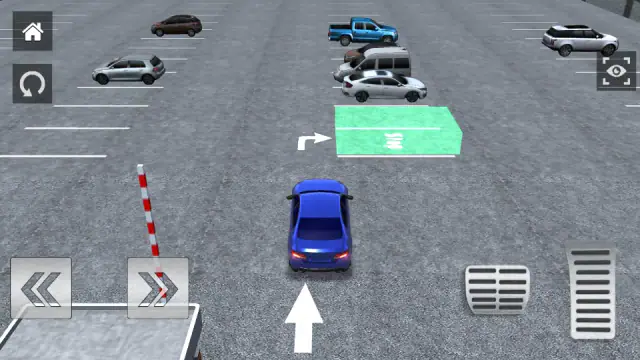
This view helped us more than anything else. In our winning try we used it the whole way. It also stayed on when we pressed the round arrow to restart the level.
What you win, and what comes next
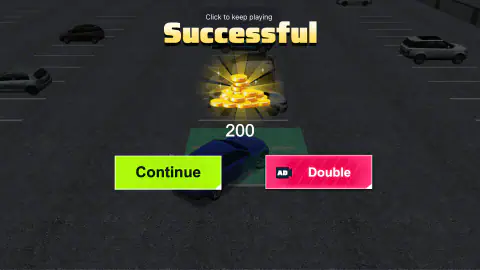
The Successful card showed a pile of coins and the number 200. It had two buttons. Continue is green. Double is red, with a small AD label on it. We did not press it. We pressed Continue.
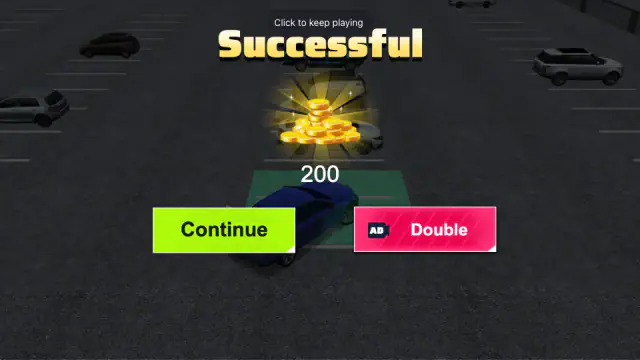
That took us back to the level list. Our coins went from 1,000 to 1,200. Level 1 had turned green, and Level 2 was now yellow. The yellow one is the next level to play.
There is more to the game than this one car park. The mode screen has Challenge Mode, Parking Mode and Lorry Mode, and a fourth slot that says Locked. The first page of Parking Mode shows ten levels. We only played level 1, so we cannot tell you how hard the later ones get.
One more thing we did not see: a clock. The game's own description talks about a time limit. On level 1 we saw no timer in either session.
An ad break also came up after some Failed cards, and once when we won.
The cones were invented by a street painter
The orange cones in this game do what real cones do. They mark a line a driver must not cross.
The road cone was designed by Charles D. Scanlon, who painted street lines for the City of Los Angeles. Wooden barriers broke easily and were hard to see. His rubber cone could take a knock, tip over and stand back up. He got a patent for it in 1943.
That is the funny part. A real cone forgives a bump. In Car Parking 3D, one bump ends your try.
More parking and driving games
Bus Parking asks the same thing of a much longer vehicle. Car Escape Parking, by the same developer, is a puzzle where you clear a packed car park without steering at all. Drive Mad 2 is all ramps and balance. You will find more in our parking games and driving games.
Screenshots
How to play Car Parking 3D
- Press the green Start button. Pick Parking Mode, then Level 1.
- A card shows the keys. W or Up drives. S or Down brakes and backs up. A and D or Left and Right steer.
- Hold Up and drive straight at the gate. The red and white barrier lifts by itself.
- Look for the white arrows on the ground. One points straight on. The next one points right, into the green box.
- When your car reaches the near edge of the box, hold Up and Right together. Let the car roll in along the arrow.
- If you see Successful, you did it. If you see Failed, press the pink Again button.
Tips from our sessions:
- Do not turn at the start. The cones stand right beside the gate. Every time we steered right too early, the car ended up in the cone line.
- Turn at the box, not before it. When we turned at the end of the low wall, the car swung back towards the last cone. When we turned too late, we hit the white car parked just past the box.
- Watch the edge of the car park. One wide turn took us past the box and into the low wall. That was a Failed too.
- Let go a little early. The car keeps rolling for a moment after you let go. Once, we rolled right through the box and out the other side. Tap Down to stop.
- Go in along the arrow. We once stopped across the box at a steep angle, and nothing happened. When the car came in pointing the way the arrow points, the level ended with Successful.
Controls
| W or Up arrow | Drive forward. |
|---|---|
| S or Down arrow | Brake, then back up. |
| A and D, or Left and Right arrows | Steer left and right. |
| Eye button (top right) | Switch between a high view from above and the view behind the car. |
| Round arrow (top left) | Start the level again from the gate. |
| House button (top left) | Go back to the menu. We did not press it. |
Features
- Level 1 asks you to stop inside a green box on the ground.
- On level 1, white arrows painted on the ground show the way to the box.
- On level 1, any touch ended the try: cones, a parked car and a low wall all counted.
- The gate barrier lifts by itself as you drive up to it.
- An eye button gives you a view from high above the car park.
- Clearing level 1 paid 200 coins and turned level 2 yellow, as the next one.
- Three named modes: Challenge Mode, Parking Mode and Lorry Mode.
Game details
- Developer
- John Hany
- Release date
- April 2026
- Last updated
- August 10, 2026
- Added here
- February 2026
- Technology
- HTML5 (3D)
- Platforms
- Browser (desktop, keyboard)
- Saved progress
- Saving, when available, is managed by this game. Mava cannot confirm your level.
FAQ
How do you pass level 1 of Car Parking 3D?
Drive straight through the gate and keep going. Do not turn yet. When your car reaches the near edge of the green box, turn right and follow the white arrow into the box. That is how we got the Successful card.
Why does Car Parking 3D keep saying Failed?
Your car touched something. We saw Failed after we hit three things. The cones by the gate, the white car parked past the box, and the low wall at the edge of the car park. Any touch counts, even a small one.
What are the controls in Car Parking 3D?
W or the Up arrow drives forward. S or the Down arrow brakes and backs up. A and D, or the Left and Right arrows, steer. A card shows these keys when the level starts.
How do you change the camera in Car Parking 3D?
Press the eye button in the top right corner. It switches to a view from high above the car park, and pressing it again brings back the view behind the car. The view from above stayed on when we restarted the level.
What do you win in Car Parking 3D?
Level 1 paid 200 coins. Our total went from 1,000 to 1,200, and level 2 turned yellow to show it was next. The Double button carries an AD label. We did not press it. We pressed Continue.
Is there a time limit in Car Parking 3D?
The game's own description says to park before time runs out. On level 1 we saw no clock or countdown in either of our sessions. Every Failed card we got came from a crash, not from waiting.
Can you play Car Parking 3D on a phone?
It is listed for phones and tablets, and the level screen has arrow buttons and pedals. We only played on a computer with the keyboard, so we cannot say how it feels on a touch screen.