


About Truck Parking: Trailer Challenge
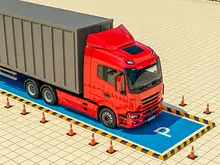
Most parking games hand you a car and a white rectangle, and the whole test is the last two metres. Truck Parking: Trailer Challenge makes the rectangle the last job of three. First you cross a refinery yard along a painted line. Then, according to its instructions, you back up to a trailer and connect it. Only after that do you take the longer rig to a bay and hold still until a countdown ends.
The first level is not in a hurry. The clock starts at about ten and a half minutes, and the counter beside it allows six hits. That reads as a request for slow and clean rather than quick. The arrows on the ground do the navigating for you, so your attention goes on where the truck is, not on where to go.
Our own attempt fell well short of that. We never connected the trailer and never parked. In about ten minutes we pressed only the accelerator, the arrow line curved away, and the truck carried on straight into a shed door, where it stayed until the clock ran out. So this page separates what we saw from what the game's instructions promise.
The game is by KreizLand. It came out in October 2026. The rating was, which tells you it is new and not much else.
What the screen is telling you
The number next to the clock is easy to take for a score. It is the hits counter: the same symbol tops the Failed screen, above the words Hits 0 / 6. The timeout screen reads Hits 0 / 6 even though our truck had run into a door, so a slow nudge does not seem to count. We cannot say what does, or what happens at six.
The other buttons are quick to learn. On the right are what looks like a horn, the pause button, the camera and the zoom pair. On the left sits Start rain, marked 5 min, with a TV icon. The same icon marks the +2 minutes button when you run out of time, and on browser games it usually means watching an ad for a reward. We pressed neither, so that part is unconfirmed, and it never rained on us.
Pause opens a short panel: Resume, Retry, Sound, Low quality and Garage. Low quality is the one to try if the yard stutters on an older computer. Retry puts the truck back at the start with the clock full again, 10:33 in our case.
Expect some interruption. Three times in our session an ad-break screen came up: once after Play, and twice just after we pressed Resume. Both of those came straight after a pause, so if you need to think, it may be better to stop the truck than to open the menu.
Why a trailer goes the wrong way in reverse
This is the part of the game that real drivers train for, and it is not intuitive. In a car, you reverse by turning the top of the steering wheel toward where you want to go. With a trailer it flips. Commercial driver manuals in the United States say to turn the wheel the opposite way, then, once the trailer starts to swing, turn it back to follow. The reason is the hitch. Steering moves the hitch one way, the trailer pivots about its own wheels, and its tail goes the other way.
That is also why reversing with a trailer can get away from you. Saskatchewan's professional driver handbook warns that if the truck does not follow a track matched to the trailer's, you reach a jackknife, where the two fold toward each other. A normal right-angle turn backwards takes an S-shaped path, not a single curve.
Connecting up has its own rules, and they match what the game asks of you. The Virginia commercial driver manual tells drivers to put the tractor directly in front of the trailer, never to back under it at an angle, and to back slowly. So when the instructions here say to reverse slowly toward the hitch, get straight first, from far enough away, and use the overhead view to check. We did not reach this step, so we cannot tell you how strict the game is about the angle.
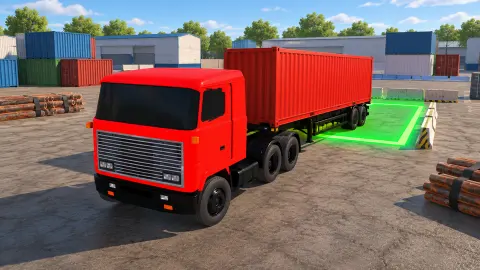
Even the name of your first truck is real. A cabover has its cab above the front axle rather than behind a long nose. That shortens the truck and tightens its turning circle, a handy shape for a crowded yard.
What we did not get to see
Because we never left the first stretch of the yard, most of the game is still ahead of whoever plays next. We did not see a trailer connected, a green bay, the parking countdown, stars, coins earned, the second truck, or a second level. We cannot tell you how many levels there are, what Upgrade improves or what a reward is worth. The steering keys, the brake and reverse also come from the instructions, because we only used W. If you play it for the trailer work, treat our notes as a guide to the first few minutes and no more.
More driving games
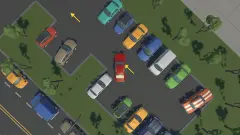
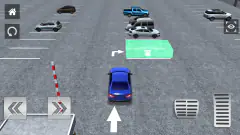
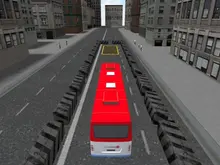
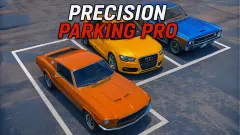
Police Chase Simulator is another KreizLand game, with chases instead of careful reversing. Precision Parking Pro is the closest match: a clock, a collisions counter and a yard full of containers, in a car. Grand Truck Simulator keeps you in a big vehicle on a job, and Bus Parking is about length in tight spaces with no second chances. There are more in our driving games.
Screenshots
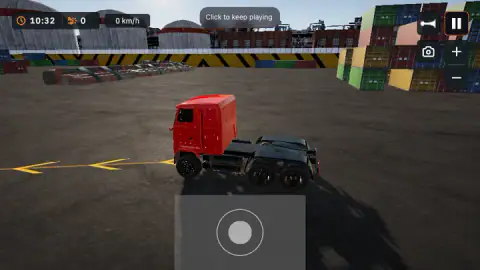
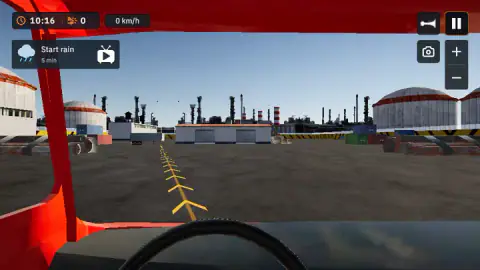
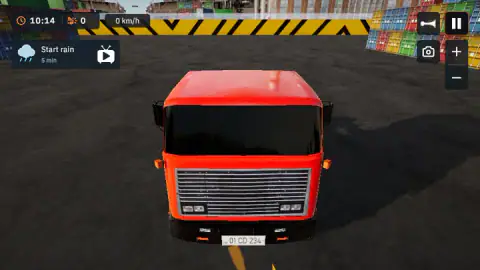
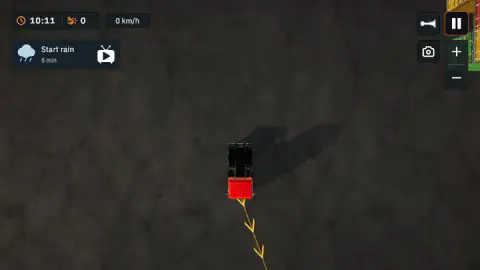
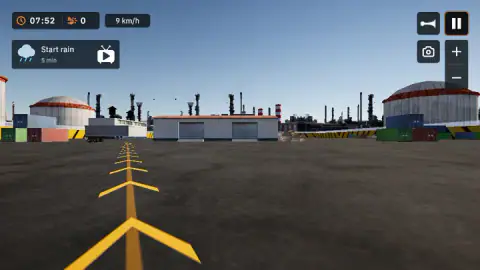
Taken by opening the game ourselves and letting it run — not supplied by the publisher, and not the same picture every other site shows.
How to play Truck Parking: Trailer Challenge
- Press Play in the garage. You start with the red Cabover 6×4, and the arrows beside it lead to a second truck.
- Click inside the game. A small Click to keep playing label at the top asks for this.
- Follow the yellow arrows. Hold W to move, and steer to stay on the line as it turns.
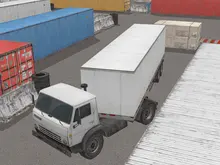
- Connect the trailer. The instructions say to reverse slowly toward the hitch until it connects. We saw a grey trailer parked to the left of the shed, with the line running that way.
- Park in the green bay. The instructions say to line up truck and trailer, stop inside the marked area and hold still until the countdown ends.
Tips from our run:
- Watch the line, not the shed. The white shed with two blue roller doors sits straight ahead from the start, and it is the obvious thing to aim for. The arrows peel off to its left. Hold the accelerator without steering and you end up at the door.
- A blur means you are touching something. In the low front view, our door filled the screen and then melted into a smear. The clock went on counting, so change the view or reverse out straight away. We lost about five minutes doing neither.
- Short presses are slow. Holding W for a second or so took us to around 10 km/h and never past 13. That is plenty for lining up, but it also means the long clock may be less generous than it looks.
- Click again after a break. The Click to keep playing label came back after pauses in our session, so a click in the game is the first thing to try if the truck ignores you.
- Use the overhead view for lining up. It shows the truck from directly above with the arrows running out ahead of it, and it is the one view where you can judge the angle at a glance.
Controls
| W | Accelerates; the only driving key we used in our run |
|---|---|
| A, S, D or the arrow keys | Steer, brake and reverse, according to the game's instructions |
| On-screen joystick | Appears near the bottom of the screen; the instructions say you can drag it to drive |
| Camera button | Changes the view; we saw five, from a low front view to straight overhead |
| Plus and minus buttons | Zoom the view in and out |
| Pause button (top right) | Opens a panel with Resume, Retry, Sound, Low quality and Garage |
| Mobile | Steering wheel or arrows with gas and brake pedals, according to the game's instructions; we did not try them |
Features
- The first level gives you about ten and a half minutes on a countdown clock at the top left
- A counter beside the clock records your hits, and the timeout screen shows the limit: 0 / 6
- A line of yellow arrows painted on the ground marks the route across the yard
- Five views of the truck: low at the front, from the cab, facing it, straight overhead and following behind
- You start with a red three-axle truck called the Cabover 6×4, marked 1 of 2 in the garage
- The garage screen has Customize and Upgrade buttons and a coin balance that starts at $0
- When the clock runs out you can choose Retry, Garage or a +2 minutes button marked with a TV icon
Game details
- Developer
- KreizLand
- Release date
- October 2026
- Last updated
- October 1, 2026
- Added here
- October 2026
- Technology
- HTML5 (3D)
- Platforms
- Browser (desktop, mouse and keyboard), Browser (mobile & tablet, touch)
- Saved progress
- Saving, when available, is managed by this game. Mava cannot confirm your level.
FAQ
How do you play Truck Parking: Trailer Challenge?
You drive a red truck along a line of yellow arrows painted on the ground of an industrial yard. According to the game's instructions, you then reverse slowly to connect a trailer, drive to a green bay and hold still inside it until a countdown ends. A clock runs the whole time and a counter records your hits.
How long do you get on a level in Truck Parking: Trailer Challenge?
The first level starts with about ten and a half minutes; the clock read 10:33 when we pressed Retry. If it reaches zero you get a Failed screen that says Time's up, with Retry and Garage buttons and a +2 minutes option. We only saw this first level, so later ones may differ.
How many crashes are allowed in Truck Parking: Trailer Challenge?
The timeout screen in our run read Hits 0 / 6, which points to a limit of six on the first level. We never reached it, so we have not seen what happens at six. Driving the truck into a shed door did not add a hit on our counter, so not every contact seems to count.
Why is the screen blurry in Truck Parking: Trailer Challenge?
It happened to us when the truck stopped against a shed door while we were in the low front view. The camera was pressed against the door, so the picture became a smear with only the clock and buttons readable. It does not mean the game has crashed, and the clock keeps counting.
Do you have to watch an ad to make it rain in Truck Parking: Trailer Challenge?
The Start rain button carries a TV icon, the same icon as the +2 minutes button on the Failed screen, and that icon usually means an ad on browser games. We never pressed either one, so we cannot confirm it. It never rained in our session, and nothing forced us to use the button.
Why does a trailer turn the wrong way when you reverse?
When you reverse with a trailer, it goes the opposite way to the steering wheel. Truck-driver manuals say to steer against where you want the trailer to go, then turn back to follow it once it starts to swing. We did not get as far as towing a trailer in this game, so we cannot say how closely it copies that.
Who made Truck Parking: Trailer Challenge and when did it come out?
It is by KreizLand. It came out in October 2026 and was last updated the same month.
Can you play Truck Parking: Trailer Challenge on a phone?
It is listed for Android and iOS as well as PC, in both landscape and portrait. The game's instructions describe a steering wheel or arrows with gas and brake pedals, plus a tilt mode on supported devices. We played on a computer, so we have not tried any of that ourselves.