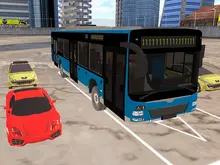



About Bus Parking
Most parking games give you a car, a bay and a bumper that can take a knock. Bus Parking takes all three away. The vehicle is eleven metres long, the bay is barely longer than the vehicle, and the bodywork is a trigger: touch one cone and the run is over with twenty seconds still on the clock.
That is not a figure of speech. There are 4,294 barrels, traffic cones, concrete road blocks and striped barriers across the game, plus a handful of crates, parked cars and other buses, and every one of them ends the run the moment the bus touches it. There is no damage model underneath them, no dented panel, no second chance. There is contact, and then there is the orange Game Over banner.
What makes it a game rather than a punishment is the clock. Each of the thirty-nine courses has its own: thirty seconds for the first, one hundred and fifty for the last. Speed is the only thing the score rewards, and speed is the thing most likely to put the bus into a barrel. We played the first level in two sessions a week apart, and between them they lost it both ways - once by hurrying, once by creeping.
It was made by FreezeNova, the studio behind a long shelf of browser simulators, and the earliest date any distributor shows for it is September 2019. It is credited to a different name, Lich.Games, but that is the account that uploaded it there; other distributors credit FreezeNova directly, and freezenova.com is the studio's own site.
Why a bus is not just a long car
The reason parking a bus is a separate skill has a name: off-tracking. In any long vehicle the rear wheels do not follow the path the front wheels take through a turn - they cut inside it, along a shorter arc. Road engineers plan junctions around the resulting swept path, the whole width a vehicle wipes as it comes round, and it is why a bus turning at a junction takes room out of the lane beside it. The longer the gap between the axles, the worse the effect.
A real rigid city bus keeps that gap short on purpose. The MAN Lion's City chassis used for single-deckers up to twelve metres has 5,875 mm between its axles, and its rivals sit in the same band, roughly four and a half to six metres.
The bus in this game has its axles ten metres apart, almost the full length of an eleven-metre body. Nothing on the road is built like that. The consequence is the thing you feel in the first thirty seconds - the back end swinging out across the corridor long after you thought you had finished the turn, and a nose that keeps drifting towards a barrier you were sure you had cleared. The game never explains this. It just hands you a vehicle that off-tracks worse than any bus you have ever seen and puts cones on both sides.
The audience, and the one track that plays
There is an audience: eighty animated figures stand along the pavements of these courses, and they cheer when the bus lands in the bay. It is the one warm moment in a game that otherwise just says Game Over.
The only music is a single short backing track, looping for the whole session behind the engine and collision sounds. All thirty-nine courses share one city, and they are not evenly matched: some are short sprints to the bay, others keep you driving for the better part of a minute.
What we ran into on level 1, twice
The first time, we finished level 1 on the twelfth attempt. Eleven attempts ended in Game Over first, and only two of those were the clock running out.
The screen never tells you what you hit, so we tested it deliberately: from the start line, full throttle with the wheel held left, straight into the wall of blocks. Contact to Game Over took under half a second, with twenty-seven seconds still on the clock. That settled it - there is no glancing blow in this game.
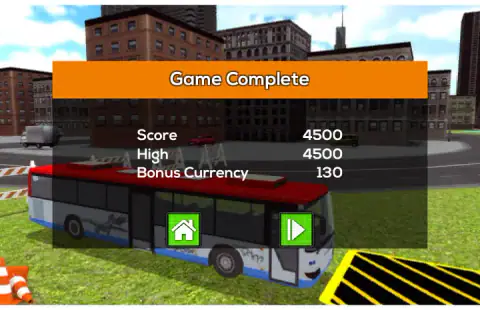
What most of the rest had in common was the brake. Our instinct, arriving in the bay, was to stop the bus with S. The bus stops, S keeps being pressed for a moment longer, and the bus rolls backwards into the blocks that close the corridor. Once we started lifting off early and letting it coast, the bay took the bus on the first try: Score 4,500 and three stars on the grid, with fourteen seconds unused.
A week later we drove it the opposite way - just short, even taps of W, the way a nervous driver creeps up to a kerb. The bus never parked. In four minutes the level ended in Game Over four times, and at least three of those came with the clock in single figures and the bus still short of the lines. In one frame, with nine seconds left, its front half was on the yellow hatching and the rear was still outside. It did not count, and the clock ran on.
The retry button drops you straight back on the start line behind the three-count, so a failed attempt at level 1 cycles in about forty seconds, Game Over to Game Over.
Put the two sessions side by side and the level draws itself. Hurry and the bus finds a block. Creep and the clock finds you. Thirty seconds is enough for one smooth run and a long coast into the bay.
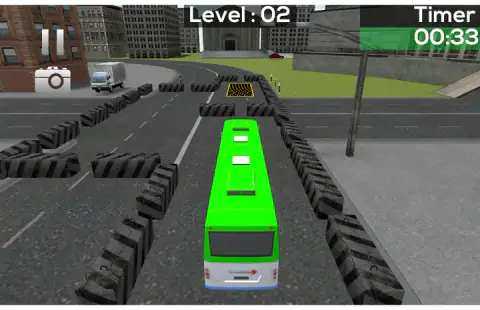
Level 2 we did not finish. It opens on a plaza with a parked truck and a line of barriers curving away, and the straight-line lesson from level 1 is no use there. Levels 3 to 39 we have not played at all.
One practical note on ads. A pre-roll plays before the title screen appears - a seven-second skip counter, then a thirty-second one. We blocked every ad request while testing, so we cannot say how often they come back between levels.
More driving games by FreezeNova
Highway Traffic is the same studio's other driving game, weaving through four lanes that never stop. Car Parkour swaps the cones for thirty hill courses where the brake is how you land a jump, and Stunt Simulator drops the objective entirely and hands you two maps and ten free cars to freestyle in. Away from vehicles, Armed Forces.io is the FreezeNova game we have written up in most detail. If you want a free-roam city instead, Real City Driving 2 is a different studio's take — six supercar lookalikes, no traffic, no timer. More in our driving category.
Screenshots
How to play Bus Parking
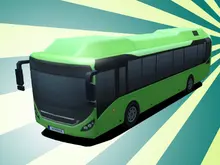
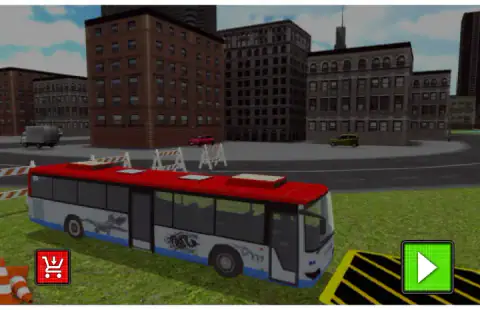
- Pick the bus, then press play. The shop button on the title screen offers three paint schemes - red, blue and green - and in our session all three were free with a currency balance of zero. The one you pick is the one you drive.
- Choose a course. The grid opens with level 01 unlocked and every other slot padlocked. They open one at a time, in order.
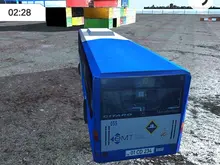
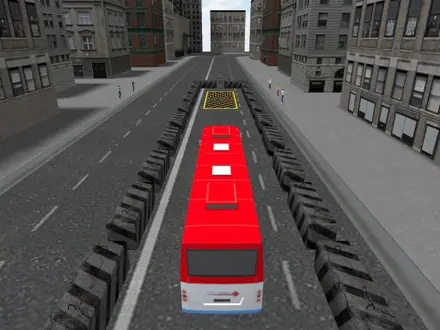
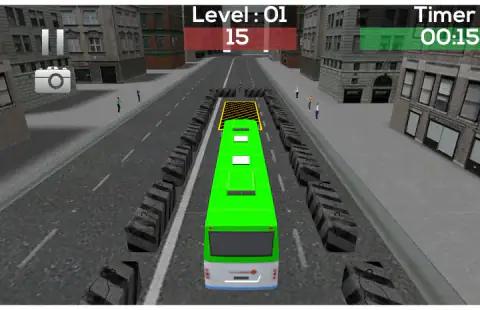
- Wait for Go, then drive to the bay. Every attempt starts with a big white three-count and a Go. W accelerates, A and D steer, and the route is marked out with blocks. The level number sits top centre with the seconds left under it in red, the Timer sits top right, and a pause button and a camera icon sit top left.
- Stop inside it. The bay is a yellow hatched rectangle about as long as the bus. The whole bus has to be in it and standing still. Get that right and the screen counts down to the next level.
- Beat the clock. Time out and you get the same Game Over as a crash. The orange button on that screen restarts the level; the green one with the house goes back to the menu.
Tips from our sessions
- Do not brake in the bay. S is the brake, but once the bus is stopped S becomes reverse, and the blocks behind you are as fatal as the ones in front. Several of our runs ended in the two seconds after we had already stopped.
- Do not inch either. Short taps of W feel careful and are the slowest way down the corridor. The bus crawls, and the clock wins.
- Coast in instead. Hold a steady throttle down the straight, lift off a bus length early and let it roll to a stop. That is how our twelfth attempt at level 1 finally landed, and it is the only method that worked.
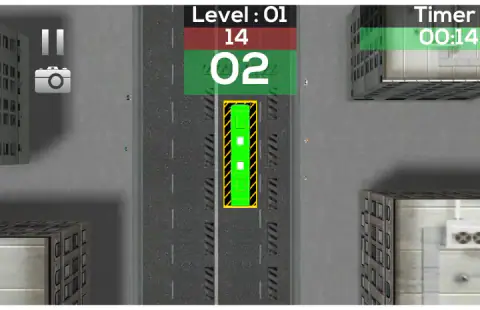
- Press C on the approach. The top-down camera shows the bay, the bus and both walls in one picture. From behind the bus the bay looks tiny and far away; from above you can see you have half a bus length left.
- Straighten early. This bus keeps turning after you stop steering. Aim the nose at the middle of the gap while you are still well short of it.
- Do not trust the first corridor. Level 1 is a thirty-metre straight line between two rows of blocks that are seven and a half metres apart, and it closes at the far end ten metres past the bay. Level 2 is a plaza with a curve in it. The game gets harder fast.
Controls
| W | Accelerate |
|---|---|
| S | Brake - and, once the bus has stopped, reverse |
| A / D | Steer left and right |
| C | Switch between the chase camera and the top-down view |
| Mouse | Menus, the level grid, the shop, the retry button, and the pause button in the corner |
Features
- Thirty-nine numbered courses through one city, unlocked one at a time
- A clock per course, from 30 seconds on the first to 150 on the last
- One touch ends the run: 4,294 barrels, cones, blocks and barriers are all fatal
- An eleven-metre bus with its axles ten metres apart, which is worse than any real one
- A bay that only counts when the whole bus is inside it and standing still
- Three stars per course, a high-score line, and a top-down camera on the C key
- Eighty animated onlookers who applaud when the bus lands in the bay
Game details
- Developer
- FreezeNova
- Release date
- September 2019
- Added here
- October 2020
- Technology
- HTML5 (Unity 5.6 WebGL, 3D)
- Platforms
- Browser (desktop, keyboard)
- Classification
- Driving
- Saved progress
- Saving, when available, is managed by this game. Mava cannot confirm your level.
FAQ
What is Bus Parking?
Bus Parking is a free browser driving game by FreezeNova in which you steer a city bus through a marked route and stop it inside a yellow bay before a clock runs out. There are thirty-nine courses, and touching any obstacle ends the attempt immediately. It runs in a browser tab on a computer, with no download.
How do you control the bus in Bus Parking?
W accelerates, S brakes, A and D steer, and C switches the camera. There is nothing else - no handbrake, no gear keys, no indicators. Note that S doubles as reverse once the bus has come to a stop, which is the single most common way a run ends badly.
How many levels does Bus Parking have?
Thirty-nine. Each has its own clock, starting at 30 seconds and ending at 150, and each sits somewhere in the same city. They unlock in order, so level 2 only appears once level 1 is parked.
Why does Bus Parking say Game Over when I barely touched anything?
Because there is no such thing as barely. Every barrel, cone, concrete block, striped barrier and parked car on the route is a kill trigger, 4,294 of them across the thirty-nine courses, and contact ends the attempt with the clock still running. Running out of time gives you the same screen.
Why does my bus not count as parked in Bus Parking?
Because the whole bus has to be inside the yellow hatched bay and standing still. In one of our attempts the front half of the bus was already on the hatching with nine seconds left, the rear was still outside the lines, and the clock simply ran on to Game Over. Nose-in is not parked.
How do you get three stars in Bus Parking?
Finish with time left. We parked level 1 with 14 of its 30 seconds remaining, scored 4,500 and got all three stars. Speed is what the score rewards, which is awkward, because speed is also what puts the bus into a barrier.
Does Bus Parking work on a phone?
No. We tried it on a phone-sized touch screen in both portrait and landscape and the game never started - Unity's own message appears instead, saying that Unity WebGL is not currently supported on mobiles. We pressed OK and waited a minute and a half, and nothing loaded. It is a keyboard game on a computer.
Who made Bus Parking?
FreezeNova, credited as the developer by other distributors. It is filed under the account Lich.Games, which is the account that uploaded it to that distributor rather than the studio that made it.
Is "bus parking" this game or something else?
Mostly something else. The phrase belongs to real bus depots and parking bays, and to a whole genre of browser games with almost the same name, so a search for it will not reliably land here. This page is about one specific game - FreezeNova's, thirty-nine levels, released in 2019.