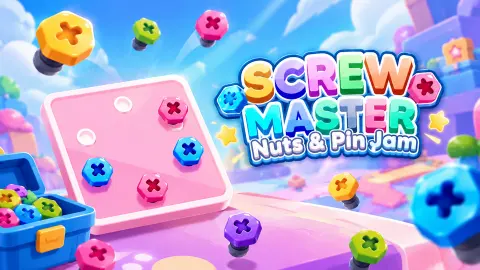





About Screw Master: Nuts & Pin Jam
Level 4 of Screw Master: Nuts & Pin Jam shows you three toolboxes: yellow, red and green. It seems obvious that all three are open. We thought so, tapped a yellow screw with the yellow box sitting empty in plain view, and watched the screw fly straight past it into the row below.
That is the rule the game never spells out. Its one line of instruction, on level 1, is "Make sure each toolbox filled with screws that match it". The catch is in what it leaves out: only the rightmost toolbox takes screws. The others are a queue. When the working box fills, it leaves, the next one slides over, and any waiting screws of its colour jump across on their own.
So this is not really a sorting game. It is a game about the row, five small holes under the boxes where every screw of the wrong colour has to wait. It never gives one back when you ask, and when it is full, the level stops.
Screw Master comes from Bravestars. It was published in October 2026 when we checked, too few for its rating to mean much.
How we lost level 4 with the answer on the screen
The flower on level 4 has nine screws, three of each colour, one for each toolbox. Green was the working box. We pulled one green into it, then took red and yellow screws instead, because those were the ones we were looking at, until the row read red, yellow, red, red.
Then we tapped one more yellow, and the screen said Out Of Space.
At that moment two green screws were still sitting on the board, free to take. By the rule we had already seen on level 3, those two taps would have finished the green box. The red box would then have slid in and taken its three screws out of the row, leaving a single yellow and plenty of room. Two more taps on the last yellows would have ended the level. We were four taps from winning when the row closed.
We did not get a second go at proving it. We gave up, lost a heart, and had time only to reopen level 4 before our session ended. The flower came back exactly the same, so if you lose a level here, what you learned about it still applies.
Why the pieces move, and what it means for you
The boards start out simple: a square card on level 2, then on level 3 a T-shaped piece lying over a pink bar. Each piece hangs from its screws, and it behaves as a real one would. Fix a panel with one screw and it can still turn around it, which is why anyone hanging a shelf uses at least two.
You see that here as soon as a piece is down to its last screw. The card on level 2 tilted around its final screw, and the T swung aside on level 3. A piece with nothing left holding it drops off the screen. The one exception we noticed was the disc in the middle of the level 4 flower, which stayed in place after we took its screw.
That swing matters because of what lies underneath. On level 3, some screws on the pink bar showed through the T, looking faded, and came clear once the T had moved off them. We cannot say for certain whether a covered screw can be tapped. The safe reading is that a faded screw is not available yet, so leave it out of your plan for the front box.
Where the coins go
You start with 100 coins and the plain Claim adds 25 per level, which put us at 175 after three levels.
Beside it is a second button with a video icon, whose amount depends on where a moving marker sits on a bar of multipliers. We saw it offer 50 and 75, and the top slot, x5, would pay 125.
The price to compare that with is Continue, on the Out Of Space screen: 350 coins, twice what we had. Pressing it without enough coins opens the SHOP instead, which offers 100 coins for one ad and 300 for two. The screen's own text, "Pick the right screw to fill the toolboxes and keep playing!", suggests you choose a screw to rescue, but we could not pay, so we never saw it work.
Giving up costs a heart. You start with five, and after we lost one, a timer beside the hearts read 14:57 and kept counting down, so a lost life looks like about a 15-minute wait.
Two other things fill up as you go. The Star Screw bar moves one notch per level towards 10, with a pink prize at the end we did not reach. And the padlocks under every board carry level numbers, the first of them Lv.5, which we never reached, so we cannot tell you what they open. The game's instructions mention boosters, and the last day of the login calendar shows a magnet among its gifts, which is as much as we know.
Who it is for
The first three levels are short: under a minute each, even with our wrong taps. There is no clock on the levels we saw and nothing to aim, so a young player can follow it, and the colours do most of the explaining. It suits anyone who likes a small daily puzzle with one rule to find.
It is less suited to anyone who wants depth right away. Four levels in, the only difficulty we had met was the hidden rule, and once you know it the early boards are simple. We cannot say how hard later levels get. Nor is there much reason to expect a story: what we saw was a numbered path, a Home button and a board.
Other screw puzzles to compare
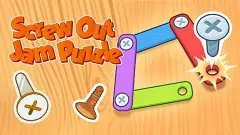
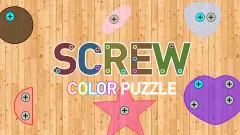
If you want more room to choose, Screw Color Puzzle has the same three-to-a-box sorting with two boxes open at a time. For a game with no colour matching, Screw Out Jam Puzzle is about working out which screws hold which planks. From the same studio, Nuts & Bolts Game: Wood Puzzle has you move screws between holes on a board against a clock. More in our puzzle games.
Screenshots
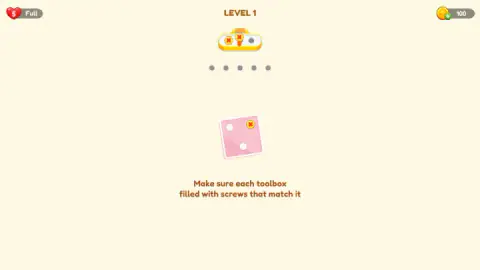
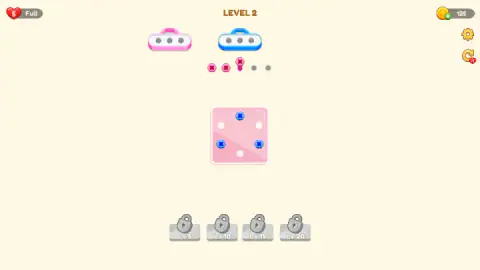
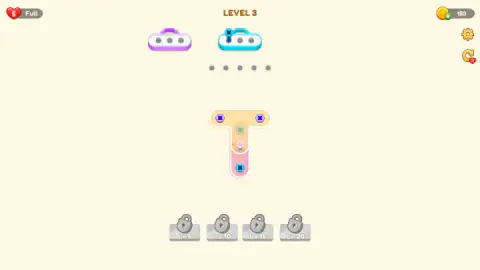

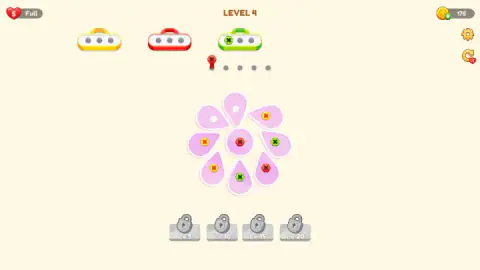
Taken by opening the game ourselves and letting it run — not supplied by the publisher, and not the same picture every other site shows.
How to play Screw Master: Nuts & Pin Jam
- Look at the rightmost toolbox. That is the colour you want right now. Each box has three holes.
- Click or tap a screw. You do not drag anything. Hit the screw's head itself, because tapping the piece around it does nothing.
- Let the wrong colours wait, if you must. A screw that does not match goes to the five-hole row.
- Fill every box. The level ends when the last toolbox is full, and LEVEL COMPLETED appears.
- Press Claim. Your progress counts from here, not from the moment the level ends.
Tips from our run:
- Work the front box first. Every screw you pull in another colour costs a hole in the row. Before you tap, ask whether a screw of the working colour is free to take.
- Do not count on getting a screw back. We tapped screws in the row more than once and they stayed put. There is no undo.
- Count the row before each tap. With four holes used, your next wrong tap ends the level.
- Mind the small heart on the curved arrow. That restart button costs a life. It asks first, and the red X on the warning takes you back to your board with nothing lost.
- Claim before you leave. The page reloaded on us once at the end of level 3, before we pressed Claim. We came back to level 3 with the same coins, and had to solve it again. Reloading otherwise kept our place and our coins.
Controls
| Click or tap a screw | Takes it out of its piece. It flies to the working toolbox if the colour matches, otherwise to the row of five holes. Tapping is what the game's instructions say for phones |
|---|---|
| Curved arrow (top right) | Restarts the level after asking for confirmation, at the cost of one life |
| Plus on the coin counter | Opens the SHOP |
| Gear (top right) | Settings |
Features
- Only one toolbox works at a time, and the others wait in line to its left
- Each toolbox holds three screws, and the row underneath holds five waiting screws
- A piece left with one screw swings around it, and pieces with screws underneath can hide them
- Five lives, with a countdown of about 15 minutes visible after you lose one
- A claim bar after each level multiplies the reward by x2, x3 or x5, in exchange for an ad
- A Star Screw bar fills by one each level, out to 10, and padlocks marked Lv.5, Lv.10, Lv.15 and Lv.20 sit under the board
- A seven-day login calendar on the map screen, starting with 25 coins
Game details
- Developer
- Bravestars
- Release date
- October 2026
- Last updated
- October 1, 2026
- Added here
- October 2026
- Technology
- HTML5 (2D physics)
- Platforms
- Browser (desktop, mouse), Browser (mobile & tablet, touch)
- Classification
- Puzzle
- Saved progress
- Saving, when available, is managed by this game. Mava cannot confirm your level.
FAQ
How do you play Screw Master: Nuts & Pin Jam?
Click or tap a screw to pull it out of its piece. If its colour matches the working toolbox, the rightmost one, it goes in. If not, it waits in a row of five holes under the boxes. Fill every toolbox and the level is complete.
Why did my screw not go into the toolbox of its colour in Screw Master?
Because that box is not working yet. Only the rightmost toolbox takes screws, even when others of the right colour are on show. The screw waits in the row instead, and jumps across by itself once its box reaches the front of the line.
What does Out Of Space mean in Screw Master: Nuts & Pin Jam?
It means the five-hole row is full. The level stops and offers two buttons: Give Up, which costs a life, and Continue, which costs 350 coins. We had 175 coins at level 4, so Continue only sent us to the shop, and we gave up and lost a life.
How do lives work in Screw Master?
You start with five hearts. Giving up costs one, and so does using the restart arrow, which warns you first with an Are You Sure screen. After we lost one, a countdown next to the hearts read just under 15 minutes. We did not reach zero, so we cannot say what happens then.
How many levels does Screw Master: Nuts & Pin Jam have?
We do not know. The game does not state a total on the screens we saw, and the map only shows the next few numbers on a vertical path. We finished the first three levels and lost level 4, whose board is a flower of nine screws in three colours.
Do you need to watch ads to play Screw Master?
Not for the first levels. Every completed level offers a plain Claim of 25 coins beside a larger claim marked with a video icon, and we took the plain one each time. The shop's coins are also tied to watching ads, and Continue at 350 coins costs far more than those first levels pay.
Who made Screw Master: Nuts & Pin Jam?
The game is credited to Bravestars. It was listed in October 2026, averaging 4.6, when we checked on 30 October 2026, so that rating says little yet.
Can you play Screw Master on a phone?
It is listed for Android and iOS as well as PC, in portrait, and the game's instructions say you tap the screws. We played on a computer with the mouse in a wide window, where the board sat in the middle with plenty of room on both sides.