



About Jigsaw Puzzle Game
Most jigsaw games show you the picture twice: once on the box, and again, faded, on the board under your pieces. Jigsaw Puzzle Game only shows it once. You see a small thumbnail on the list, you tap it, and the board that opens is a plain white square. Everything after that is memory and the shapes of the pieces.
The name on the listing is generic. The game itself is more specific: once it starts loading, the logo on screen reads Jigsaw Tiles Puzzle Master, over a background of garden tiles and pot plants. Both names belong to the same game.
We played it on a desktop with a mouse for about four minutes. In that time we went through the menus, opened the first boat picture twice and moved its pieces around. We did not finish a board, and we say below exactly where our run stopped and why.
The game is credited to FINGERNIC, the studio behind Flag Painting Game. It was published in March 2026 and updated in August.
A white square instead of a picture
This is the one design choice that shapes everything else. In most jigsaw games the board carries a faint copy of the picture, so the job becomes matching colours to the same colours underneath. Here there is nothing underneath. You have to rebuild the scene from what you remember of a thumbnail the size of a stamp.
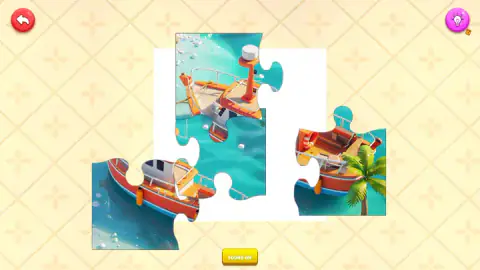
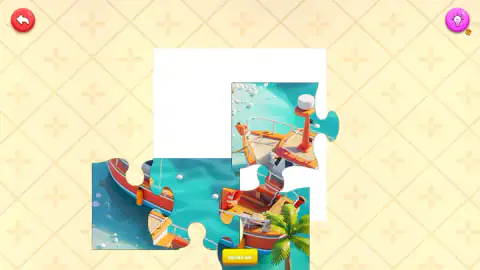
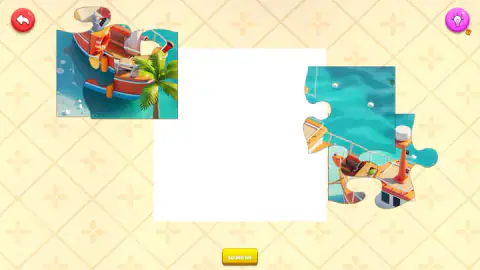
On the first difficulty, that is gentle. The board was cut into four pieces, two across and two down, and each one was big enough to show half a boat. In our pictures you can see the stern with its palm tree on one piece, the red bow on another, and open water with a few white floats on a third. With four pieces, a glance at what is on each is almost enough.
It also explains the light bulb in the top right corner. The bulb is the hint button, with a small badge beside it that may count how many hints you have. We did not press it, so we cannot say what it reveals. On a harder setting, with smaller pieces and no picture to lean on, it is the button we would reach for first.
Eight boats, from a tugboat to a galleon
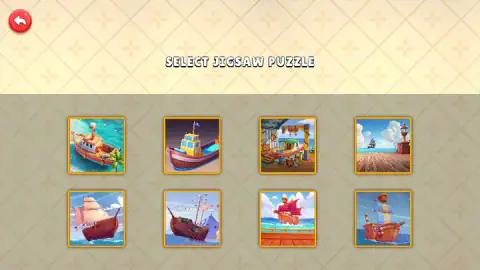
Our session had one category, and every picture in it was a boat. The list shows eight, in two rows of four:
| Row | Pictures |
|---|---|
| Top | A small orange boat beside a palm tree · a cartoon tugboat · a boat in a busy workshop · a wooden pier with a lamp and a ship far out at sea |
| Bottom | Four sailing ships with full sails, at sea or by a deck |
The first four are the friendlier ones: strong colours, a clear subject and plenty of plain water or sky. The four sailing ships share brown hulls and pale sails, which is harder when you can only see the picture before you start. If you want an easy first board, take the orange boat in the top left corner, as we did.
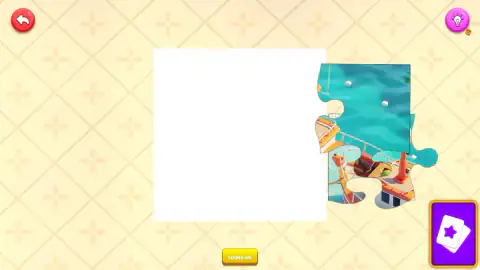
When we went back and opened the same picture a second time, the board started differently. Only two pieces were out, stacked at the right edge, and a purple button with a pair of cards and a star sat in the bottom right corner. After we pressed it, the button was gone and a third piece had appeared at the top left. We cannot say for certain that one caused the other, but it looks like a way to bring the remaining pieces out.
Cut along the borders: where jigsaws come from
The first jigsaw puzzles were not pictures. Around 1760 a London map maker, John Spilsbury, glued maps onto wood and cut them into countries with a fine saw, so that children could learn geography by putting the world back together. The name came much later: around 1880, when fretsaws became the usual tool for cutting the shapes, the puzzles picked up the name of the saw.
Spilsbury's pieces had one advantage that the pieces here do not. A country's border told you where it went. Modern jigsaw pieces, with their round tabs and hollows, are cut so that every piece looks alike from a distance, and only the picture and the fit tell them apart. This game goes one step further and takes the picture off the board. On Easy you are left with what Spilsbury's pupils had: four big shapes, a few clues on each, and your memory of the map.
What we did not see
We did not complete a board, so we did not see what happens when the last piece goes in, whether the game keeps score or a timer, or whether finishing a picture unlocks anything. We did not try the harder difficulties, the second puzzle type or any picture after the first. We did not use the hint button or the SOUND ON switch, and we did not play on a phone or tablet.
One more thing we did see: pressing the red arrow to leave a board brought up an advert break once, before the picture list came back. That was the only interruption in about four minutes.
Who it is for
This free jigsaw puzzle suits younger players and anyone who wants a short, quiet puzzle with no clock on screen. Four pieces on the first difficulty is a board a small child can finish, and the boat pictures are bright and easy to tell apart. Players who like a jigsaw to fight back should know that the challenge here comes from the missing picture, not from the number of pieces.
More jigsaw and picture puzzles
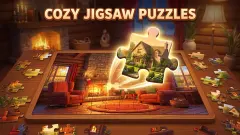
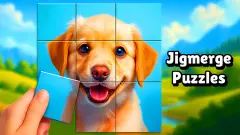
FINGERNIC also made Flag Painting Game, where you colour a country's flag from memory, so it asks the same thing of you in a different way. For a photo jigsaw with a tray of pieces and a full 35-piece board, try Cozy Jigsaw Puzzles. Jigsaw Puzzles also gives you a bare board with no outline to follow. Jigmerge Puzzles puts every tile on the board from the start and has you swap them. There are more in our puzzle games.
Screenshots
Taken by opening the game ourselves and letting it run — not supplied by the publisher, and not the same picture every other site shows.
How to play Jigsaw Puzzle Game
- Start from the title screen. The first menu, SELECT JIGSAW CATEGORIE, held a single category in our session.
- Choose a difficulty and a puzzle type on the two screens that follow. We took the first option on each.
- Pick one of the eight pictures on SELECT JIGSAW PUZZLE. Look at it properly now: the board will not show it again.
- Drag the pieces onto the white square in the middle until the picture is whole.
- Press the red arrow in the top left corner to go back to the list and choose another picture.
What our run taught us:
- Read the edges, not the middle. With no picture on the board, the only fixed guide is the square itself. A piece with a straight top and a straight left side can only go in the top left corner.
- Use the scenery. In the orange boat picture the palm tree stands at the stern and the red bow points the other way, into open water. Once you know which end is which, two of the four pieces place themselves.
- Drop with care. None of the pieces we dropped near their place locked into it. The game seems to want each one put down accurately, but we cannot tell you how close is close enough.
- Keep pieces apart. Pieces can be laid on top of each other, and in our run they often were. A piece hidden under another is easy to forget.
Controls
| Click | Picks the category, the difficulty, the type and the picture from the menus |
|---|---|
| Click and drag a piece | Moves the piece around the screen and onto the white board |
| Red arrow, top left | Leaves the board and goes back to the list of pictures |
| Purple card button, bottom right | Appeared at the start of a board while only some pieces were out; after we pressed it, it was gone and another piece was on the table |
| Light bulb, top right | The hint button, with a small badge beside it (we did not use it) |
Features
- The game calls itself Jigsaw Tiles Puzzle Master once it loads, although it is listed as Jigsaw Puzzle Game
- One category in our session, holding eight boat pictures, from a small orange boat beside a palm tree to four sailing ships
- A difficulty and a puzzle type to choose before the picture list; on the first options the board was cut into four pieces
- A plain white square as the board, with no faded picture or outline underneath to show where a piece belongs
- Pieces with round tabs that can be dragged anywhere on screen and laid on top of each other
- A light bulb hint button, a back arrow to the picture list and a sound switch on every board
Game details
- Developer
- FINGERNIC
- Release date
- March 2026
- Last updated
- August 10, 2026
- Added here
- January 2026
- Technology
- HTML5
- Platforms
- Browser (desktop)
- Saved progress
- Saving, when available, is managed by this game. Mava cannot confirm your level.
FAQ
How do you play Jigsaw Puzzle Game?
Pick a category, a difficulty, a puzzle type and then one of the pictures. A white square appears in the middle of the screen with the pieces around it. Drag each piece onto the square in the place it belongs until the picture is whole.
Is Jigsaw Puzzle Game the same as Jigsaw Tiles Puzzle Master?
Yes. The game is listed as Jigsaw Puzzle Game, but once it starts loading, the logo on screen reads Jigsaw Tiles Puzzle Master. Both names belong to the same jigsaw game by FINGERNIC.
How many pictures are there to solve?
In our session there was one category with eight pictures, all of boats. Four are sailing ships, and the others show a small orange boat by a palm tree, a cartoon tugboat, a boat in a workshop and a wooden pier.
How many pieces does a puzzle have?
On the first difficulty we chose, the picture was cut into four large pieces, two across and two down. We did not try the harder settings, so we cannot say how many pieces they use.
Does the board show the picture to help you?
Not in our session. The board is a plain white square with no faded image or outline on it. The only look at the full picture is its thumbnail on the list before you open it, so it is worth studying it first.
Is there a hint button?
Yes, a light bulb in the top right corner of every board, with a small badge beside it. We did not press it, so we cannot say what it shows.
Are there adverts in the game?
Going back from a board to the picture list brought up an advert break once in our session of about four minutes. We did not see adverts during the puzzle itself.
Who made Jigsaw Puzzle Game?
The game's listing credits FINGERNIC, a studio that also made Flag Painting Game. It was published in March 2026, last updated in August 2026.