
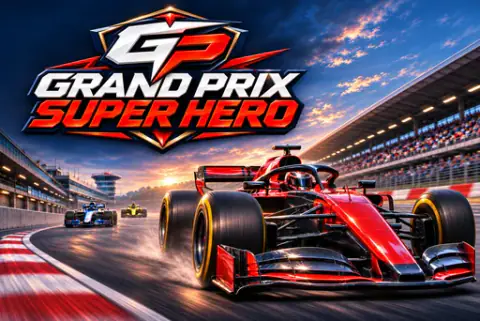

About Grand Prix Super Hero
You start Grand Prix Super Hero in tenth place, at the back of a ten-car grid. The lights go out and the radio calls, "Lights out, and we're racing!" The first straight is long, and at its end a right turn waits for you at 338 km/h. What you do with the brake there decides your race.
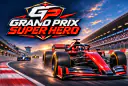
This is a 3D arcade racing game by Mava Games. You drive open-wheel cars in the style of Formula 1, online, in your browser. There are 25 Grands Prix. The game does not brake for you. In our test races, the car that kept the gas down went straight into the wall.
Brake before the first turn, or the race ends in the wall
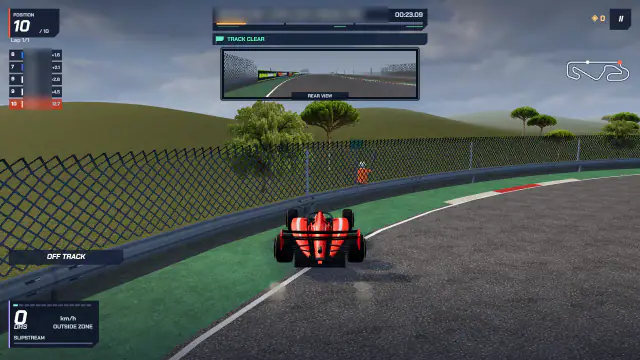
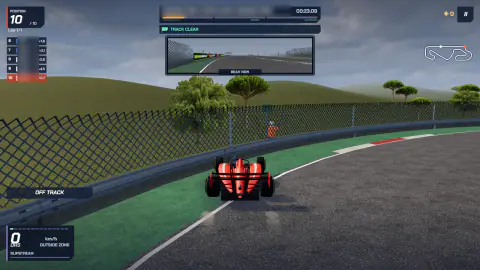
In one race, we kept the gas down all the way. The car did not turn in time. It went straight on, and the screen said OFF TRACK. The speed fell to 0 km/h, and we were last, almost 13 seconds behind ninth place. We had to steer away from the wall before the gas did anything.
In the next race, we pressed ↓ about two seconds before the turn. The car went round at 165 km/h. A few seconds later it was on the next straight at 202 km/h, and up to ninth.
So here is the order. Brake while the car is still straight. Steer once it has slowed down. Press the gas again when the nose points down the next straight.
Open DRS only when the game says you can
DRS is a flap on the rear wing. When it opens, the car goes faster on a straight. The game offers it on some straights, when you are close behind another car.
Watch the small box next to your speed. It says OUTSIDE ZONE, UNAVAILABLE, AVAILABLE or OPEN. The radio helps too: "DRS is available. Open the wing on this straight." That is your cue. Hold Space and keep the gas down.
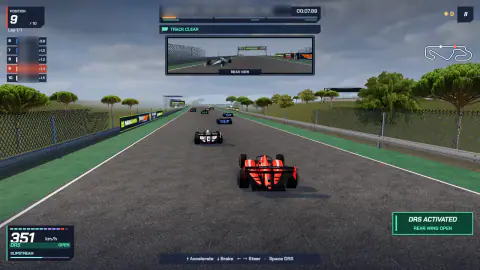
The screen then shows "DRS ACTIVATED · REAR WING OPEN". On the same straight, we reached 351 km/h with DRS. Without it, we topped out at 338 or 339 km/h.
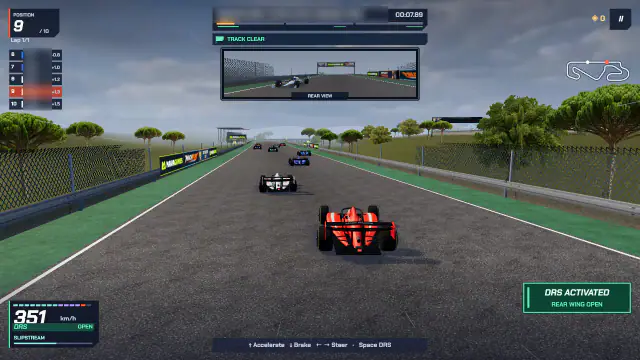
DRS stays open only while you hold the gas. The brake shuts it. That costs you nothing, because you brake for the next turn anyway.
Driving right behind a car helps as well. This is the slipstream: the car in front pushes the air out of your way. The radio says, "Right in the slipstream now. This could set up a move." With DRS open in the slipstream, we passed a car and went from ninth to eighth.
Every hit has a price in km/h
You start last, so you have to pass cars. Each touch slows you down, and the red label tells you by how much. These are the ones we saw:
- REAR-END HIT, −86 km/h: we ran into the back of a car.
- BARRIER HIT, −64 km/h: we touched the wall.
- SIDE SCRAPE, −15 km/h: we rubbed the side of a car.
The hit from behind cost the most, and it came when the cars ahead braked for a turn. So leave a gap when they brake. Pass on the straight, with room at the side. If you stop against the wall, steer away from it first, then press the gas.
What a yellow flag meant in our races
Every yellow flag we saw came right after one of our own mistakes. Once, we had just hit the back of a car before the first turn. In other races, our car was stuck against the wall at 0 km/h.
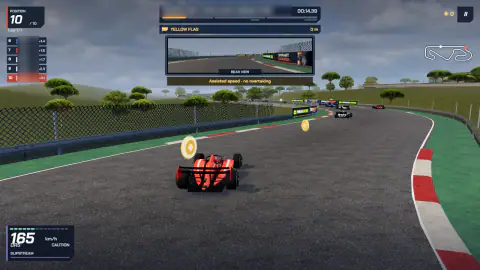
Here is what the screen shows. YELLOW FLAG sits in the bar at the top, with a distance in metres. Under the mirror, a line says "Assisted speed · no overtaking". The speed box says CAUTION. While those words are there, do not try to pass. Keep your place.
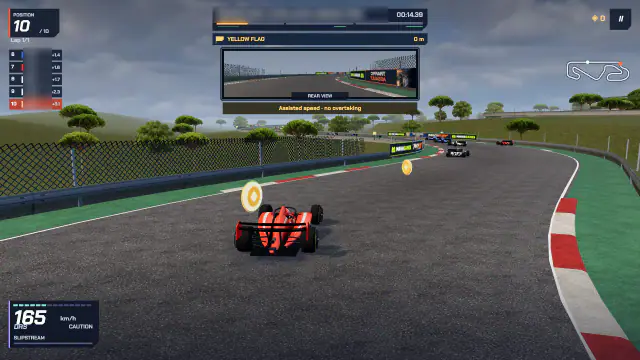
After that rear-end hit, we took the turn at 165 km/h in tenth place. Then TRACK CLEAR came back at the top. We sped up to 202 km/h and got ninth place back.
Arcade, Sport or Pro: how much the game forgives
ARCADE RACE is always one lap, and you can pick any of the 25 tracks. A championship lets you choose a level. The game describes them like this:
- ARCADE: "Speed and fun for children." Turns forgive more mistakes. There is no qualifying, no pit stops, no tire wear, no rain, no damage and no penalties.
- SPORT: faster rivals, a gas and brake you work yourself, and easy steering.
- PRO: close, fast rivals. The steering is direct, and you must slow down before tight turns.
In Sport and Pro, Race options hold the extra rules: pit stops, tire wear, and weather and rain. Qualifying, damage, penalties and a Safety Car can be switched on too. Everything starts off, and your choice lasts the whole season. If you change the level, the championship starts again. Results and points go. Credits and upgrades stay.
With pit stops on, press B to ask for a stop. The screen shows how far away the pit entry is, and B again cancels it. The game drives the car in, changes the tires and drives it out. We did not reach the pit lane in our test, but the trailer shows a stop.
Finish the race: credits are slow to come
The race does not wait for you forever. Once the other cars finish, the timer turns into "Closing" and counts down. Our stuck car never made it, so the game wrote DID NOT FINISH. It still paid +25 credits.
In the GARAGE, four upgrades wait: TOP SPEED, GRIP, ACCELERATION and DRS EFFICIENCY. The first level of each costs 180 credits. That is more than seven races like ours, so every finish counts. Gold coins sit on the track as well. Each one you drive over adds +5 to the counter at the top right.
On a phone: slide to steer, hold to speed up
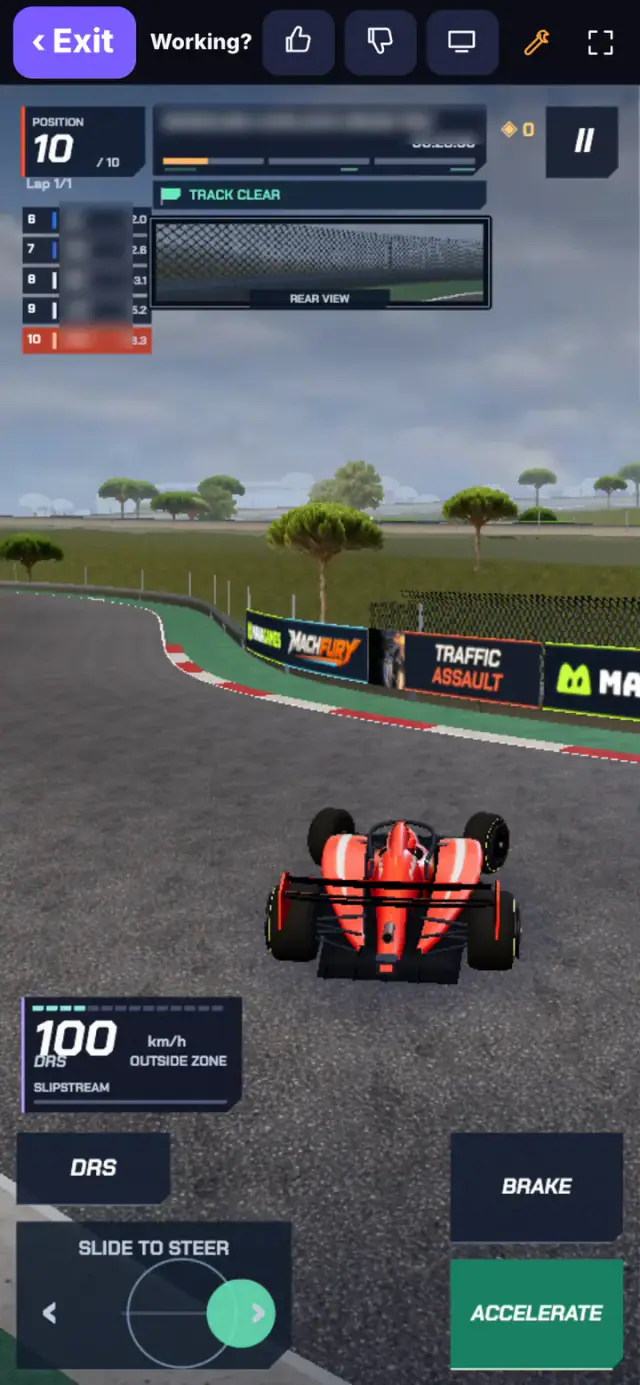
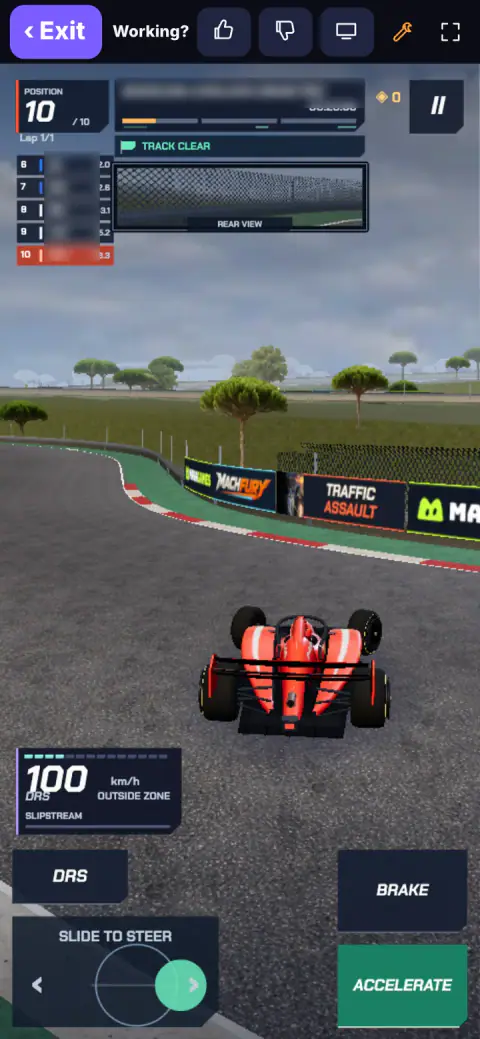
We tried the game in a phone-sized browser with a touch screen. In a race, four controls show up at the bottom: DRS, SLIDE TO STEER, BRAKE and ACCELERATE.
We held ACCELERATE, and the car reached 338 km/h. With a second finger, we slid SLIDE TO STEER to the right. The control turned green, and the car turned right.
More racing games to try next
Want a different kind of racing game? In Stock Car Hero, you start 18th of 18 in a heavy stock car. Superbike Hero puts you on a motorbike instead. For more, browse our racing games, our games to play with a gamepad and all our driving games.
Screenshots
How to play Grand Prix Super Hero
- Press Play on this page.
- Pick ARCADE RACE for a race of one lap. Choose a track and press START RACE.
- Hold ↑ or W when the lights go out.
- Steer with ← and →, or A and D.
- Press ↓ or S before a sharp turn. Then steer.
- Hold Space when the DRS box says AVAILABLE.
Keep an eye on three things. Your place is at the top left, next to POSITION. Your speed is in the box at the bottom left. When you hit something, a red label shows how many km/h it cost you. Press Esc to pause.
Want a whole season instead? Pick START CHAMPIONSHIP. In the setup, you choose 1, 3, 5 or 10 laps per race. The game starts you on 3.
Controls
| ↑ or W | Hold to speed up. |
|---|---|
| ↓ or S | Brake. Do it before a sharp turn. |
| ← → or A D | Steer left or right. |
| Space | Hold to open DRS when it is AVAILABLE. |
| B | Ask for a pit stop, or cancel it, when pit stops are on. |
| Esc or P | Pause the race. |
| ACCELERATE and BRAKE (touch) | Hold the button on the screen to speed up or to brake. |
| SLIDE TO STEER (touch) | Slide your thumb left or right to turn. |
| Gamepad | R2 or RT gives gas. L2 or LT brakes. Square or X opens DRS. Triangle or Y calls the pits. |
Features
- 25 Grands Prix, each with ten cars on the grid.
- ARCADE RACE: one lap on any track.
- A championship with 1, 3, 5 or 10 laps per race.
- Three levels: Arcade, Sport and Pro.
- DRS, slipstream, yellow flags and pit stops.
- Four car upgrades you buy with credits from your races.
- Menus and radio in English, Spanish, Portuguese, French and Italian.
- Keyboard, touch screen or a standard gamepad.
Gameplay video
Game details
- Developer
- Mava Games
- Release date
- November 2026
- Last updated
- November 29, 2026
- Added here
- November 2026
- Technology
- HTML5 · WebGL
- Platforms
- Browser (desktop), Browser (mobile and tablet, touch)
- Classification
- 3D , Arcade , Driving , Simulation , Sports
- Saved progress
- Saving, when available, is managed by this game. Mava cannot confirm your level.
FAQ
Is Grand Prix Super Hero an official Formula 1 game?
No. Grand Prix Super Hero is an original game made by Mava Games. It is not an official game, and it has no license.
Can I play Grand Prix Super Hero online without downloading it?
Yes. The game runs on its page at Mava Games, inside your browser. Press Play and the menu opens on the same page. Nothing is installed.
Can I play Grand Prix Super Hero on my phone?
Yes, in the phone's browser. In a race, four touch controls show up at the bottom: DRS, SLIDE TO STEER, BRAKE and ACCELERATE. Hold ACCELERATE and slide a second finger on SLIDE TO STEER to turn.
What does the yellow flag mean in Grand Prix Super Hero?
It means you may not pass anyone. The screen shows YELLOW FLAG at the top, the words Assisted speed · no overtaking under the mirror, and CAUTION next to your speed. Hold your place until TRACK CLEAR comes back.
How many tracks does Grand Prix Super Hero have?
It has 25 Grands Prix. In ARCADE RACE you can pick any of them for a one-lap race. In a championship you race them with 1, 3, 5 or 10 laps each.
Can I play Grand Prix Super Hero with a controller?
Yes. It works with standard PlayStation and Xbox style gamepads. R2 or RT gives gas, L2 or LT brakes, Square or X opens DRS, and Triangle or Y calls the pits.