



About Geometry Vibes
Geometry Vibes online with one button, one arrow and lots of spikes
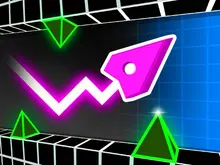
It looks similar to an old cave game, which is largely fine. The screen scrolls by itself, forcing you to do anything it takes to dodge everything that comes your way. You control a white arrow by clicking and releasing the mouse, holding your finger down to fly higher and letting go to drop. The graphics on display are pretty minimalist, and as a style choice it works pretty well. It has the charm of a helicopter game while still feeling modern.
During initial runs, you're going to crash quickly and often. Death is frequent, but as attempts are short, it's easy to jump on for another go. Suffice it to say, the difficulty is steep, but not necessarily unfair. It's free to play and offers a lot of spikes without the need to purchase anything. Play it directly in the browser, without waiting for lengthy downloads. The game is also multiplatform, with it being developed in HTML5. It's a quick and fun game for the whole family to enjoy.
Geometry Vibes obstacles, from zigzag spikes to spiked pillars
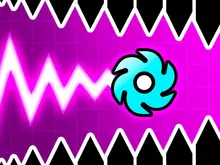
Whether it’s floor spikes, zigzag spikes, or spiked pillars that come down, you should be prepared to deal with a lot of spikes. You’ll quickly learn that you need to avoid these dark shapes scattered throughout the screen, as the slightest touch will end your run.
The game doesn't really hold your hand, yet it's quick to get to grips with. Just make sure to check all gaps before you decide your route.
Best scores, stars and arrows to unlock in Geometry Vibes
The game keeps track of your best distance so that you can try to beat your top scores. Your score is constantly ticking up until you inevitably get spiked, and then you start it all over again. Beat a personal record and you can feel the weight of the achievement. You will find yourself often repeating old mistakes, or failing to get the results you had previously obtained. You need to slog through, pushing closer to your record with each try. After a really long run it can be difficult to do it all again.
You can also customise which colour you want for your arrow, which is a nice touch. There are loads of arrows to unlock, each with different requirements needed. These come at a high price mind; stars are dealt out in a miserly fashion through play. If you like, you can even opt to watch a video ad to get a free item or some stars.
The better you perform, the more stars you'll earn at the end of it. A handy 'RESTART' button means you won't be stuck for very long.
Going by the instructions there is a multiplayer mode in the game, but any details on this remain a mystery for now. It's quick enough to play just a round or two but still make progress, and it's varied enough to play many in a row without getting too bored.
Screenshots
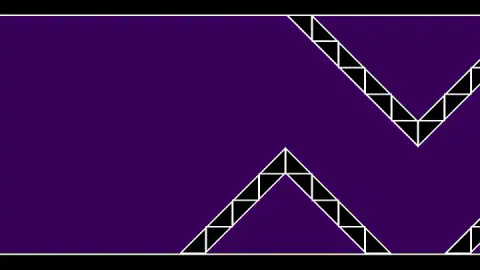
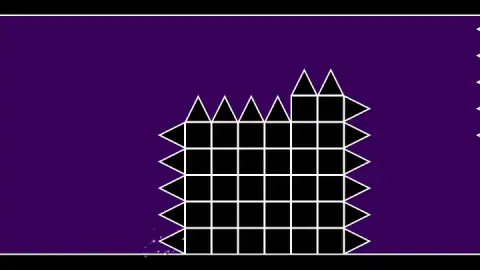
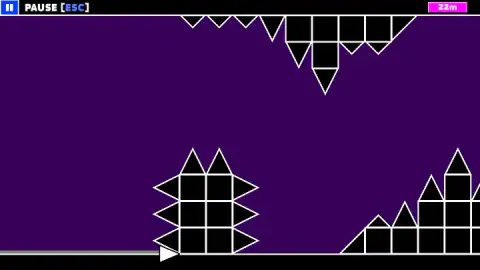
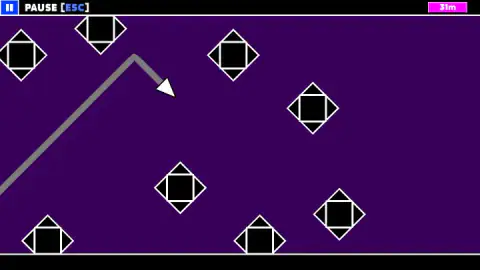
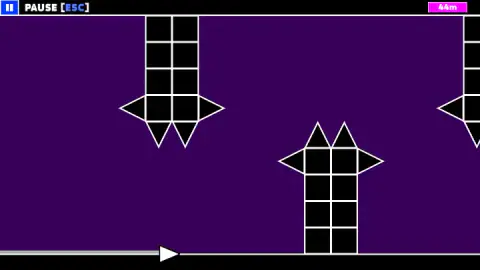
Taken by opening the game ourselves and letting it run — not supplied by the publisher, and not the same picture every other site shows.
How to play Geometry Vibes
First things first, you get a handy hint to learn the keys. The only means of control is the mouse—or use the space bar as an alternative. Each run has a number that counts down at the start.
The controls are simple enough to use but difficult to time correctly. It’s often safer to stay on the ground and let gaps come to you.
Controls
| Hold left click or Space | The arrow climbs in a straight diagonal line |
|---|---|
| Release | The arrow dives at the same angle |
| Esc | Pause button, top left of the screen |
| R / M (results screen) | Restart the run or go back to the main menu |
| Space (results and revive screens) | Takes the ad-based offer shown, a 3X star award or a revive |
Features
- One input with two states, held and released, so the arrow only ever travels in two directions
- The arrow moves in straight lines with no momentum, which turns every gap into a question of timing
- The floor and ceiling lines are safe to slide along; only the black spiked shapes end a run
- Distance in metres is the score, and the results card keeps your best next to your last run
- You earn roughly one star for every five metres, spent in a shop of arrows, trails and colours
- The cheapest arrow we saw costs 770 stars, so the shop is a long-term goal rather than a quick reward
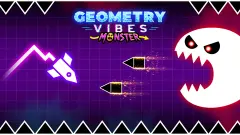
- Made by gameVgames, who also publish Geometry Vibes X-Ball, X-Arrow, Monster and 3D
Game details
- Developer
- gameVgames
- Release date
- July 2025
- Added here
- July 2025
- Technology
- HTML5
- Platforms
- Browser (desktop, mouse or keyboard), Browser (mobile & tablet, touch)
- Classification
- Arcade , Multiplayer
- Saved progress
- Saving, when available, is managed by this game. Mava cannot confirm your level.
FAQ
How do you play Geometry Vibes?
Hold the left mouse button or Space and your arrow climbs in a straight diagonal line. Let go and it dives at the same angle. The level scrolls towards you full of black spiked shapes, and the run ends the moment the arrow touches one. Your score is the distance you covered, in metres.
How do you get stars in Geometry Vibes?
Stars come from distance. In our runs a 20 m flight paid 4 stars and a 49 m flight paid 9, which works out at roughly one star for every five metres. The results screen also offers to triple the stars if you watch an ad.
How do you unlock new arrows in Geometry Vibes?
In the shop, which has tabs for arrows, trails and colours. Some arrows have a star price, from 770 to 3,900 in the first tab, and others are unlocked by watching one to three ads. At about one star per five metres, the cheapest arrow takes a lot of flying.
Can you touch the floor in Geometry Vibes?
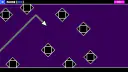
Yes. In our game the arrow could slide flat along the floor line while the distance kept counting. Only the black shapes with white outlines, spikes, blocks and diamonds, ended a run.
Is Geometry Vibes unblocked?
It runs in the browser with no download or sign-in, so it opens wherever a network lets this page load. If a school filter blocks the page, the game will not load either, and the right move is to ask or wait until you are home.
Does Geometry Vibes have a 2 player mode?
The game's own instructions describe 2, 3 and 4 player modes on one keyboard, each player with their own key. We only played the single-player run, so we cannot say how the shared modes play.
Who made Geometry Vibes?
Geometry Vibes is made by gameVgames, who also make Geometry Vibes X-Ball, X-Arrow, Monster and 3D. Those are separate games, not modes of this one, and we have not played them.
Can you play Geometry Vibes on a phone?
It is listed for phones and tablets as well as computers. We only played it on a computer, with the mouse and Space, so we have not tried the touch controls.
What games are similar to Geometry Vibes?
If you like Geometry Vibes, try [Geometry Arrow](/game/geometry-arrow) and [Geometry Arrow 2](/game/geometry-arrow-2) on mavagames.com: they are the closest games to it in our catalogue.