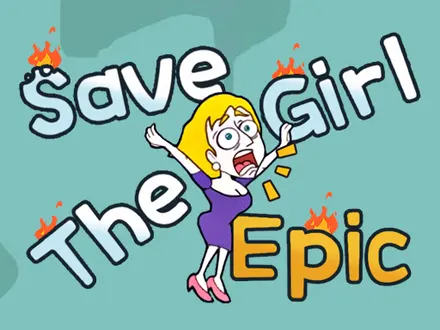




About Save The Girl Epic
Most puzzle games let you fail quietly inside a level and try again. Save The Girl Epic does not give you the room. A scene opens, a young woman is in trouble, and two objects appear on a shelf at the bottom of the screen. You tap one. That is the whole game, and it is over in a second either way.
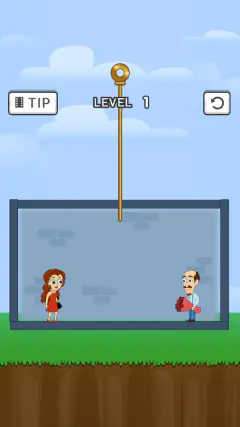
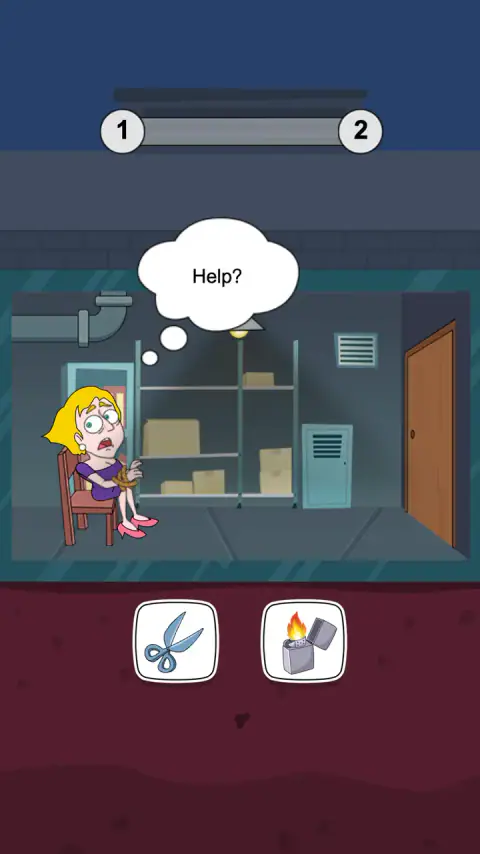
The first level makes the shape of it clear. She is tied to a chair in a basement, a thought bubble says "Help?", and the two icons are a pair of scissors and a lighter. Both would eventually get through rope. Only one of them does it without setting light to the person holding it.
There are fifty levels, and between them they ask 143 of those questions. The first three ask a single question each, which is the game teaching you what a level is. From level five onwards, almost every level is three questions in a row. Get all three and she walks out. Get one wrong and the level ends there.
Nobody will tell you who wrote it. The distributor's company field holds a name that belongs to a publisher account rather than a studio, and this looks like the web port of a Chinese mini-game, though nothing publicly confirms who made it. What is certain is the date it reached the wider web: July 2021, with a popular games portal adding it a few weeks later and counting more than two million plays since.
Fifty levels, 143 choices, and never more than two answers
This is a game with no hidden systems, and playing through it says so plainly. Every one of the 143 questions offers exactly two icons, never three, and in every single one of them exactly one leads onward and the other ends the level. There is no partial credit and no choice that merely makes things harder.
The rhythm is deliberate. Levels one, two and three ask one question each. Level four asks two, and from level five the game settles into three a level and stays there. It breaks that pattern exactly twice: one level drops back to two, and one level halfway through the run goes up to four.
What keeps that from turning into a quiz is the props. Across those 143 questions the game shows 246 different objects, and 210 of them appear exactly once. Whatever is on the shelf in front of you, the odds are you will not see it again, which is why the game cannot be learned - only read.
The left icon is right more often than the right one
Here is something no walkthrough will tell you, because it only shows up once you have played through all fifty levels and kept score. The correct answer is the left-hand icon 89 times out of 143, and the right-hand icon 54 times.
That is not a strategy. It is a habit of whoever laid the levels out, and it is strong enough to notice: six levels have their answer on the left all three times, and exactly one level is on the right all three times. If you are truly stuck on a scene and about to guess, the left icon is the better coin to flip. If you can read the scene at all, read the scene.
Why the obvious tool is so often the wrong one
The best level we played is on a ship. The cabin is filling with grey smoke, the girl is coughing, the bubble says "Too much smoke!", and the two objects are an electric fan and a folded cloth. The fan is the one your hand goes to. The cloth is the answer.
The game is right, and it is right for the reason the fire service gives. In house fires it is overwhelmingly the smoke that kills rather than the flames, and the standard advice when you are caught in it is to get low, where the cleanest air sits near the floor, and to cover your nose and mouth with a cloth, damp if you can manage it. Blowing air around a fire does the opposite of helping.
That is the trick the whole game runs on. The wrong icon is nearly always the one that belongs in the room - the remote control in the living room, the fan in the smoky cabin, the lighter in the basement. The right icon is the one that treats the actual danger. Once you notice that, the levels stop being guesses.
The coins you cannot spend
You start with 100 coins and earn 50 for every level you clear. After seven levels we had 450, and by then the number had stopped meaning anything, because there is nowhere in this version to put it.
There is a shop somewhere behind those buttons — the promotional text for this game even promises "room decoration shops and clothing shops" — but the buttons that would open it do nothing here, and the settings panel is down to a sound toggle and a music toggle.
It is worth saying plainly: whatever is behind those buttons, you cannot reach it in this version.
What we ran into
We played it the way it is meant to be played, by tapping at the network. The scenes are short and the game moves briskly: a few seconds of animation, two icons, a verdict.
The failure screen is blunter than most. LOSE, a Replay button, a Skip button with a video icon, and nothing else - no hint, no second chance, no "continue where you left off" offer. The winning screen is just as spare: WIN and a Next button, with not even a count of the coins you just earned.
On adverts, the game is honest about its timing. It asks for one on three buttons only - Start, Replay and Next - which means every advert sits between levels and never inside one. A choice is never interrupted.
One last practical note. This is a portrait game and it does not pretend otherwise. In a wide desktop window it draws itself as a tall column in the middle of the screen, and on a phone held sideways it shrinks to a narrow strip. It still plays perfectly that way. It just looks like a phone game that has been put somewhere it did not ask to be.
More rescue puzzles to try
Pull Mermaid Out is a different rescue puzzle entirely — tap pins out of flooded pipes so a mermaid can swim past sharks and live wires. Save the Dummy keeps a stick figure alive with a different kind of one-tap decision: sketch a single line and watch it drop with real weight. Draw Couple builds every level around a different missing piece, finished with one stroke of your finger, and Correct Math drops the rescue and keeps the choosing — three seconds a question, one wrong tap ends the run. If you would rather solve the rescue physically than pick it from a shelf, Hero Rescue Puzzle is the pin-pulling version. More in our puzzle category.
Screenshots
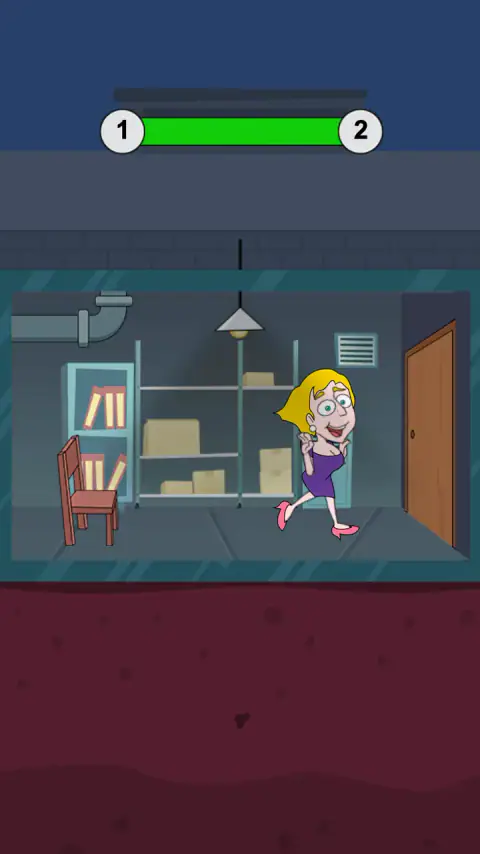
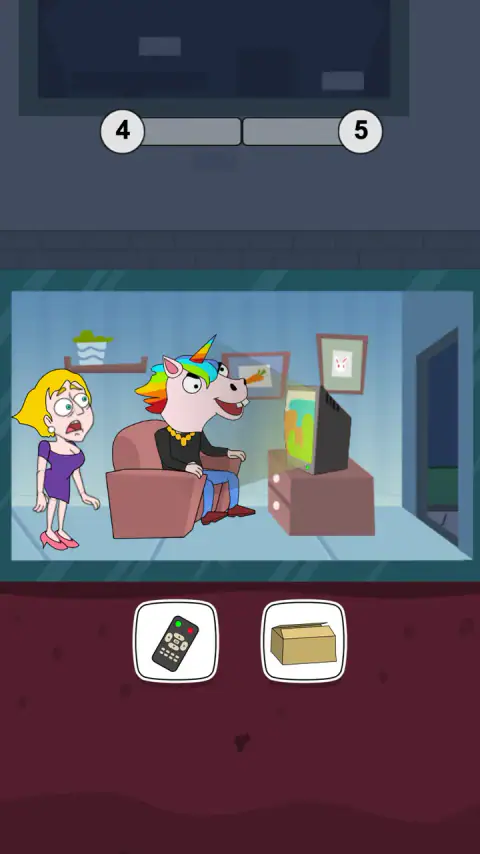
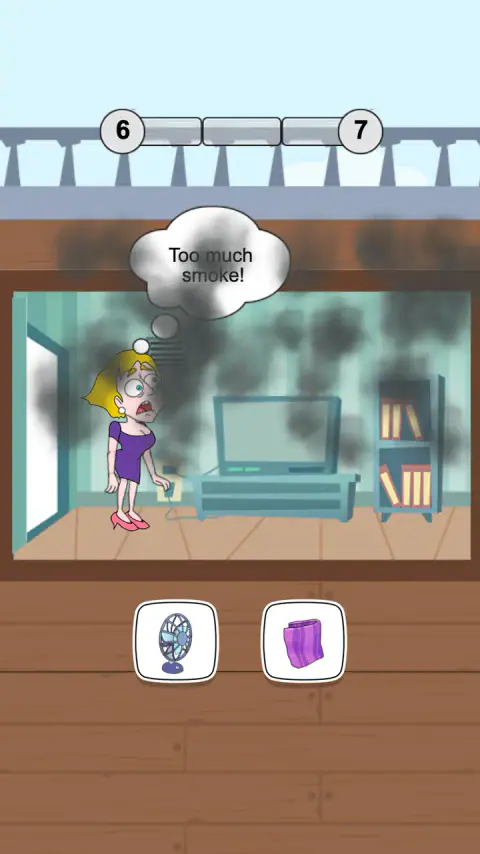
How to play Save The Girl Epic
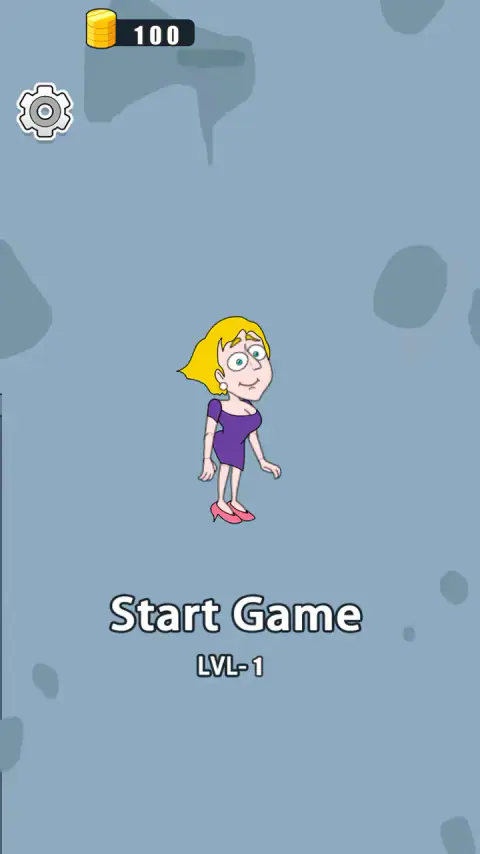
- Tap anywhere to start. The title screen has a Start Game button, but the whole screen is live, which is why the only instruction the game ships with is "tap to play".
- Read the scene before you look at the icons. The picture is the puzzle. The icons are only the answer sheet.
- Tap one of the two objects. It is used immediately and it cannot be taken back.
- Watch the bar at the top. It shows the level you are on, the one after it, and one segment for each question in this level. A segment turns green when you are right.
- Clear every question in the level to finish it and bank 50 coins. One wrong answer and the level ends, wherever you were in it.
Tips from our session
- There is no clock. We left a choice sitting on screen for a minute and a half and nothing happened - no countdown, no nudge, no automatic answer. Think for as long as you like.
- Losing costs nothing. The Replay button puts you back at the start of the level with everything you had. The only thing a wrong answer takes is the coins you would have earned.
- Ignore the object that matches the room. The remote control in the living room, the fan in the smoky cabin: the item that belongs in the scene is very often the wrong one.
- Ask what the girl needs, not what the room needs. In the level with the man in the unicorn mask, the answer is not the remote control that would change what he is watching. It is the cardboard box.
- Skip is an advert, not a hint. On the losing screen it carries a small video symbol. It moves you on without solving anything.
Controls
| Tap or click anywhere (title screen) | Start the level. The whole screen is the button, which is why the instruction is just "tap to play" |
|---|---|
| Tap or click one of the two icons | Use that object. The choice cannot be taken back, and there is no timer pushing you |
| Gear icon, top left | Sound effects and music on or off. That is the whole options menu |
Features
- Fifty hand-built scenes, each one a person in trouble and two objects on a shelf below
- Every choice is between exactly two icons, and exactly one of the two leads somewhere good
- Most levels are three choices long; the first three levels are one choice each, and one level halfway through is four
- 246 different objects turn up in those icon slots, and 210 of them appear only once in the whole game
- No timer anywhere - a choice sits on screen until you make it
- A wrong answer ends the level and nothing else; Replay puts you back at the start of it
- 50 coins for each level cleared, on top of the 100 you begin with
Game details
- Developer
- Partner studio
- Release date
- July 2021
- Added here
- March 2023
- Technology
- HTML5 (LayaAir, 750×1334 portrait)
- Platforms
- Browser (desktop), Browser (mobile & tablet, touch)
- Download size
- 4.1 MB
- Ad requests
- 7 (some)
- Has a save
- Yes
- Saved progress
- Saving, when available, is managed by this game. Mava cannot confirm your level.
Measured by opening the game ourselves on 2026-09-10, not taken from the feed. Twelve seconds on a phone-sized screen, with ad requests counted and blocked rather than loaded.
FAQ
What is Save The Girl Epic?
Save The Girl Epic is a free browser puzzle game in which a young woman keeps ending up in danger and you get her out of it by picking the right object. Each of its fifty levels is a short cartoon scene with two icons at the bottom of the screen, and only one of them works. It runs in a phone-shaped window and needs nothing installed.
How many levels does Save The Girl Epic have?
Fifty. The level counter stops at fifty, and playing through them all turns up 143 choices in total - the first three levels ask one question each, two levels ask two, one level asks four, and every other level asks three.
What happens if you pick the wrong object in Save The Girl Epic?
The icon you chose is marked wrong, the scene plays out badly and the level ends with the word LOSE and two buttons, Replay and Skip. Replay starts the same level again and costs you nothing; Skip carries a video icon, so it wants an advert in exchange for moving you on. Nothing you have already earned is taken away.
What are the coins for in Save The Girl Epic?
In this version, nothing. You start with 100 and collect 50 for every level you clear, but there is no way to open a shop — the buttons for it do nothing when tapped, so the counter goes up with nowhere to spend it.
Who made Save The Girl Epic?
We could not establish it. The game's listing gives the company as "Liz Smith", which is the name on a publisher account rather than a studio. This looks like the web version of a Chinese mini-game, but nothing publicly ties it to a developer, so rather than credit the wrong people we have left the developer blank.
Is Save The Girl Epic the same game as Save the Girl?
No. The idea - a woman in danger, two objects, one tap - was made popular by Lion Studios' mobile game Save the Girl, and plenty of browser games have been built on it since. This is one of them, with its own artwork, its own fifty levels and a different engine underneath. Our catalogue also carries a separate browser game called simply Save The Girl.
Does Save The Girl Epic work on a phone?
Yes, and that is what it was made for. We cleared its first level by tapping on a phone-sized touch screen held upright and again held sideways. Sideways it does not fill the screen, because the game keeps its tall portrait shape and shrinks to a strip down the middle, so upright is much the better way to play it.
Can I play Save The Girl Epic unblocked?
It is an HTML5 game that runs in a browser tab with nothing to download or install. Whether a school or office network allows this site is a decision for that network; we do not offer ways around filters.