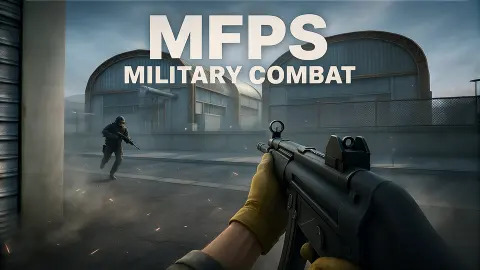




About MFPS:Military Combat
An online shooter is only as good as the hour you open it. Most of them keep that to themselves: you press a button, a spinner turns, and you find out later whether anyone was there. MFPS:Military Combat prints the answer at the bottom of its menu.
That line was the most useful thing we saw. It counts the players online, the rooms that exist and the players in a match, and it does so before you commit to anything. On the evening we played it read 2 online and 0 playing, and the match that followed was as quiet as those numbers suggest.
The game's listing credits the game to HicKupu. It has been there since November 2025.
Our time with it was about four minutes on a desktop computer: the menu, one wait for a match, and a little under two and a half minutes of that match on the map. We fired six rounds, met nobody and did not see the match end. What follows is a report on that, with the gaps marked.
The lobby tells you who is there
The menu has five tabs along the top: Home, Servers, Host, Shop and Barracks. Home is where you land. On its left are Play, Options, Logout and Quit. On the right is your name, which the game picks for you. Ours was "Guest 900".
The part worth reading is the thin line at the very bottom.
| Footer line | What it read for us |
|---|---|
| Players online | 2 |
| Rooms created | 0 |
| Players playing | 0 |
| Players in lobby | 2 |
Next to it is a region box, set to "NA - USW" when we arrived, and a ping reading. Ping is the delay between your computer and the game's server. Ours was 186, which is high enough to feel in a shooter.
We did not change the region, and we did not open Servers or Host. From their names, one lists matches already running and the other starts your own. We would be guessing past that.
One caution about the numbers. They are a single reading from one evening.
The match we got
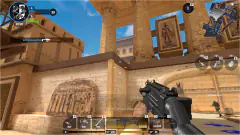
Matchmaking took well under a minute. Then we were standing in a narrow lane between pallets of cement sacks stacked above head height, with red and blue shipping containers behind them and a footbridge ahead.
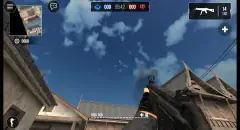
The screen during a match is spare, which makes it easy to read.
- Top centre: a clock, with a score on each side. The left score sits by a grey flag and the right one by a yellow flag.
- Bottom left: your health, which starts at 100.
- Bottom right: rounds in the magazine, rounds in reserve, and the word "AUTO".
- Centre: a white crosshair made of four short ticks.
The clock read 03:59 when we first looked. Both scores read 0.
The map is an industrial yard. We walked along a chain-link fence, past wooden crates stamped "FRAGILE", beside a factory wall with a long row of windows, under two brick chimneys pouring dark smoke. There is a lot of cover and very few long sight lines.
We saw nobody in it. Our health stayed at 100 and the score stayed at 0 to 0 until we left, with the clock at 01:35.
We started with 35 rounds and 105 in reserve, and ended with 29. None of those six shots was aimed at anyone.
What we cannot tell you
A good deal, and it is better said plainly.
We do not know how a point is scored. The two flags on the scoreboard might mark the teams or might be the objective, and an empty match gives no way to find out. We did not see the clock reach zero, so we cannot describe how a match ends or what it pays.
We also did not open the Shop or the Barracks. Two coin counters sit beside your name, one at 0 and one at 1000, and we cannot say what either buys. The loadout box is a dropdown, so there are presumably other kits besides Assault; we did not open it.
And we never fought. How the gun handles against a moving target, how much damage it does and what happens when you are hit are all outside what we saw.
Who it is for
Players with a keyboard and a mouse who want a plain first-person shooter that starts in a browser tab with no sign-up. The menu is honest about its own population, which is rarer than it should be.
It is not a game for a phone, and it is not a single-player campaign. If the footer says the rooms are empty, an empty yard is what you get. There was no practice mode on the screens we saw.
More firefights
Hazmob FPS: Online Shooter is the same idea on a desert map: short timed team matches in first person. Special Ops: GO adds a single-player map to play when the online side is quiet. Warfare Area needs nobody else at all, one rifle and a base to clear against the clock, and Armed Forces.io offers online rooms across five modes. The rest of the armoury is under shooting games.
Screenshots
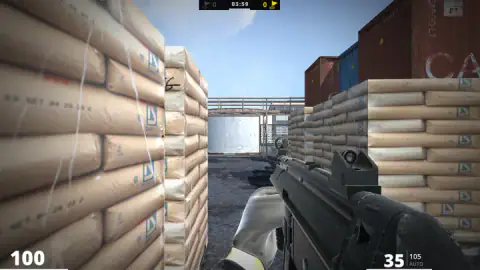
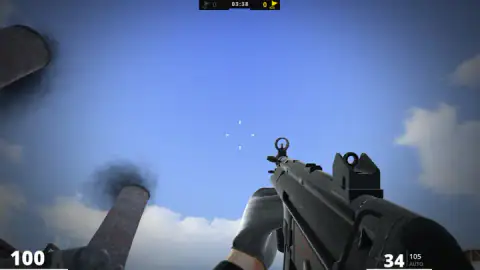
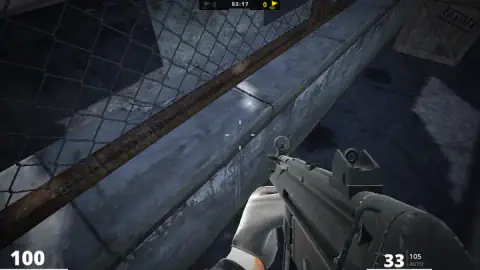
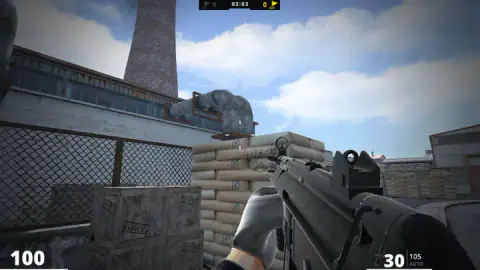
Taken by opening the game ourselves and letting it run — not supplied by the publisher, and not the same picture every other site shows.
How to play MFPS:Military Combat
- Wait for the title screen to finish "CONNECTING TO THE SERVER...". The menu opens by itself.
- Check the loadout box at the bottom left. Ours said Assault.
- Press the yellow Play button. A band reading "MATCHMAKING / PLEASE WAIT.." covers the menu.
- Once you are on the map, walk with W, A, S and D, turn with the mouse and fire with the left button.
- The clock at the top centre counts down while you play, and the two numbers beside it are the score.
What those minutes taught us:
- Read the footer before you press Play. If "PLAYERS PLAYING" says 0, you already know what kind of match you are about to get.
- Level the gun first. Several times we found ourselves staring at the sky or at the paving under our feet. The view goes wherever the mouse goes, including straight up, and nothing pulls it back to the horizon.
- One click is one round. We only ever tapped the button, and the magazine dropped by one each time. The word "AUTO" sits under the ammunition counter, so holding the button probably does more, but we did not hold it.
- The walls are solid and close. The map is tight, and walking forward without looking soon ends with a grey wall filling the screen. Ours did, twice.
Controls
| W, A, S, D | Walk forward, left, back and right |
|---|---|
| Mouse | Turns the view; the white crosshair stays in the middle of the screen |
| Left mouse button | Fires; each single click took one round out of our magazine |
| Right mouse button | Listed by the developer as "special actions"; we did not try it |
| Play (yellow button on the menu) | Starts matchmaking and drops you into a match |
Features
- A lobby that prints how many players are online, in rooms and in matches before you press Play
- A menu with Servers and Host tabs next to the quick Play button
- A region selector and a ping reading at the bottom of the menu
- A guest name handed to you on arrival, so there is nothing to sign up for
- An industrial yard map with shipping containers, pallets of cement sacks, fences and smoking chimneys
- A starting gun with 35 rounds in the magazine and 105 in reserve
Game details
- Developer
- HicKupu
- Release date
- November 2025
- Last updated
- August 10, 2026
- Added here
- September 2025
- Technology
- HTML5 (WebGL, 3D)
- Platforms
- Browser (desktop, keyboard and mouse)
- Classification
- 3D , Action , Multiplayer , Shooting , Strategy
- Saved progress
- Saving, when available, is managed by this game. Mava cannot confirm your level.
FAQ
What kind of game is MFPS Military Combat?
It is an online first-person shooter for desktop browsers. You get a guest name, a menu with a Play button and tabs for servers and hosting, and then a timed match on an industrial map with a gun in your hands. A scoreboard at the top of the screen keeps one number for each of two sides.
What are the controls in MFPS Military Combat?
W, A, S and D walk, the mouse turns the view and the left button fires. The developer also lists the right button for what it calls special actions, which we did not try. In our match each single click used one round, taking the magazine from 35 down to 29.
Are there real players in MFPS Military Combat?
The menu answers that itself. A line at the bottom counts players online, rooms created, players playing and players in the lobby. When we played, on 11 October 2026, it read 2 online and 0 playing, and the match we were given stayed at 0 to 0 with nobody else in sight. At a busier hour the numbers may be very different, so read that line before you press Play.
How do you win a match in MFPS Military Combat?
We cannot tell you from experience. The top of the screen shows a countdown clock with a score on each side of it, one next to a grey flag and one next to a yellow flag. Both scores were 0 for the whole of our match, and we left with the clock still running, so we did not see what makes a number go up or how a match ends.
Do you need an account to play MFPS Military Combat?
No. The game gave us the name "Guest 900" and let us straight into the menu. The menu does have a Logout entry, a Shop tab and two coin counters, which we did not open or spend.
Can you play MFPS Military Combat on a phone?
The game's listing gives its platform as PC and describes it as a game for a desktop browser. The controls are a keyboard and a mouse. We played it on a desktop computer only.
Who made MFPS Military Combat?
The game's listing credits a developer account named HicKupu. The game was published in November 2025, and its last update is dated August 2026.