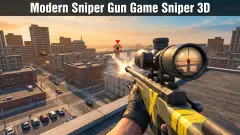
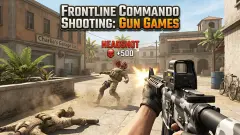
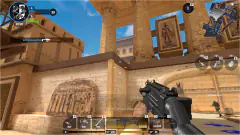




About FPS Gun Shooting Game 3D
Level 1 of FPS Gun Shooting Game 3D asks for very little: two enemies, inside a time limit. We failed it. We never saw either of them on the screen, only as two red dots on the minimap, and our health ran out with the kill counter still at 0/2.
That is worth knowing before you start, because the game looks easy. It hands you a full health bar, a box marked AUTO SHOOT that is already ticked, and a first mission with two targets. The clock and the enemies are less generous than the menu.
Our session was short, and this page is honest about it. We spent about two minutes in the menus and the opening scene, and roughly a minute and a half inside the level, part of that paused. We saw one level of one mission and one gun.
The game's listing credits the game to SoftDroid. It has been available since June 2026.
What the screen tells you during a mission
| Where | What it shows | What we read there |
|---|---|---|
| Top left, bar | Health, green when full, orange when low | Full for the first half minute |
| Top left, bullets | Rounds loaded, out of a reserve of 200 | 17, then 15, 13 and 10 |
| Top left, skull | Enemies eliminated out of the target | 0/2 from start to finish |
| Top right | Level, countdown and a pause button | LVL 1, from 02:10 down to 01:07 |
| Under the clock | Round minimap | Two red dots, one green marker |
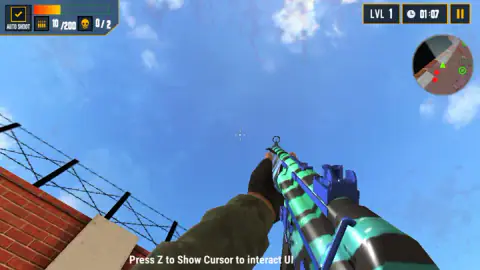
The minimap is the part that matters most. You are the green arrow in the middle, and the pale cone in front of it is what you are looking at. Enemies are red dots. When a red dot sits on the rim of the circle, or just outside it, we read that as an enemy too far away to fit on the map: turn until the cone points at it and walk.
There is also a green circle with a cross on it. We do not know whether it marks a pickup, an objective or the way out.
A line of text stays at the bottom of the screen for the whole mission: "Press Z to Show Cursor to interact UI". We never pressed Z, so all we can pass on is what the line says. It suggests the mouse belongs to the gun during play and that Z lends it back to you for the buttons.
The pause button is the yellow square in the top right corner. It opens a card headed GAME PAUSED, with a slider each for music and sound and three buttons: HOME, RESTART and RESUME. We ended up there several times without meaning to.
How our level 1 went: four readings and a REVIVE card
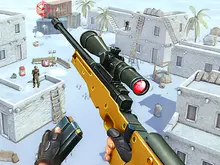
The level is a yard between high red brick walls topped with barbed wire, with a shipping container to one side. The gun in our hands was the MP-5 from the weapon screen, in the same teal and blue stripes.
The first clock reading we have is 02:10, with full health and 17 rounds loaded. Half a minute later we were standing face to face with a brick wall, with both red dots close by on the minimap and 15 rounds left.
At 01:27 dark red splashes appeared across the top and sides of the screen. That is how the game says you have been shot. The health bar had lost only a sliver. At 01:07 it was down to about a quarter and had turned orange. Soon after, it was empty.
Seven rounds had gone by then and nobody had been hit. We cannot say whether those were our own left clicks or the AUTO SHOOT box firing for us: we left it ticked and never had an enemy under the sight.
Dying costs a video ad, and so does level 2
When the health bar empties, the mission stops and a card titled REVIVE covers the screen: "YOU ARE OUT OF HEALTH. WATCH VIDEO AD TO GET 100% HEALTH AND REVIVE". Under it are a blue CANCEL button and a yellow one for the video.
We pressed CANCEL. The next screen read MISSION FAILED, with two buttons, HOME and RESTART. We did not take the video, so we cannot say whether the revive puts you back where you fell.
It is not the only place where the game asks. We counted four offers in our few minutes:
- Cash. A green tab on the menus offers $1000 for one video. You start with $1000, and level 1 pays a 1000 reward, so one video ad pays the same as winning the first level.
- Level 2. On the map screen, the tile for level 2 reads "WATCH VIDEO AD TO UNLOCK THIS LEVEL". We do not know whether beating level 1 opens it as well.
- The revive, described above.
- A special offer on the main menu: UNLOCK FULL GAME, with $10.00 printed beside it. We did not click it. The game's own cash is also written in dollars, so we cannot tell you whether that price is play money or real.
None of these stopped us from playing level 1, and we turned all four down.
The MP-5 card is accurate, and its range bar is the honest part
The weapon screen gives each gun a short text and four bars. The one for the starting gun says the MP-5 is a 9x19mm Parabellum submachine gun developed in the 1960s, and gives the German name it is short for. That is correct.
It also explains the numbers next to it. A submachine gun fires pistol ammunition, and 9x19mm Parabellum is a pistol round. It is light and easy to control, and it loses its punch over distance.
The bars say the same thing in the game's terms. Out of 100, the MP-5 scores 18 for damage, 16 for fire rate and 7 for range.
That last bar is the game telling you that this gun is for the other side of a wall, not the other side of the yard. With the MP-5 you have to walk up to the red dots.
Five more guns stand in the row under it: M1911, AK-47, M4, PDR and one whose name was cut off by the edge of the screen. The AK-47 and the M4 are assault rifles, and the M1911 is a pistol. All are painted in loud colours, from a red pistol to a yellow rifle. We did not open any of them.
Who it is for, and a note for parents
It suits someone who wants a shooter in small pieces: one yard, a couple of enemies, a couple of minutes, win or lose.
It is not for young children. The guns are modelled on real ones and carry their real names. The second mission set is called ANTI TERRORIST MISSION, and the enemies are people. When you are hit, red splashes spread over the screen. The game also keeps asking for video ads, and the menu shows an offer priced in dollars. The game's listing carried no age label when we looked.
The listing files the game under multiplayer as well. In our session the menu offered no such mode, and the level we played was us against two computer-controlled enemies.
More first-person shooters to try
Warfare Area is the nearest thing to this one: a single base to clear against a clock, with far more enemies in it. Special Ops: GO has a long single-player map and starts you with a small gun too. For playing against people, Hazmob FPS: Online Shooter runs short team matches. And if the helicopter in the opening scene was the part you liked, Desert Gunship lets you fly one. The rest are under shooting games.
Screenshots
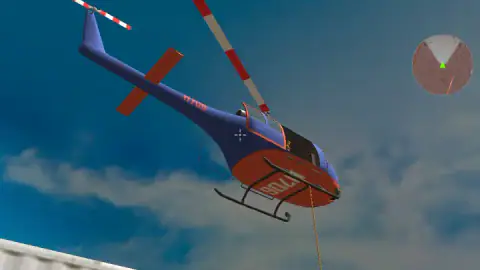
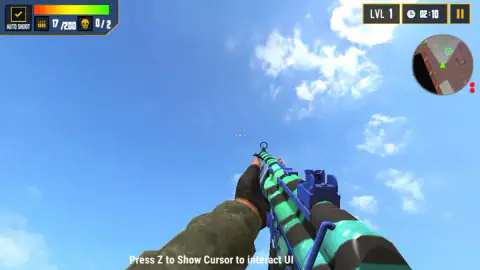
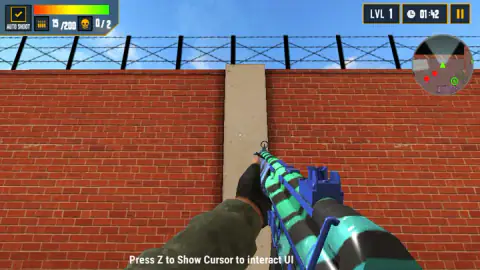
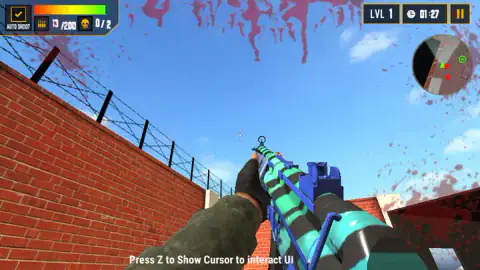
Taken by opening the game ourselves and letting it run — not supplied by the publisher, and not the same picture every other site shows.
How to play FPS Gun Shooting Game 3D
- On the main menu, press the yellow PLAY button. The other three buttons are SETTINGS, INVENTORY and STORE.
- On the map screen, pick a mission set on the left and press PLAY again. Level 1 of ASSAULT MISSION is the only level open at the start.
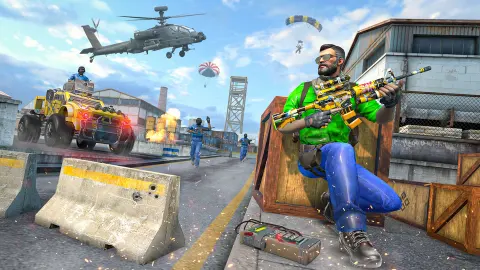
- Watch the opening scene: a blue and orange helicopter over the yard, with a rope hanging from it.
- Read the control panel that follows and press OKAY. This is the only time the game lists the keys.
- Find the two enemies and shoot them before the clock in the top right corner reaches zero.
What our failed mission taught us:
- Trust the panel, not the notes around the game. For aiming and shooting, the panel says the left mouse button shoots and the right one aims. Control notes published with the game say the opposite.
- Look at the minimap first. The enemies were on it from the first second, as red dots. We looked for them through the gun sight and found a wall.
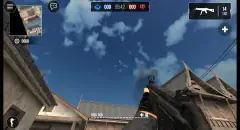
- Bring the view down. In three of our four readings the gun was pointing at the sky. Nothing up there shoots back, and the clock keeps running.
- A red splash means you are being hit. When it appeared, our health bar had barely moved. Twenty seconds later, three quarters of it was gone.
Controls
| Arrow keys | Move |
|---|---|
| Left mouse button | Shoot |
| Right mouse button | Aim and zoom |
| G | Throw a bomb |
| Space bar | Jump |
| Shift + arrow keys | Sprint |
| Z | Shows the cursor so you can use the on-screen buttons, according to the hint the game keeps on screen |
Features
- Timed missions with a kill target; level 1 asks for two enemies before the clock runs out
- Two mission sets on the map screen, ASSAULT MISSION and ANTI TERRORIST MISSION
- A weapon screen with at least six guns, each rated out of 100 for damage, fire rate and range
- A round minimap that shows enemies as red dots and the way you are facing as a pale cone
- An AUTO SHOOT box in the corner of the screen, ticked from the start
- In-game cash, $1000 to begin with, plus another $1000 for each video ad you choose to watch
- A REVIVE card when your health runs out, which offers full health for one video ad
Game details
- Developer
- SoftDroid
- Release date
- June 2026
- Added here
- April 2026
- Technology
- HTML5
- Platforms
- Browser (desktop)
- Classification
- 3D , Action , Multiplayer , Shooting
- Saved progress
- Saving, when available, is managed by this game. Mava cannot confirm your level.
FAQ
What is FPS Gun Shooting Game 3D?
It is a free first-person shooter for the browser, credited to SoftDroid. You pick a gun, choose a mission and are dropped into a walled yard with a countdown and a number of enemies to eliminate. Level 1 gives you two enemies, and its clock read 02:10 the first time we looked.
What are the controls in FPS Gun Shooting Game 3D?
The game's own instruction panel lists arrow keys to move, left mouse button to shoot, right mouse button to aim and zoom, G to throw a bomb, Space to jump and Shift with the arrow keys to sprint. A hint at the bottom of the screen adds that Z shows the cursor so you can click the interface.
Does the left or the right mouse button shoot in FPS Gun Shooting Game 3D?
The left one, according to the panel the game shows before level 1. Some control notes published with the game have the two buttons the other way round, with the right button firing. We followed the panel, and our ammunition count went down while we were only using the left button.
How do you win a level in FPS Gun Shooting Game 3D?
Each level sets a number of enemies and a time limit. A skull counter in the top left corner shows how many you have eliminated out of the total, and a clock in the top right corner counts down. Level 1 asks for two. We did not finish it, so we cannot describe the winning screen.
What happens when you die in FPS Gun Shooting Game 3D?
A card titled REVIVE appears and offers full health in exchange for watching a video ad. There is also a CANCEL button. We pressed CANCEL and the mission ended as failed, with a choice between going home and restarting.
Is FPS Gun Shooting Game 3D suitable for children?
It is a military shooter with realistic-looking guns under their real names, human enemies and red splashes across the screen when you are hit. It also asks you to watch video ads for cash, for a revive and to unlock level 2, and its menu carries an offer priced at $10.00. The game's listing gave no age label when we checked. We would treat it as a game for teenagers and adults.
Can you play FPS Gun Shooting Game 3D on a phone?
It is listed for PC, Android and iOS, in landscape. We played on a desktop with keyboard and mouse only, so the phone version is the listing's word and not something we tested.
Who made FPS Gun Shooting Game 3D?
The game's listing credits SoftDroid. The game was published in June 2026.