


About Rocket Soccer Derby
In Rocket Soccer Derby, your front bumper takes the shot. Put the ball between your car and the goal. Then drive in a straight line to send the ball toward the net.
Make room for your first shot
Practice gives you time to get behind the ball. Look for the goal past it. If the goal is off to the side, drive around the ball and line up again. Start close enough to see the gap between your car and the ball.
Read the hit before you chase
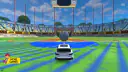
We tried a straight drive with the white car. The ball moved ahead toward the far goal. Watch for that change from the first touch. If your shot goes wide, turn back and get behind the ball again.
Once you can aim on the empty pitch, try SOCCER from the same menu. Look at the color of your car at the start. Aim for the goal of the other color.
For another match, try our soccer games.
Screenshots
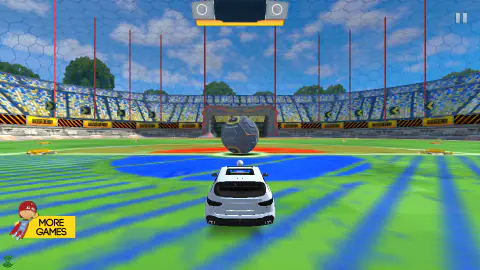
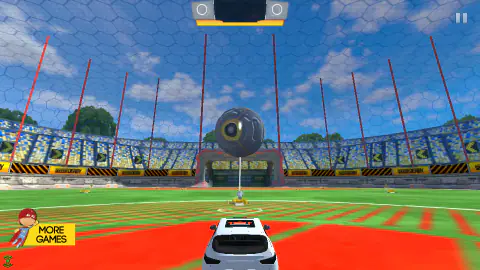
How to play Rocket Soccer Derby
- Choose QUICK PLAY. Find the GAME MODE row.
- Click the right arrow to switch to PRACTICE. Press START.
- Turn with Left or Right. Point the car at the ball.
- Hold Up once the ball and the goal line up. Let the front of the car hit the ball.
- Let go of Up after the hit. Give yourself time to see where it goes.
Controls
| W or Up | Hold to drive forward. |
|---|---|
| A and D or Left and Right | Turn the car to either side. |
| F | Switch between the ball view and the view from behind the car. |
Features
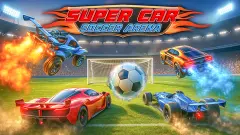
- A car and a giant ball on a soccer pitch.
- Practice gives you the pitch to yourself.
- Soccer mode has a clock and computer drivers.
Game details
- Developer
- Destruction Crew
- Release date
- February 2020
- Last updated
- November 25, 2020
- Added here
- November 2018
- Technology
- HTML5 (Unity WebGL)
- Platforms
- Browser (desktop), Chromebook
- Download size
- 1.3 MB
- Ad requests
- 2 (few)
- Has a save
- Yes
- Saved progress
- Saving, when available, is managed by this game. Mava cannot confirm your level.
Measured by opening the game ourselves on 2026-09-11, not taken from the feed. Twelve seconds on a phone-sized screen, with ad requests counted and blocked rather than loaded.
FAQ
Can I play Rocket Soccer Derby online for free?
Yes. Open the game on this page and play in your browser.
Who drives the other cars in Quick Play?
The game drives them. In Soccer mode, the BOTS row lets you pick how many cars are on each side.