




About Penalty Shooter
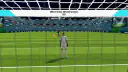
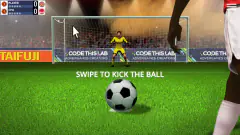
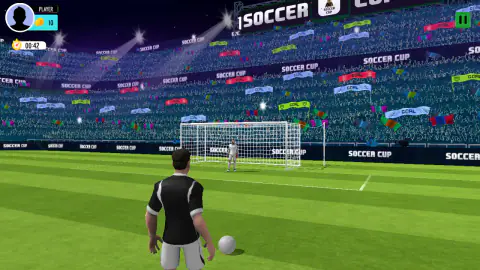
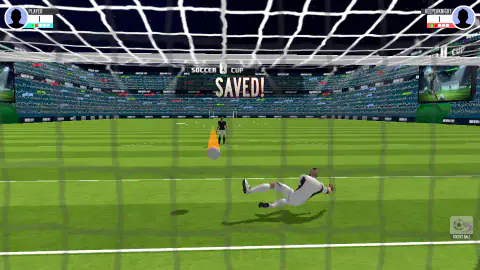
Most penalty games give you one job. You shoot, and the computer keeps goal. Penalty Shooter gives you both jobs, and the camera moves to show it. When you shoot, you stand behind the taker. When you save, you stand inside the net and look out at the field.
That makes each kick a small test of two skills. You can be good at shooting and still lose if you dive the wrong way.
The game is by Hammerplay Studios and came out in May 2026. Several other games have almost the same name. This page is about this one.
We played it on a computer with a mouse, on two days. We did the lesson twice. We played one Golden Shot round, part of a VS match and the start of Timer Mode. We did not finish a VS match or a full minute of Timer Mode.
The keeper's view is where games are won
When you shoot, you see the whole goal. Nothing moves until you draw your line, so you have time.
In goal, it is different. You look out through the net. The taker is far away, and the ball comes fast. The orange trail is your best clue. It points where the ball is going.
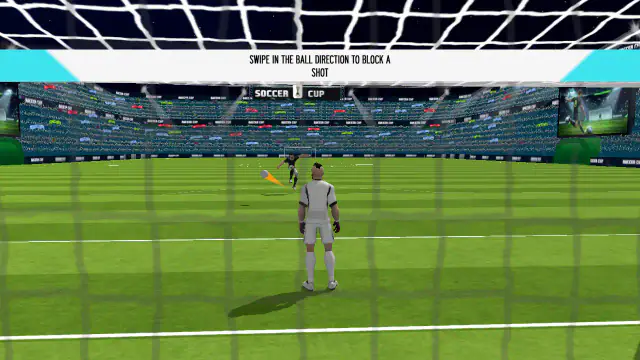
The lesson knows this. It gives you two steps for shooting and one for saving. But the saving step does not end until you make a save. On our first day it took five tries. On our second day it took two.
Golden Shot: only the target counts
After the lesson, a box called Golden Shot popped up with a TRY IT NOW button. It shows a target with four rings. The outside ring is worth 25. Then come 75 and 150. The yellow center is worth 300.
In the round, the target hangs in the middle of the goal. There is no keeper. Our first kick was a short, straight drag. The ball went low into the net, under the target. The game said MISS.
Then a box asked if we needed a second chance and offered an ad to get one. We closed it with its X. The next screen said GAME OVER, with a score of 0 and 0 coins. So one miss can end the round. Aim at the target, not just the goal.
Timer Mode is a race against one minute
Timer Mode opens with a clock at 01:00 and a coin counter at 0. The first turn is a kick.
Our first kick went in. The counter went from 0 to 10 coins. The score at the top went to 1. Then the next ball sat at a new spot, more to the left. So do not draw the same line twice. Look at where the ball is first.
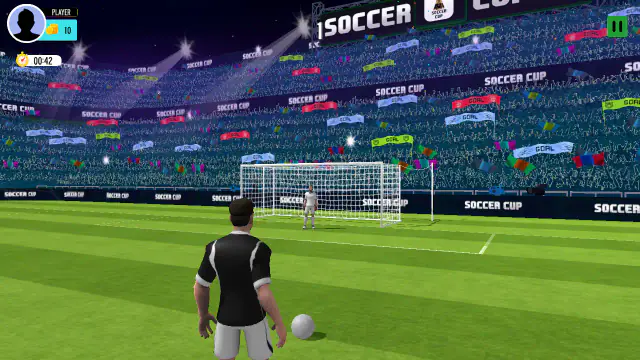
We only played the start of this mode. We do not know what happens when the clock hits zero.
VS Mode is a five-kick shootout for 200 coins
When you pick VS Mode, a screen says OPPONENT FOUND. Ours found a rival called KeeperKnight in a few seconds. Our coins went from 1,000 to 800, and a 200 sat next to each name. So each side puts in 200 coins. These are game coins, not real money.
Each name has five dots, one for each kick. A goal turns a dot green. A miss turns it red. In our match both first kicks went in. Both second kicks failed. It was 1-1 when we stopped.
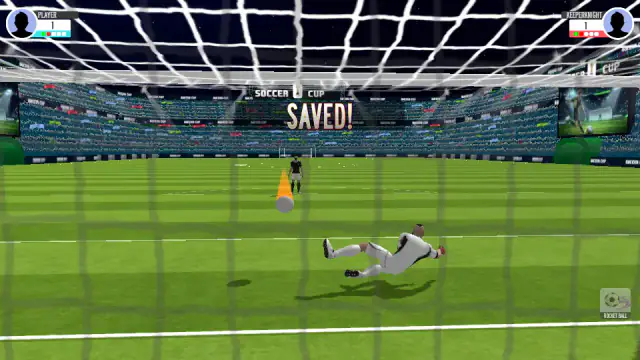
We do not know if KeeperKnight is a real person. Both pictures were the same blank shape.
Five kicks each is the real rule
The five dots copy real football. A long time ago, a tied cup game could be decided by drawing lots. In 1970, the rule makers chose the shootout instead. Each team takes five kicks. If it is still tied, they go on one kick at a time.
In a real shootout, the keeper must stay on the goal line until the ball is kicked. He can only move sideways. That is why saving is mostly about picking a side. The game keeps that idea. You get one drag in goal, so pick your side well.
More football games to try next
Penalty Challenge also lets you shoot and save. You can find more in soccer games.
Screenshots
How to play Penalty Shooter
- Shoot. Put the pointer on the ball. Drag up towards the goal and let go. The ball flies along your line.
- Curve it. Draw your line as an arc. The lesson shows you the curve with a hand.
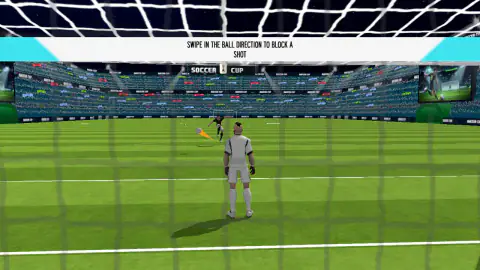
- Save. Now the camera is inside the net. Look for the orange trail behind the ball. Drag towards it, and your keeper dives that way.
- Pick a mode. Use the arrows on the menu to choose Timer Mode, VS Mode or Target Mode.
- Check the result. GOAL means the ball went in. SAVED means a keeper stopped it. MISS means you missed the target.
What our games taught us:
- Follow the trail, not your guess. In the lesson we dragged the wrong way. The ball went in, and the game said GOAL for the taker. Then the same kick came back. When we dragged towards the trail, the keeper stopped it and the game said SAVED.
- A swipe straight up is a jump. One of our swipes went up more than sideways. The keeper jumped in place, and the ball went past him.
- In the Golden Shot, hit the target. The net does not count. Our ball went in under the target, and the game said MISS.
- Count your coins before VS Mode. A match took 200 of our 1,000 coins.
Controls
| Drag from the ball and let go | You kick along the line you drew. Bend the line to curve the shot. |
|---|---|
| Drag when you are in goal | The keeper dives the way you drag. Drag towards the orange trail. |
| Arrows beside the mode card | Switch between Timer Mode, VS Mode and Target Mode. |
| Pause button (top right) | Stops the game for a moment. |
Features
- You do both jobs: you take the kick, then you keep goal.
- A short lesson teaches a straight shot, a curved shot and a save.
- Timer Mode starts at one minute. Our goal there was worth 10 coins.
- VS Mode is a five-kick shootout. Green dots are goals and red dots are misses.
- You start with 1,000 coins. A VS match took 200 of them.
- The Golden Shot round has a target with rings worth 25, 75, 150 and 300.
Game details
- Developer
- Hammerplay Studios
- Release date
- May 2026
- Last updated
- July 24, 2026
- Added here
- March 2026
- Technology
- HTML5 (3D)
- Platforms
- Browser (desktop, mouse), Browser (mobile & tablet)
- Saved progress
- Saving, when available, is managed by this game. Mava cannot confirm your level.
FAQ
How do you save a penalty in Penalty Shooter?
When you are in goal, watch the orange trail behind the ball. Drag towards it and the keeper dives that way. When we dragged the other way, the ball went in and the lesson gave us the same kick again.
How do you curve the ball in Penalty Shooter?
Draw the line as an arc, not a straight line. In the lesson a hand shows the curve for you. Our arc to the right went in while the keeper dived to the other side.
Why did my Golden Shot say MISS when the ball went in?
In the Golden Shot only the target counts. Our ball went into the net under the target, and the game still said MISS. One miss ended our round with no coins.
Is Penalty Shooter the same game as Penalty Shooters 2?
No. They are different games with similar names. In this one you drag a line from the ball to shoot. You also drag to send the keeper diving.
How many penalties do you take in a VS match?
Five each, as in a real shootout. Each name has five dots. A dot turns green for a goal and red for a miss. We stopped at 1-1 after two kicks each, so we did not see a tie-break.
Is VS Mode real online multiplayer?
We cannot say. A rival called KeeperKnight was found in a few seconds, with a blank picture like ours. That fits a real player and a computer rival alike.
Are there ads in Penalty Shooter?
After a miss in the Golden Shot, the game asked if we wanted a second chance by watching an ad. We closed that box with its X and went on to the Game Over screen.
Who made Penalty Shooter?
It is by Hammerplay Studios. It came out in May 2026 and was last updated in July 2026.