


About Night City Racing
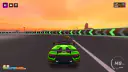
Most games with "night" in the name spend their budget on darkness. Night City Racing spends it on a sunset. The neon is in the garage, where the cars turn on a glowing stand. Once a race starts, you drive under an orange sky with wind turbines on the horizon. It never gets dark.
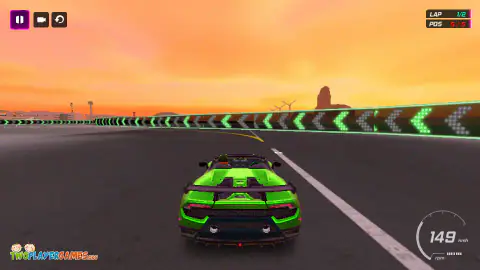
The first race looks like a speed test, and it is not. Our stock green car hit 149, 168 and 183 km/h on the opening straight in three starts. The four computer cars still got away. The race is decided at the arrow walls, the green light-up walls that mark every bend. Hit one flat out and your car can stop dead.
The game is made by RHM Interactive, a studio from Estonia. Its copyright line sits on the menu and the pause screen. The publisher's own page for the game already existed at the end of May 2022.
We have played it three times. We have not won the first race yet. Below is what we saw at the walls, what R is for, and what to do with your first coins.
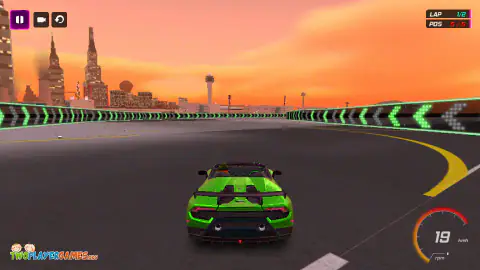
The arrow walls decide the first race
Level 1 is two laps of a circuit around an airport. You start fifth of five, behind four computer cars with the numbers 1 to 4 above them. When the lights turn green, they are gone.
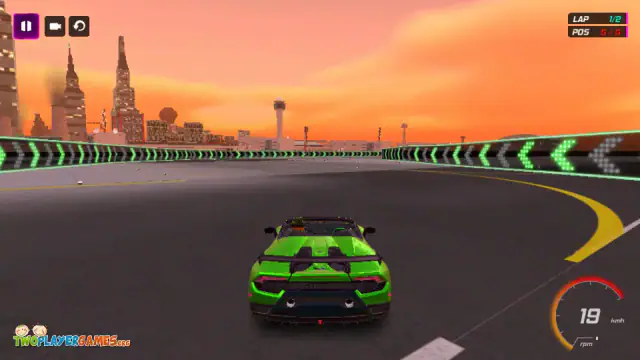
The first straight is long. Hold W and the speedometer climbs past 140. At the end, a wall of green arrows fills the screen. The arrows light up in sections, and they point the way the road bends. The first bend goes left, so they point left. The second goes right.
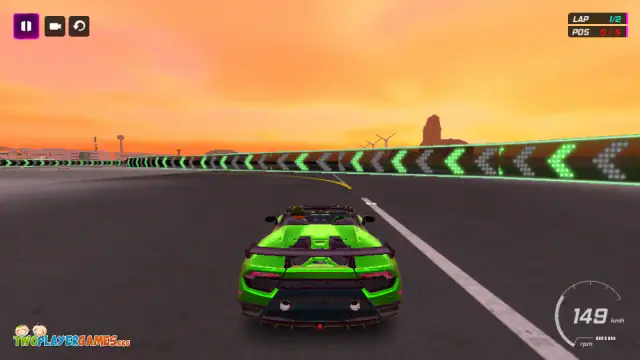
Here is what happened when we got there:
| What we did | What happened |
|---|---|
| Held W into the first bend | Hit the wall at 149, then slid along it at about 55 |
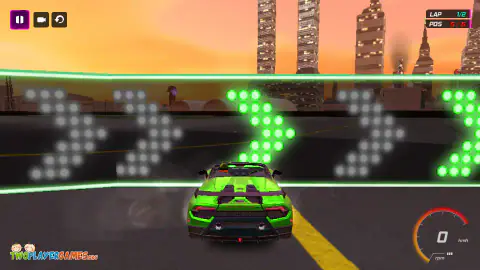
| Held W into the second bend | Stopped at 0, nose in the arrows |
| Held W, braked too late, then steered | Hit the wall and stopped at 0 |
| Held W and nitro, in an earlier session | Also stopped at 0 |
| Let go, tapped S, steered left in short taps | Through the first bend at about 56 km/h, then 126 on the next straight |
| Held S for half a second | Down from 159 to 1 km/h, before the bend began |
Three times out of four, arriving flat out ended at 0. The brakes are strong, so one tap is enough. Aim to reach the wall a little slower, still rolling and already turning the way the arrows point.
None of our tries was clean. Even the good one ran close along the end of the wall. But the car kept going, and on the next straight it was back up to speed.
R is the most useful key in the game
Sooner or later you will hit a wall and stop. The speedometer reads 0 and smoke comes off the tyres. You can try to back out with S and steer. In one of our races we did that, and the car sat at 0 for three screenshots in a row.
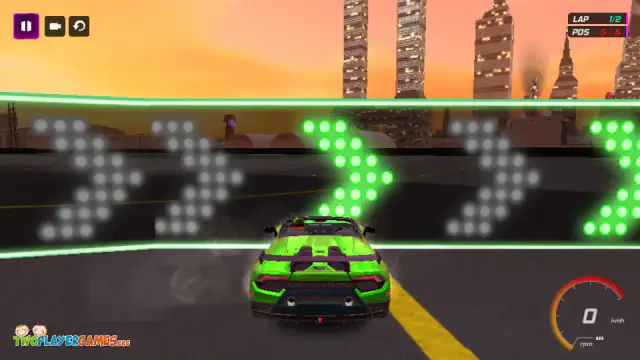
R is faster. It drops the car back on the road, facing the right way. It worked every time we used it: twice against an arrow wall, and once off the track after the car flipped on a barrier. It costs nothing, so press it as soon as you are stuck.
What to do with your first coins
A new game gives you 35,000 coins and ten supercars. Two are free. The cheapest locked car costs 36,000, so you are 1,000 short.
Every car has seven sections: engine, brake, agility, turbo, nitro, rims and paint. Upgrades belong to the car you bought them for. The first prices on a new save:
| Upgrade | First step |
|---|---|
| Engine | 3,600 (then 7,000 and 11,000) |
| Brake | 2,100 |
| Agility | 2,600 |
| Nitro | 2,800 |
| Turbo | 3,450 |
We bought all three engine steps for 21,600 coins. The TOP SPEED and ACCELERATION bars grew only a little, and 13,400 coins were left. That is enough for the first step of brake, agility, nitro and turbo together, but we have not tested what those change.
What we do know: the stock car is already fast on the straights, and the first race is lost at the walls. So do not expect the engine to win it for you. The level screen promises 7,500 coins for the first win. If you keep your 35,000 until then, that win covers the 36,000 car. We have not collected that prize yet.
Ten supercars, and not one of them has a name
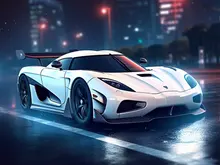
Look at the garage and you will recognise most of the ten shapes. You will not find a badge or a name anywhere. Car makers treat their names, logos and body shapes as trademarks, and they license them to games, usually for a fee. Free browser games almost never pay it, so the cars come without names.
For you, that changes how you choose. There is no brand to trust, so pick by the four bars and the price.
Challenges, the airliner and the open city
Challenge has five events, and only the first is open. It is called AIRPORT CHALLENGE. You line up on a runway next to a passenger jet, one against one. We failed it twice within seconds, once at 124 km/h with the nitro on. We still do not know what it wants from you.
Free Drive is for when you just want to drive. The city has traffic, ramps, cranes and a dance floor that lights up under the wheels. With the engine fully upgraded, our first car showed 172 km/h on a straight without nitro. In the city, R also helps: after a jump left us stuck on the dance floor, R put us on a main road.
Two players on one keyboard
Every mode has a 2 PLAYER button. The garage then shows a P1 CAR and a P2 CAR tab, so each person picks a car. The screen splits down the middle.
The trap is which side is which. Player 1 is on the right, with the arrow keys, M for nitro, K for the camera and O for reset. Player 2 is on the left with W, A, S, D, Left Shift, C and R. The key panel before each game shows it with a blue driver on the right and a red one on the left. We tried it in Free Drive and drove both cars at once. The keys did not block each other.
What to expect before the first race
The game takes a while to load, and each race has its own loading screen. The menus use the mouse only.
Ads can appear between menu screens, for example after you pick a car or buy an upgrade. They do not interrupt a race while the car is moving.
Sometimes a full-screen picture of the publisher's other games appears, with a Skip Ads button that unlocks after five seconds. It looks like a web page, but you never left the game. Wait for the button and press it. Clicking the picture tries to open the publisher's site in a new tab.
More games from RHM Interactive
RHM Interactive makes several other vehicle games. Ultimate Flying Car adds wings and an open city. On water, try Jet Boat Racing or Speedboat Challenge Racing. Off-road, there is Monster Truck Extreme Racing. For more like this, see our racing games, two-player games on one keyboard and the driving category.
Screenshots
How to play Night City Racing
- Pick a mode. Racing is laps against computer cars. Challenge is a set of special events. Free Drive lets you loose in a city. Each one asks 1 PLAYER or 2 PLAYER.
- Choose a car in the garage. The bars show top speed, acceleration, handling and brake. CUSTOMIZE spends coins on that car.
- Press NEXT, pick a level and press START. The level screen shows the coin reward. A loading screen follows, then a panel with the keys. Press OK and wait for the three red lights to turn green.
- Drive with W, A, S and D or the arrow keys. W drives and S brakes. Shift fires the nitro, C swaps the camera and R puts you back on the road.
- Win to open the next level. Races and challenges open one at a time.
Tips from our races
- Look at the far end of each straight. When a wall of green arrows comes into view, the arrows show which way the road turns.
- Let go of W before the wall and tap S once. A long press of S stopped us at 1 km/h before the bend even started.
- Steer in short taps. When we held A for about a second at low speed, the car spun round and faced the wrong way.
- Speedometer at 0 and your nose in the arrows? Press R right away. Backing up out of the wall did not work for us.
- Save the nitro for straights. With Shift held toward the first corner, the car ended at 0 against the wall.
Controls
| W A S D or arrow keys (one player) | W drives, A and D steer, S brakes. Hold S when you are stopped to back up |
|---|---|
| Shift (one player) | Nitro boost |
| C (one player) | Switch between the chase camera and the driver's seat |
| R (one player) | Put the car back on the road, facing forward |
| Arrow keys, M, K, O (player 1 in two-player mode) | Drive, nitro, camera and reset. Player 1 is the right half of the screen |
| W A S D, Left Shift, C, R (player 2 in two-player mode) | Drive, nitro, camera and reset. Player 2 is the left half |
| Mouse | All menus, the garage and the pause button |
Features
- Ten supercars with no names, two free from the start and eight priced from 36,000 to 127,000 coins
- You begin with 35,000 coins, 1,000 short of the cheapest locked car
- Seven garage sections - engine, brake, agility, turbo, nitro, rims and paint - bought per car
- Racing mode with 16 levels unlocked in order; the first is two laps of an airport circuit against four computer cars
- Corners are marked by walls of green arrows that point the way the road bends
- Five challenges, the first one on an airport runway next to a passenger jet
- Every mode in one or two players, with a vertical split screen on one keyboard
Game details
- Developer
- RHM Interactive
- Release date
- May 2022
- Added here
- January 2023
- Technology
- HTML5 (Unity WebGL, 800×450)
- Platforms
- Browser (desktop, keyboard)
- Classification
- 3D , Driving , Multiplayer , Simulation , 2 Player
- Download size
- 113.8 MB
- Ad requests
- 2 (few)
- Has a save
- Yes
- Saved progress
- Saving, when available, is managed by this game. Mava cannot confirm your level.
Measured by opening the game ourselves on 2026-09-10, not taken from the feed. Twelve seconds on a phone-sized screen, with ad requests counted and blocked rather than loaded.
FAQ
What is Night City Racing?
Night City Racing is a free 3D car racing game by RHM Interactive, a studio from Estonia. You race computer cars over 16 levels, try five challenges or drive around a city with traffic. You can play alone or with a second player on the same keyboard.
What are the controls in Night City Racing?
Alone, drive with W, A, S and D or the arrow keys. Shift is nitro, C changes the camera and R puts the car back on the road. With two players, the player on the right uses the arrows with M, K and O. The player on the left uses W, A, S and D with Left Shift, C and R.
How do you win the first race in Night City Racing?
The first race is lost at the walls of green arrows, not on the straights. Our stock car reached 149 to 183 km/h on the first straight. Arriving at a wall that fast often stopped it at 0. Let go of W before the wall, tap S once and steer the way the arrows point, in short taps. We have not won the race yet, but this got us through the first bend and back up to 126 km/h.
What does R do in Night City Racing?
R puts your car back on the road, facing forward. Use it when the speedometer shows 0 and your nose is in a wall, or when you leave the track. In our tests, backing up and steering left the car stuck at 0, while R had it moving again at once.
Should I use nitro in the first race of Night City Racing?
Not near a corner. We held Shift at 125 km/h on the first straight and the car ended at 0 against the arrow wall. Nitro only helps where the road stays straight.
How do you play Night City Racing with two players?
Pick 2 PLAYER in Racing, Challenge or Free Drive. Choose a car for each player on the P1 CAR and P2 CAR tabs. The screen splits down the middle. Player 1 is on the right with the arrow keys, and player 2 is on the left with W, A, S and D.
How much do the cars cost in Night City Racing?
Two cars are free. The other eight cost 36,000, 44,000, 58,000, 70,000, 86,000, 96,500, 111,000 and 127,000 coins. A new game gives you 35,000, which is 1,000 short of the cheapest one.
Do you have to download Night City Racing?
No. This version runs in the browser tab, with nothing to install and no account. The publisher also has a separate Android app.
Can I play Night City Racing unblocked?
It runs in a browser tab with nothing to install. Whether a school or work network allows the site is up to that network. We do not offer ways around filters.
Does Night City Racing work on a phone?
Not this version. It is driven with the keyboard, and its distributor lists it as not ready for phones. RHM Interactive publishes a separate app for Android.