






About Sprinter 2
Most running games make the hard part your speed. Sprinter 2 makes it your rhythm. There is no run button to hold. Every press of an arrow key is a single footstep, you hear it land on the track, and the game asks you to press the two arrows in turns.
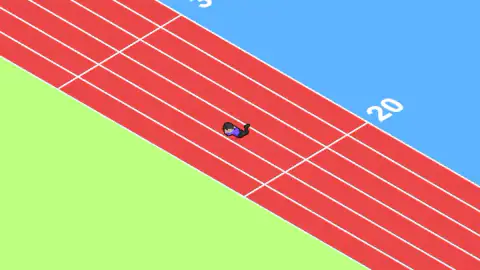
We learned that the slow way. In our run we kept going back to the right arrow instead of swapping cleanly between the two, and the result was a sprint that took about four minutes to get past the 30 mark. Somewhere just past 20 our runner ended up flat on his face in the middle of the lane. That is the whole lesson of the game in one race: left, right, left, right, and never the same side twice.
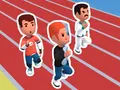
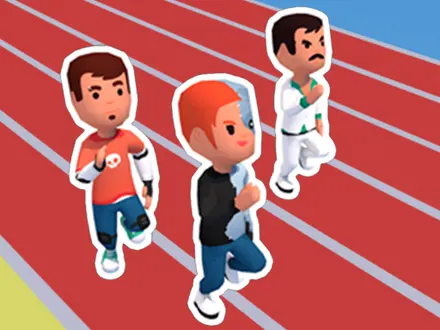
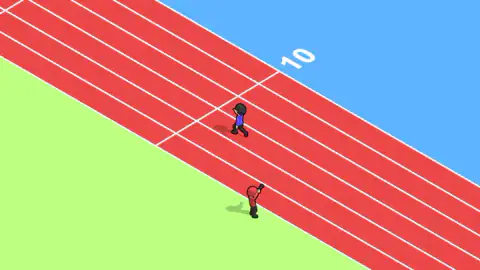
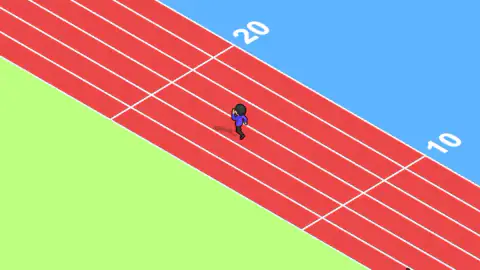
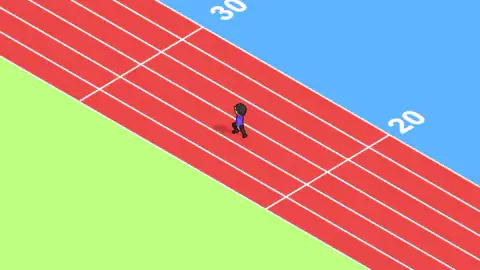
The setting is simple and easy to read. A red athletics track runs diagonally across the screen, seen from above at an angle, with green grass along one side and a flat blue background on the other. The camera stays on your runner, a cartoon figure with dark hair and a purple top, and the track slides past underneath. White numbers painted along the outer edge, 10, 20, 30, are how you know you are getting somewhere.
Sprinter 2 is published by CD Games and was published in March 2021. On another big games site it has been played 122,839 times and holds 3.5 stars. We played it through one long race on the keyboard, and what follows is what we saw, along with what we did not get to see.
One press, one footstep: why the keys take turns
The reason Sprinter 2 wants two keys and not one is the same reason you have two legs. A sprinter's stride is a left foot and then a right foot, never two lefts in a row, and the game maps one arrow to each. When the beat is even, the runner looks like he is running. When it is not, he stumbles.
Real sprinting is mostly about that beat. Analyses of Usain Bolt's world-record 100 metres in Berlin put him at about 41 strides for the whole race, fewer than his rivals because his legs were so long. Most elite sprinters need a few more. Either way, it works out at around four to five footsteps a second, held without a break from the gun to the line.
That gives you something useful to aim for. Try for a beat you could keep up for a whole race, not a burst that fades. Most people can hit a few presses a second on two keys without losing the pattern. The footstep sound is the best coach you have. If the steps start to bunch up or skip, you are about to repeat a side, and that is when we went down.
What we saw, and what we did not
We want to be straight about how far we got. In our race the runner went from the first mark to just past the third, and we never saw a finish line, a result screen or a second race. We did not see a rival runner in the frame at any point either. If there is a field of opponents, they were out of shot or out of reach.
The game's listing describes more than that. It talks about 100-metre races, levels that get harder each time, runner skins and power upgrades. That may all be there, but we did not reach any of it, so we will not describe how it works or what it costs.
What we can describe is the race itself. It is a single runner, a single lane and a single skill. The track runs straight, nothing got in our way, and there was no timer on screen. Whatever slows you down comes from your own hands.
Which sprinter game is this?
Search for a sprinter game and you will find at least three games with almost the same name. Sprinter 2 is the third.
- Sprinter by Gamedesign, a Japanese studio. This is the Flash-era classic, a 100-metre race on two arrow keys. It is the one most people remember from school, and a popular games portal runs it today through a Flash emulator.
- Sprinter by RHM Interactive, a 3D version uploaded in March 2020. The same publisher later made Sprinter Heroes, a 100-metre tournament with a second player on the same keyboard.
- Sprinter 2 by CD Games, this game, listed a year later.
All three put a runner on a red track and ask for alternating keys, so screenshots can look alike. The "2" and some of the wording on this game's listing point towards RHM's Sprinter. But RHM does not list a Sprinter 2 anywhere we could find, and the game is credited to CD Games. So it follows the idea of the earlier games, but nobody has confirmed it as an official sequel.
Playing Sprinter 2 unblocked, on a Chromebook or a phone
Sprinter 2 is one page in a browser tab. There is nothing to download, no extension and no account, so it runs on a locked-down school Chromebook as long as this page itself opens. Whether it does is up to the school's network filter, and no game can change that.
It is light work for a modest laptop, too: one runner, one straight track and flat colours, with nothing in the scene that should make an old machine stutter.
On a touch screen, the left and right halves of the screen act as the two arrows, and a tapped race ran through to the finish when we tested it by touch. The game's listing does not list the game as mobile ready, and we have not tried it on a real phone, so treat the phone as likely rather than promised.
More running games
If a two-key sprint suits you, Sprinter Heroes runs the full 100 metres in eight lanes, with seven rivals beside you and room for a second player on the same keyboard. Athletics Hero adds the javelin and the triple jump to the sprint. Tennis Hero is a different kind of simple sports game, timing a swing instead of a stride. Everything else with a finish line is in our sports category.
Screenshots
Taken by opening the game ourselves and letting it run — not supplied by the publisher, and not the same picture every other site shows.
How to play Sprinter 2
- Click into the game and start the race. In our run a click and then Enter put us on the track, with a starter in red at the trackside, pistol raised.
- Press the left arrow, then the right arrow, and keep swapping. On a touch screen, tap the left half and then the right half.
- Listen to the steps. Each press plays one footstep, so an even beat means an even stride.
- Watch the numbers along the outer edge of the track. They count up in tens as you run.
Tips from our race:
- Never press the same side twice. Our runner went down after a long stretch in which we kept hitting the right side. We cannot prove that was the cause, but it is the one thing we did differently from what the instructions ask.
- A fall costs more than a slow press. Between the moment we saw him on the ground and the moment he was running again, the camera barely moved. Steady and slightly slower beats fast and sloppy.
- Stick to the two arrows. The up and down arrows also played a footstep for us, but the game's instructions only talk about left and right. We would not build a rhythm on keys the game does not mention.
- A click counts too. Clicking on the game played a footstep as well. That is handy on a laptop with a touchpad, and it is the same idea as tapping on a phone.
Controls
| ← then → then ← then → | Run. The game's instructions ask for the two arrows in turns, and every press is one footstep |
|---|---|
| Tap the left half, then the right half | The same thing on a touch screen, one tap per side |
| ↑ and ↓ | They also played a footstep in our run, but the instructions only mention left and right, so do not rely on them |
Features
- A red athletics track seen from above at an angle, with green grass on one side and the camera following your runner
- Distance marks painted every ten along the outer edge, 10, 20, 30, which are the only progress readout we saw during a race
- One footstep sound per key press, so you can hear your rhythm as well as see it
- A starter in red stands at the trackside with the pistol raised as the race gets going
- The runner can end up face down on the track, which costs far more time than a slow press
- Plays in the browser tab with nothing to install, on the arrow keys or by tapping the two halves of a touch screen
Game details
- Developer
- CD Games
- Release date
- March 2021
- Last updated
- March 8, 2021
- Added here
- June 2019
- Technology
- HTML5 (Construct 3)
- Platforms
- Browser (desktop), Browser (mobile & tablet, touch)
- Download size
- 24.3 MB
- Ad requests
- 3 (few)
- Has a save
- Yes
- Saved progress
- Saving, when available, is managed by this game. Mava cannot confirm your level.
Measured by opening the game ourselves on 2026-09-11, not taken from the feed. Twelve seconds on a phone-sized screen, with ad requests counted and blocked rather than loaded.
FAQ
What is Sprinter 2?
Sprinter 2 is a free browser running game published by CD Games and listed in March 2021. You make a cartoon runner sprint down a red athletics track by pressing the left and right arrow keys in turns, or tapping the two halves of a touch screen. Distance marks every ten show how far you have come.
How do you run in Sprinter 2?
Press the left arrow, then the right arrow, and keep swapping. Each press is one footstep, and the game's own instructions ask for the two keys in turns. In our run we leaned on the right arrow far too much, and it took us about four minutes to get past the 30 mark.
Why did my runner fall over in Sprinter 2?
We saw our runner lying face down on the track just past the 20 mark. We cannot say for certain what triggered it, but we had been pressing the same side over and over instead of alternating. Getting the left-right rhythm right is the best way we know to keep him on his feet.
Is Sprinter 2 a sequel to the classic Sprinter game?
Not to the one most people remember. That Sprinter is a Flash-era game by Gamedesign of Japan, and a later 3D Sprinter came from RHM Interactive. Sprinter 2 is credited to CD Games. Its listing borrows wording from RHM's game, but neither company confirms it as a sequel.
Are there levels, upgrades or skins in Sprinter 2?
The game's listing promises levels that get harder, runner skins and power upgrades. Our run never reached a finish line, so we did not get to see them and cannot tell you how they work or what they cost.
Can I play Sprinter 2 unblocked at school?
It runs in a browser tab with nothing to download, install or sign up for, so it works on a school Chromebook if this page opens. We cannot promise it gets past a school filter; that depends on the network, not the game.
Does Sprinter 2 work on a phone?
The game treats the left and right halves of the screen as the two keys, and in a touch test a tapped race started and finished. The game's listing does not list it as mobile ready, and we have not tried it on a real phone, so treat the phone as likely rather than promised.