


How this list is put together
Typing games for kids start with one letter
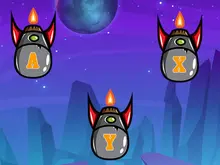
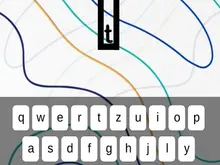
A child who knows the letters but does not yet read fast is ready for one game here, and it is the first pick. In Letter Dash, letters fall and you press each one before it reaches the bottom. There is nothing to read and nothing to spell. Keyboard Rage, going by its description, is simpler still: press keys and build up speed.
Everything else asks you to read English words against a clock. That suits a confident reader. It frustrates a five-year-old.
So when should a child start? A children's occupational therapy service in the Welsh NHS says children can start learning to type without looking at around six or seven. It adds that the earlier a child starts, the fewer bad habits there are to undo. None of these games was made for kindergarten. For the youngest players, toddler games are a better first stop.
Typing racing games and word battles for teens and adults
Once words come easily, the games turn typing into speed. According to its description, Type Run hands you whole sentences. The faster you type, the faster your runner goes, and the rival gets stronger every level. In 3D Racing Typing Game, typing fast and without mistakes becomes a boost for your car. Type Sprint builds the platform under your stick figure as you type, and you need a top-three finish. If you only want to steer, try the racing games.
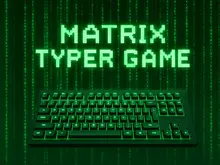
For adults who want something less childish, Matrix Typer drops words like falling code toward a system core. Fantasy Typing makes every word a strike against creatures and bosses, with upgrades between fights. Word Dropping is the odd one out: you type letters and press Enter to drop them onto a dot.
Falling letters have been a typing game since 1981
MasterType, a home computer game from 1981, looked like an arcade shooter. Attackers closed in, and pressing the right key in time shot them down. The genre began as a way to teach touch typing. Letter Dash and Matrix Typer are still that same idea.
What no game can do is watch your hands. On a US keyboard the home row is A S D F for the left hand and J K L ; for the right. The small bumps on F and J let you find it without looking. Put your index fingers there before the first round and keep your eyes on the screen.
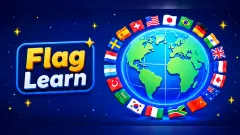
Flag Learn is a change of pace. A flag appears, you type the country's name and press Enter. Its help card says three right answers in a row master a flag. It trains spelling, not speed. We reached the answer box but never typed an answer, so we cannot say how forgiving it is with a typo.
Free typing games for a school Chromebook
All of them run in the browser with nothing to install, which is what a school Chromebook needs. Size is where they differ. Keyboard Rage loads less than 1 MB, smaller than a phone photo. Letter Dash and Fantasy Typing stay under 5 MB. The two 3D racers pass 20 MB and open slowly on a weak connection, so on an old laptop start light or browse games for a low-end PC.
These games want a real keyboard. Several show keys on the screen for phones, but Type Sprint's own description admits typing is easier on a PC. For games that use the keyboard without spelling anything, see keyboard-only games. For words without a clock, try word games, and more learning games are in educational games.